Google just dropped a model that watches your screen, decides where to click, and executes the action on its own. No scripts, no selectors, nobody telling it where the button is. Computer Use, built into Gemini 3.5 Flash and now generally available, turns AI into a graphical interface operator. And what it means for agencies and e-commerce deserves serious attention.

TL;DR: The no-nonsense summary
- Computer Use: an agentic capability in Gemini 3.5 Flash that lets AI interact with graphical interfaces (click, scroll, forms) without pre-written scripts or selectors.
- RPA on notice: unlike traditional bots (rigid, brittle whenever an interface changes), Computer Use adapts visually on the fly. It doesn't need the page's code, just "eyes."
- Cost: $1.50 per million input tokens. Cheaper than a broken RPA bot, more expensive than one that actually works.
- Optional safety: Google includes permissions and auditing, but safeguards are voluntary. You carry the risk.
In this article
What Is Computer Use in Gemini 3.5 Flash?
Computer Use is an agentic capability built into Gemini 3.5 Flash that lets the model interact with graphical interfaces the way a human would. The model receives a screenshot, analyzes what it sees, decides the next action (click, keystroke, scroll), and executes it. Rinse and repeat until the task is done.
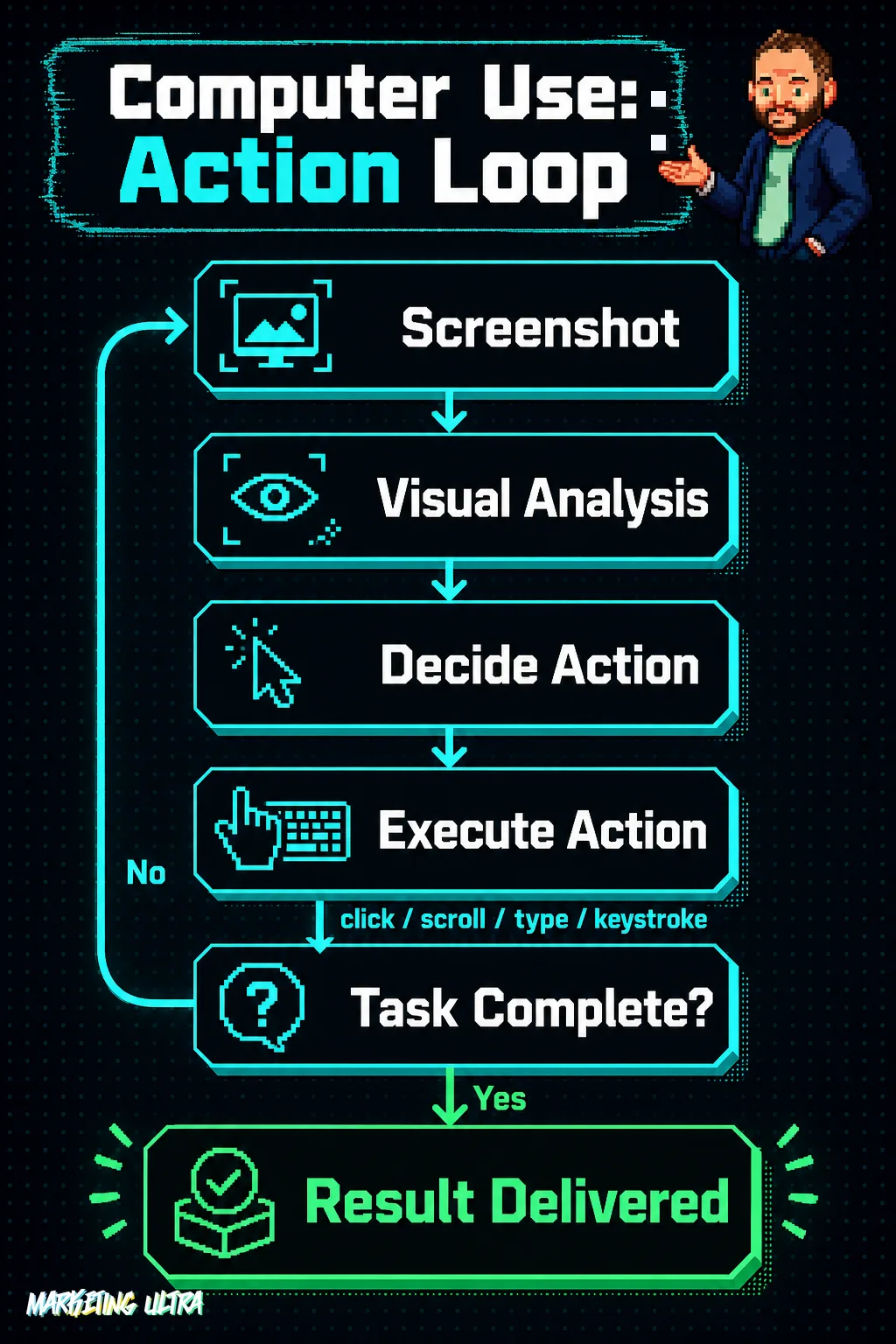
It doesn't generate text. It generates ACTIONS. It browses websites, fills out forms, extracts data from visual dashboards. According to the official Google DeepMind blog, it works across browser, mobile, and desktop environments, built directly into the model with no need to switch to a specialized version (previously offered as a separate model, gemini-2.5-computer-use-preview).
Sounds like RPA on steroids? Sort of. But the nuance matters.
Computer Use vs. RPA: Why Google Is Coming for Them
Robotic Process Automation has been the standard for automating repetitive tasks in graphical interfaces for years. And for just as long, it's been a headache.
Rigid scripts that break the moment a button moves. XPath selectors you have to rewrite after every update. Hours of configuration for a workflow that lasts two months before it falls apart. If you've ever maintained an RPA bot against Meta Ads Manager, you know exactly what I'm talking about.
Computer Use hits that exact pain point. Instead of relying on page code structure, the model "sees" the interface the way you would. If the button moves, it finds it. If the form adds a field, it adapts. Forbes describes it as a "direct assault" on the RPA sector. And they have a point.
One important caveat, though. RPA is deterministic: it does exactly what you tell it, the same way every time. Computer Use is probabilistic: it interprets and decides. That's an advantage when the interface changes, but a liability when you need the process to be identical every single run. For billing or regulatory compliance, that "flexibility" can be a serious problem.
What Computer Use Can Automate in Marketing
Let's get concrete. Specific use cases where this capability fits into the daily workflow of an agency or e-commerce operation:
- Competitor monitoring: the model browses rival websites, pulls prices, offers, and catalog changes, and delivers a structured report. No custom scraper, no API that doesn't exist.
- Ad platform management: setting up campaigns, adjusting budgets, filling out the endless forms in Google Ads or Meta. Everything a bleary-eyed account manager handles at 9 AM.
- Visual data extraction: dashboards from tools with no API (or one that's both paywalled and inadequate). The model reads the screen and structures the data.
- Client onboarding: getting clients into legacy CRMs, platforms with no integration, forms that have to be filled out one by one.
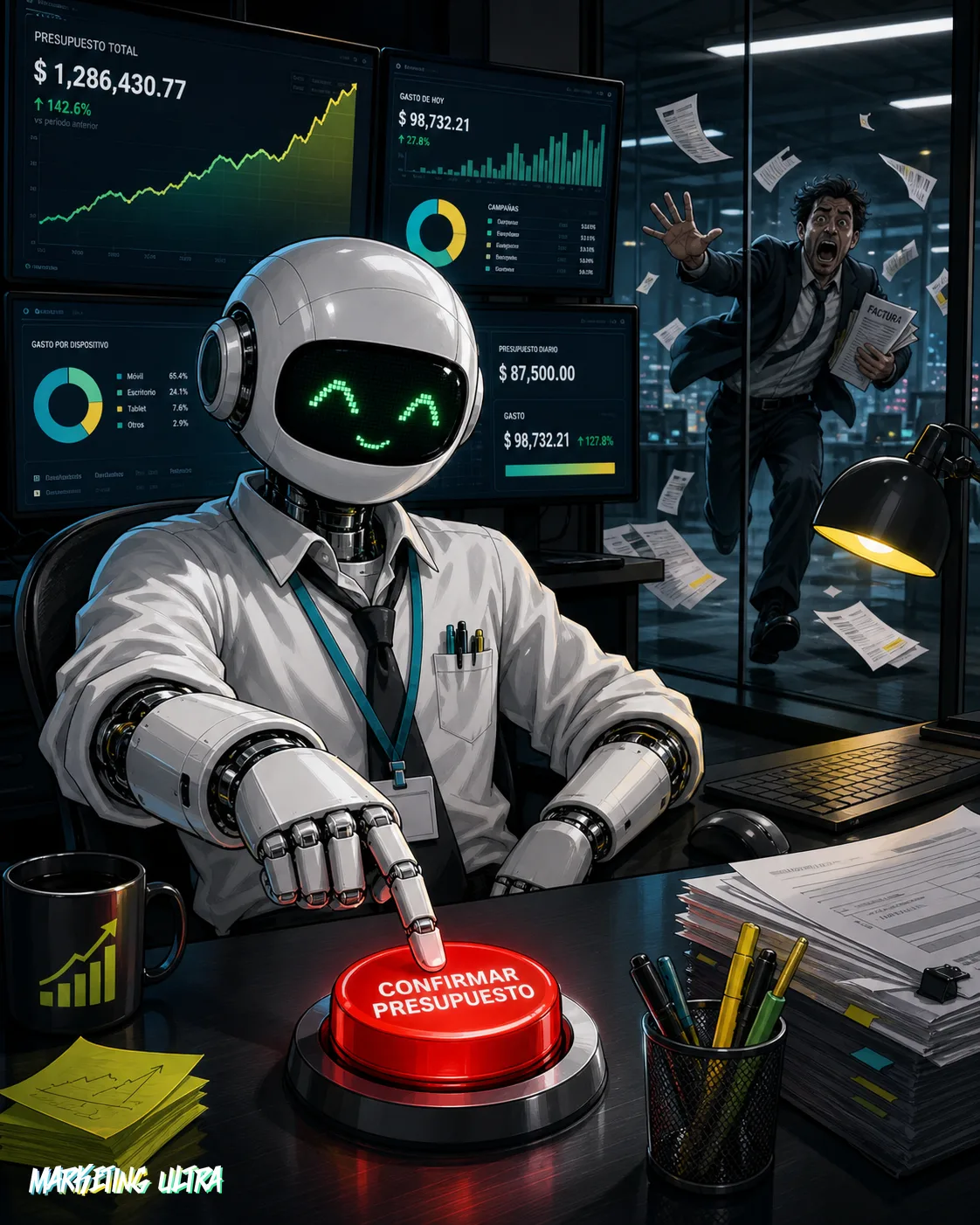
The technology is there. But the real question is a different one: do you trust a probabilistic model to click "Confirm budget change" in your Google Ads account without any supervision?
Neither do I.
Requirements, Costs, and the Risk Nobody Mentions
To integrate Computer Use you need access to the Gemini API. The compatible model is gemini-3.5-flash. For enterprise deployments, Google offers its Enterprise Agent Platform with the Interactions API, optimized for agentic workflows.
The cost: $1.50 per million input tokens (versus $1.25 for Gemini 2.5). There's context caching to keep repetitive tasks cheaper, but if the model needs many iterations per workflow, the bill gets ugly fast.
On security: handing browser control to an LLM is not something to take lightly. Google has added permissions, user confirmations, and audit logs. But they're OPTIONAL. If something goes wrong, Google walks away clean.
The pattern feels familiar. Google hands you a powerful tool with protections set to "your call." It's exactly what it does with Ask Advisor and auto-apply recommendations in Google Ads: the system nudges toward more automation, and if things go sideways, it's your problem. The difference is that now we're not talking about a bidding strategy tweak. We're talking about a model that has the mouse.
My bet is that the real risk for agencies isn't Computer Use failing. It's that it works just well enough for a client to think they no longer need the professional who actually understands what's happening. And that, combined with the context dependency Remio flags (the agent needs to know what was decided before, what permissions it has, where to stop), can end up in expensive accidents.
Copy this and paste it into Claude Code, Cursor, or your favorite coding assistant:
I want to try Computer Use in Gemini 3.5 Flash. Create a Python script that uses the Gemini API (model gemini-3.5-flash) with the computer_use tool enabled. Have it navigate to https://example.com, extract the page title, and log each action it executes. I'll need an API key from https://aistudio.google.com.
No coding knowledge required. The assistant handles installation, setup, and testing.
Availability (UK/EU: unconfirmed). Computer Use in Gemini 3.5 Flash has reached general availability (GA) according to Google DeepMind, but the official source does not specify regions or confirm access for the UK or the European Union. At the time of publication, it is not possible to confirm availability for accounts in those regions.
Computer Use works. And it's going to change how tasks get automated across graphical interfaces. But let's not confuse "can click" with "knows where to click." A model that navigates your Ads account without understanding your business is an intern with superpowers and no supervision.
Test it in a controlled environment. Monitor every action. The AI handling the mouse needs someone who knows where it should not click. That's called judgment. And for now, it doesn't come in the API.