Facial analysis can seem straightforward until you try to combine detection, tracking, recognition and anonymisation without building a Frankenstein. UniFace brings those tasks together in one library for analysing faces in images and video, designed for people developing an application who need several functions through a single entry point. Powerful, yes. Beginner-friendly, not a chance.

TL;DR: The No-Nonsense Summary
- What it brings together: detection, recognition, tracking, attributes, anonymisation and other facial tasks in one library.
- Compatibility: works on macOS, Linux and Windows with CPU, Apple Silicon or NVIDIA CUDA.
- The real barrier: requires Python 3.10 or later, technical integration and a separate review of some model licences.
- For marketing: it can help prepare audiovisual material, locate faces or create anonymised copies, but it does not replace human judgement.
There is no documented hands-on test of UniFace: this review is based on the repository and official documentation.
In this article
| What it is | A library for detecting, comparing or blurring faces in images and video from an application. |
|---|---|
| Official website | https://yakhyo.github.io/uniface |
| Repository | repository |
| Licence | MIT |
| Price | open source |
| Alternative to | Separately integrating libraries for facial detection, recognition and tracking. |
| GitHub stars | 2,150 |
| Release year | 2024 |
| Maintained by | yakhyo (individual) |
| Platforms | macOS, Linux and Windows; CPU, Apple Silicon and NVIDIA CUDA |
| Requirements | Python 3.10+; choose an installation for CPU/Apple Silicon or CUDA GPU |
| Language | Documentation is available in English, Chinese, Korean and Uzbek; Spanish is not mentioned |
Reviewed on 2026-10-24
This tool is part of the living roundup Skills for Claude Code, Codex and other coding agents →
The Problem It Solves
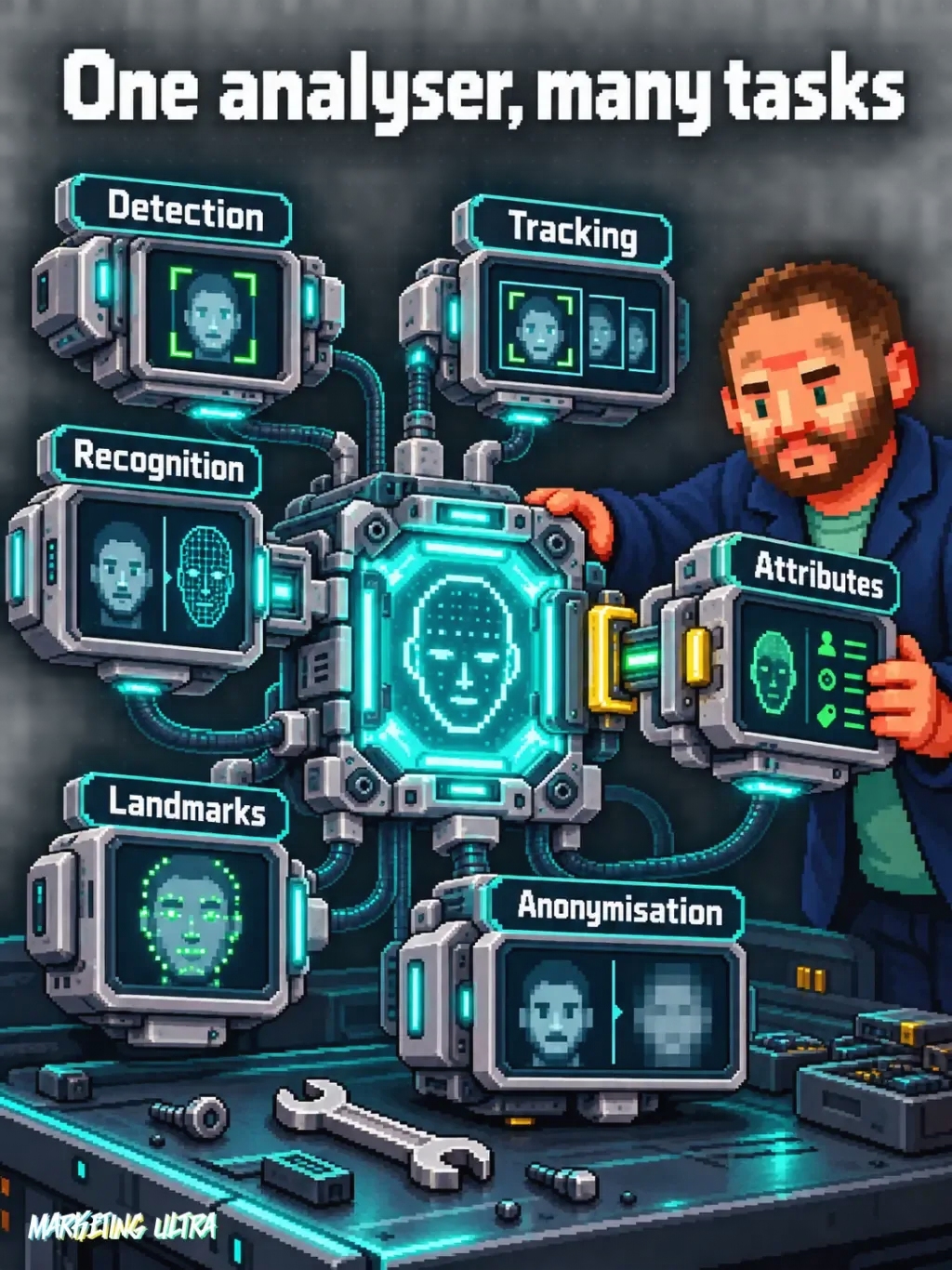
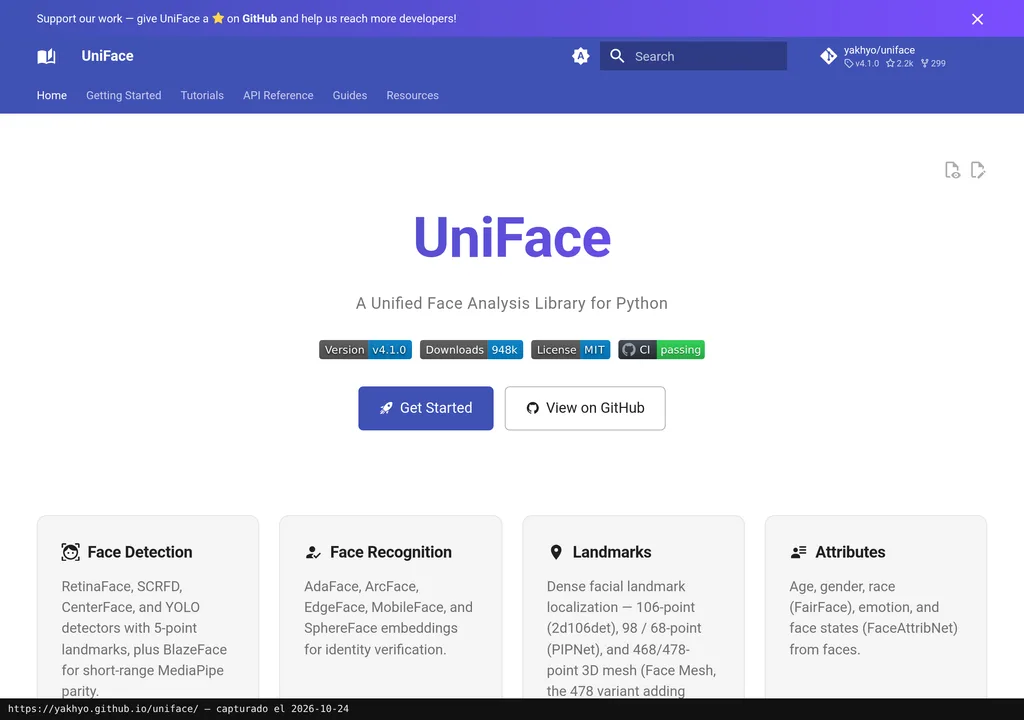
UniFace saves you from having to integrate separate libraries for every facial operation. Its official repository brings together fifteen task types, including detection, recognition, frame-by-frame tracking, facial landmarks, gaze estimation, attributes, quality, liveness checks and five blurring methods.
Who ends up dealing with this problem? Anyone who needs to locate a face, track it through a video and then hide or compare it without maintaining a patchwork of tools with different interfaces.
The appeal is not that every function is unprecedented. It is the unification. A single analyser can return position, confidence, landmarks and a numerical representation of the face; additional attributes only appear when the relevant models are enabled. That reduces moving parts, not responsibilities.
Getting Started
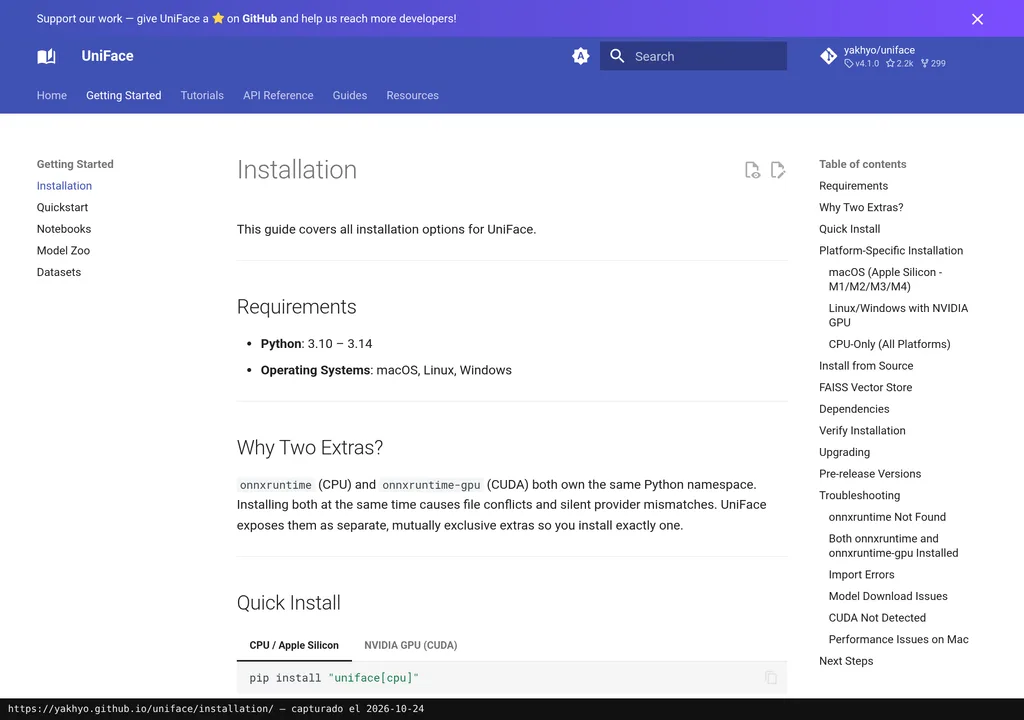
UniFace requires Python 3.10 or later and an installation selected for your machine. The quick-start guide distinguishes between CPU and Apple Silicon machines, and computers with NVIDIA CUDA GPUs.
For CPU or Apple Silicon, install the uniface[cpu] package; for NVIDIA CUDA, use uniface[gpu]. It can also be installed from source. Model weights are downloaded on first use and verified with SHA-256, according to the documentation.
The first official example uses FaceAnalyzer to read a photograph and run detection, alignment and recognition in one call. If you want age, gender, emotion or other attributes, you must explicitly add the predictor that calculates them. This matters: installing UniFace does not magically enable every capability.
Copy this and paste it into Claude Code, Cursor or your favourite coding assistant:
Install UniFace by following https://yakhyo.github.io/uniface/quickstart/ and choose CPU, Apple Silicon or NVIDIA CUDA for my machine.
Create an example that detects faces in an image and generates another copy with the faces blurred.
Run the test, tell me where both files are and explain any errors without hiding them.
You do not need to know how to code. The assistant handles installation, configuration and testing.
If you are setting it up with a coding agent, it is worth understanding first what Claude Code skills and other agent skills are and how they are organised. Giving an instruction does not remove the need to review the result.
Using It in Real Marketing
In marketing, trying to guess emotions to decide whether an ad “works” strikes me as a bad idea. I see much more value in operational work: detecting faces in an interview, tracking them across frames and creating a blurred version before sharing the video with suppliers or teams.
It can also help locate portraits, crop backgrounds or sort material according to facial quality calculated by a model. These are possible scenarios based on documented functions, not a hands-on test or a promise of accuracy.
The trap appears when a technical capability is dressed up as a business conclusion. A model assigning an emotion, an approximate age or a gaze direction does not prove attention, purchase intent or advertising impact. Confusing those things means buying a very sophisticated data point to make a rather foolish decision.
What They Do Not Tell You
The library is MIT-licensed, but some pre-trained weights use different licences. The project itself asks you to consult the model attribution and licensing before releasing a commercial use. “Open source” does not mean “anything goes”.
There is also no official euro pricing that would justify claiming full use costs nothing. The repository is public and the library is distributed under the MIT licence, but hardware, adaptation, maintenance and any infrastructure you need are separate. If you use optional models, their terms need reviewing one by one.
The documentation is available in English, Chinese, Korean and Uzbek; the project does not mention a Spanish version. Nor is there evidence here of performance with campaigns, client recordings or agency material. Official demos show what the tool does. Whether it solves your specific use case is another matter.
And then there is the elephant in the room: working with facial recognition, demographic attributes or identity requires more judgement than installing a package. I would limit the scope, avoid collecting data that is not needed and separate technical analysis from any decision about people. Power without governance eventually creates a mess with a very pretty interface.
Alternatives
The other route is to separately integrate libraries for facial detection, recognition and tracking. That makes sense if you only need one function, want control over every component or already have part of the infrastructure in place.
UniFace makes more sense when you need several tasks and value a shared interface. If you only want to blur faces in four images, setting up the entire stack is using a sledgehammer to crack a nut. And without verified alternatives, filling a comparison with random names would be dishonest.
Verdict
UniFace suits developers and small teams that need to combine several facial operations in their own application. Its advantage is clear: fifteen documented tasks, several models per function, and compatibility with macOS, Linux and Windows.
I would not recommend it to anyone looking for a finished application, an automatic measurement of their audience’s reaction to ads or a maintenance-free tool. Nor would I release a commercial use without reviewing weight licences and testing it with representative material.
My conclusion on UniFace is simple: it is worth a technical trial if the project needs several facial functions. If all you want is an algorithmic excuse to decide what your audience feels, the problem is not the model. It is your judgement.