You've got a Jellyfin server running, your media library up to date, and a client that plays everything on your TV. So far, nothing unusual. What you probably didn't expect is that that same client would let you play Super Nintendo or PlayStation games using your Samsung or LG remote. Moonfin is a client for Jellyfin and Emby that, since July 2026, brings built-in retro game emulation to Smart TVs.
The project documents this feature.

TL;DR: The No-Nonsense Summary
- Moonfin is a client: it connects to your Jellyfin or Emby server. It does not provide content or replace the server.
- Version 2.7.0: as of July 31, 2026, it includes a retro game player on Samsung and LG Smart TVs.
- Local emulation: games run on your TV via EmulatorJS and WebAssembly. No cloud streaming involved.
- Requirements: Jellyfin 10.10+, the Moonbase plugin, Tizen 5 or webOS 5, and your own ROMs.
In this article
What Moonfin Is, and What It Isn't
Moonfin is a media client for Jellyfin and Emby servers. You install it on your device and it plays back whatever you have on the server: movies, TV shows, music. Where the official clients fall short, Moonfin steps in. Its main territory is Samsung TVs (Tizen) and LG TVs (webOS).
What it is NOT: a server. It doesn't provide content. It doesn't replace Jellyfin, it complements it. Jellyfin is your library; Moonfin is the screen where you enjoy it. If you don't have a server set up yet, here's how to set up Jellyfin from scratch. Start there, then come back to Moonfin.
The confusion comes from the fact that Moonfin has grown so much in features that calling it a "media client" barely covers it anymore. The latest addition is the one generating the most buzz.
Retro Games on Your Smart TV: What You Need
Moonfin Smart TV version 2.7.0, released on July 31, 2026, added a built-in retro game player. This isn't a beta feature or a roadmap promise, it's in the stable release.
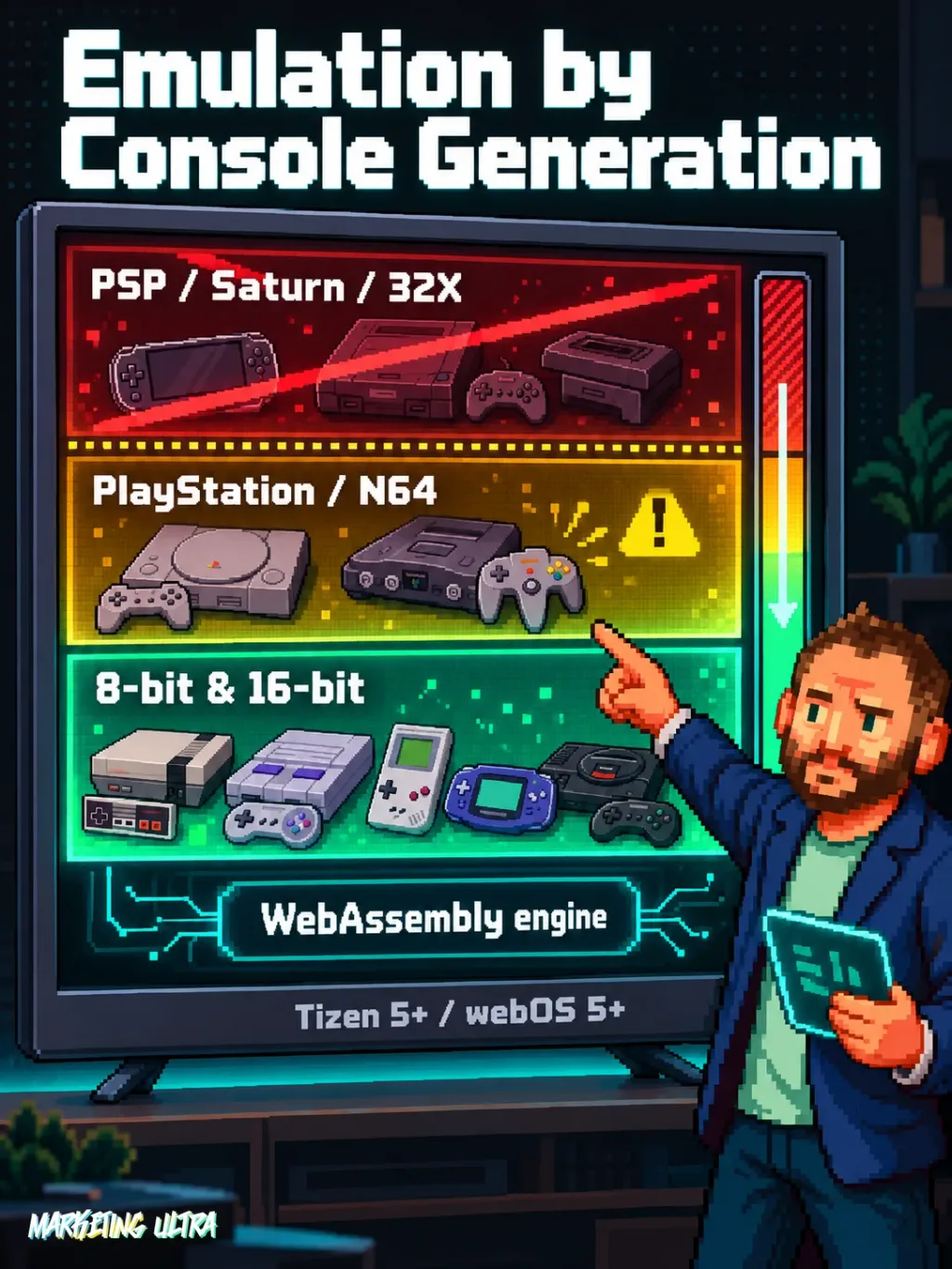
How does it work under the hood? Games run locally on your TV via EmulatorJS. Your Jellyfin server delivers the ROMs, cover art, and save states, but the emulation itself is handled by the TV's browser using WebAssembly. This is not cloud gaming, your television is doing the actual computing.
To get it running, you need:
- Jellyfin 10.10 or higher as your server.
- The Moonbase plugin installed on Jellyfin.
- "Enable retro games" turned on in the Moonbase settings, with your ROM libraries selected.
- ROMs organized in separate folders by system (the root folder doesn't need to be named ROMS).
- A Samsung Smart TV running Tizen 5+ or an LG TV running webOS 5+.
Older versions of Tizen or webOS won't work for gaming: they lack WebAssembly support. The standard Moonfin client does install on older models, but emulation requires that minimum version.
One important note: Moonfin does not distribute ROMs or BIOS files. You supply your own, and you are responsible for having the legal right to use them.
Which Consoles Work, and Where It Falls Short
The Moonbase documentation lists the systems supported on Smart TV: NES, SNES, Game Boy, Game Boy Advance, Mega Drive, Master System, Game Gear, PlayStation, Nintendo 64, Nintendo DS, Virtual Boy, various Atari systems, WonderSwan, Neo Geo Pocket, PC Engine, and arcade.
The list of what does NOT work is just as telling. PSP doesn't run on Smart TV. Neither do Saturn, Sega CD, or 32X. Nothing requiring multi-disc support (CUE/BIN, M3U). PlayStation works, but requires a BIOS and a single-file disc image.
The official list includes 8-bit, 16-bit and 32-bit systems. A system being listed does not guarantee that every game will run smoothly on your television.
That makes complete sense. A Smart TV's processor is not a PC. EmulatorJS runs inside an embedded browser with limited resources.
Performance depends on the processor and browser in each television. We have not tested these systems on a specific TV.
Installation: Sideloading and the Real Learning Curve
Moonfin is not available in the Samsung or LG app stores. It's installed via sideloading: WGT packages for Tizen and IPK for webOS.
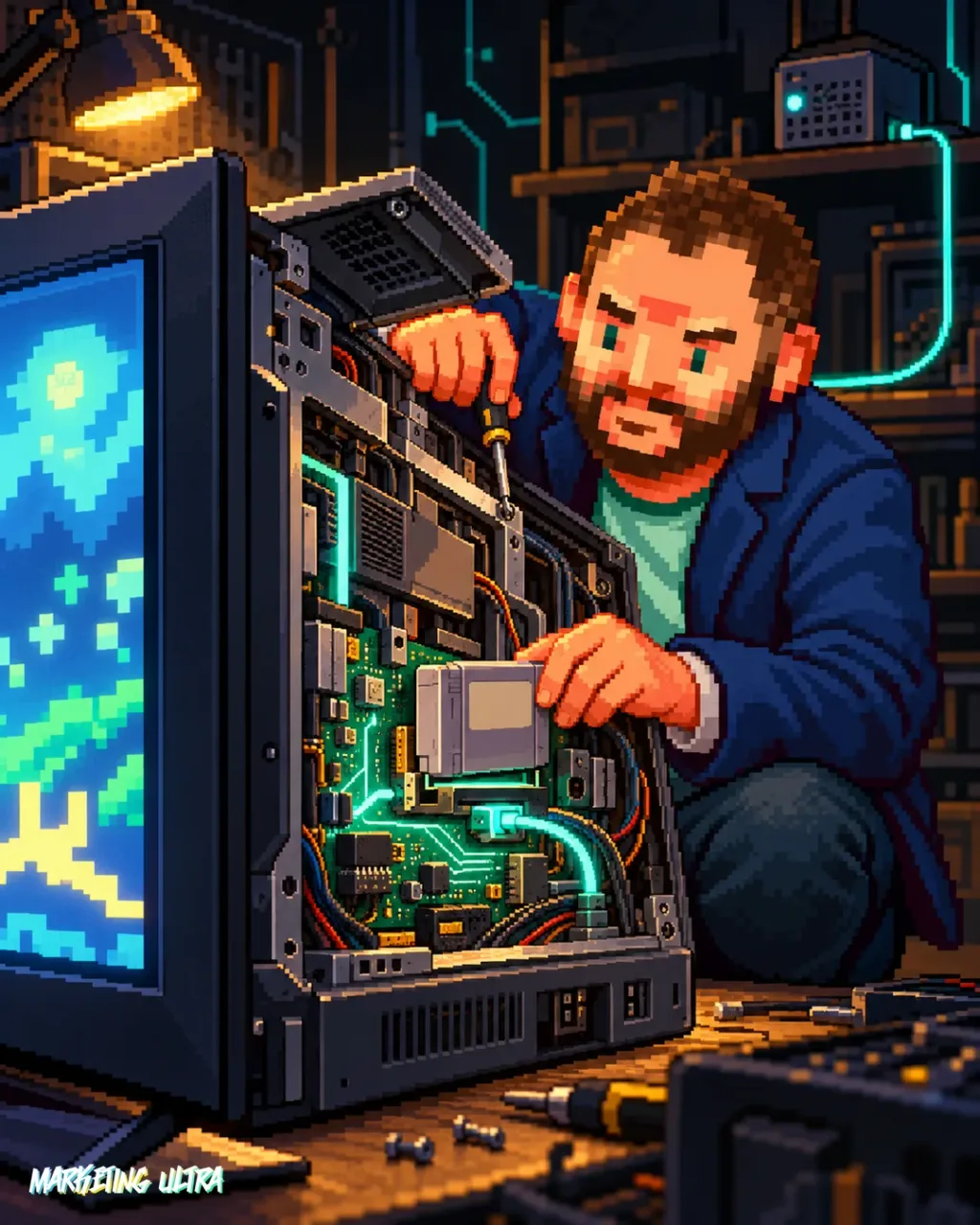
If you've never sideloaded an app onto your TV before, the process involves enabling developer mode, connecting the TV to a computer, and loading the package manually. It's not hard if you follow the documentation, but it's nothing like hitting "install" from an app store. There's a genuine learning curve, especially the first time.
I'd bet this is where most people drop off. The emulation works great once everything is set up, but getting there requires someone who isn't afraid to tinker with their television.
If you're the type who runs a Jellyfin server for fun, this is right in your wheelhouse. If "developer mode" sounds like science fiction, find someone who can give you a hand.
Copy this and paste it into Claude Code, Cursor, or your favorite coding assistant:
Install the Moonbase plugin on my Jellyfin server from https://github.com/Moonfin-Client/Plugin. Enable the "Enable retro games" option, configure the libraries where I have ROMs organized by system, and confirm that my Jellyfin version is 10.10 or higher.
You can ask your assistant for guidance. Review the changes and your server requirements.
Moonfin has tucked a retro console inside your TV. No extra hardware, drawing from the media library you already had running. Did anyone ask for this? Probably not. Were some people waiting for it? Absolutely. It's not for everyone, you need a server, sideloading, and a taste for tinkering.
But if you're already in that world, the jump is surprisingly short.
Frequently Asked Questions About Moonfin and Retro Gaming on Smart TVs
What is sideloading on a Smart TV?
Sideloading means installing an app manually, bypassing the TV's official app store. On Samsung, it involves enabling Tizen developer mode and loading a WGT file; on LG, the same with webOS and IPK files. The full process is documented in the Moonfin repository.
What is EmulatorJS?
EmulatorJS is an open-source project that runs classic console emulators directly in the browser using WebAssembly. Moonfin uses it internally to play retro games in the Smart TV's browser. You don't need to install it separately, it comes bundled with the client.