Redesigning every screen from scratch is a pretty elegant way to lose time and consistency. Stitch Design Skills turns the visual rules of an existing website into a reusable DESIGN.md, while the README requires Stitch MCP and the relevant access to use the package.

TL;DR: The No-Nonsense Summary
- What it does: extracts colours, typography, components and other visual rules so they can be reused as a design system.
- There is more than an MCP: the repository contains actual skills with SKILL.md files, resources, examples and scripts.
- The deciding requirement: many operations need Stitch MCP, credentials and access to the Stitch service.
- Cost: the code uses an Apache-2.0 licence, but no single price for external services has been verified.
In this article
| What it is | A set of skills for recovering a project's visual rules and taking Stitch designs into code and components. |
|---|---|
| Official website | https://stitch.withgoogle.com/docs/mcp/setup |
| Repository | repository |
| Licence | Apache-2.0 |
| Price | The repository releases its code under Apache-2.0. The agent and external services have separate terms; no single price has been verified. |
| GitHub stars | 8,347 |
| Launch year | 2026 |
| Maintained by | google-labs-code (organisation) |
Reviewed on 27 September 2026
This tool is included in these collections: Design skills for Claude Code and Codex · Skills for Claude Code, Codex and Coding Agents by Task
The Problem It Solves
Stitch Design Skills is a skill package for coding agents that connects existing design, Stitch and component generation. Its most interesting feature for an already-built website is stitch::extract-design-md: it analyses front-end source code and generates a .stitch/DESIGN.md file.
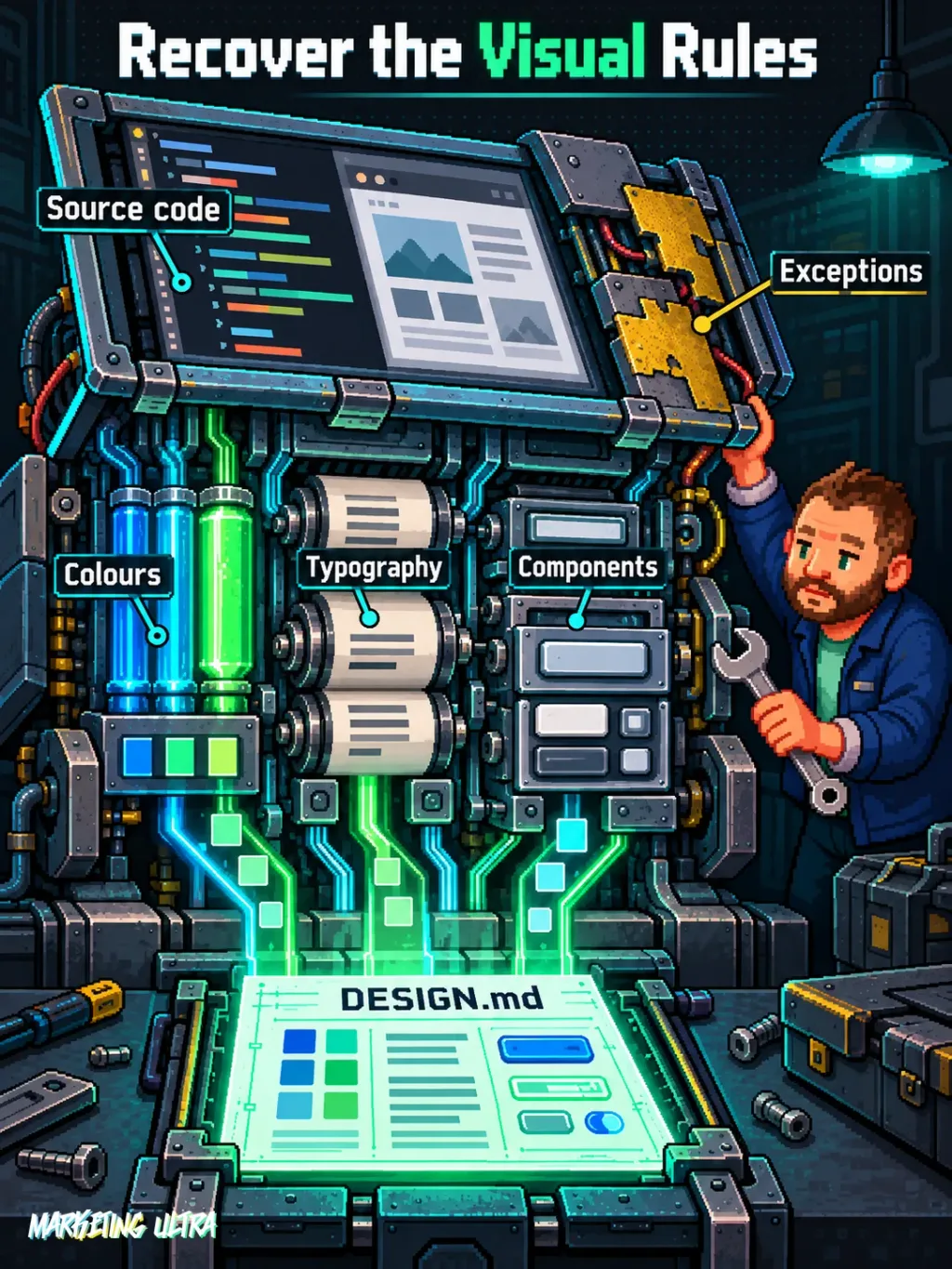
In plain English: rather than asking AI to improvise the blue, typography and button styling all over again, you give it a structured reference. Less creative roulette. More consistency across screens.
The official repository includes extract-design-md in the current stitch-design package. There is no point treating design-md, react-components, stitch-loop and Remotion as four duplicate products: they are different workflows within the same repository.
The documented structure separates the stitch-design, stitch-build and stitch-utilities plugins. Use the paths published in the repository's current tree.
Getting Started
The official README documents installation for Codex, Antigravity, Gemini CLI, Claude Code, Cursor and OpenCode. Compatibility is stated. Whether every workflow works the same way or can do without MCP is another matter.
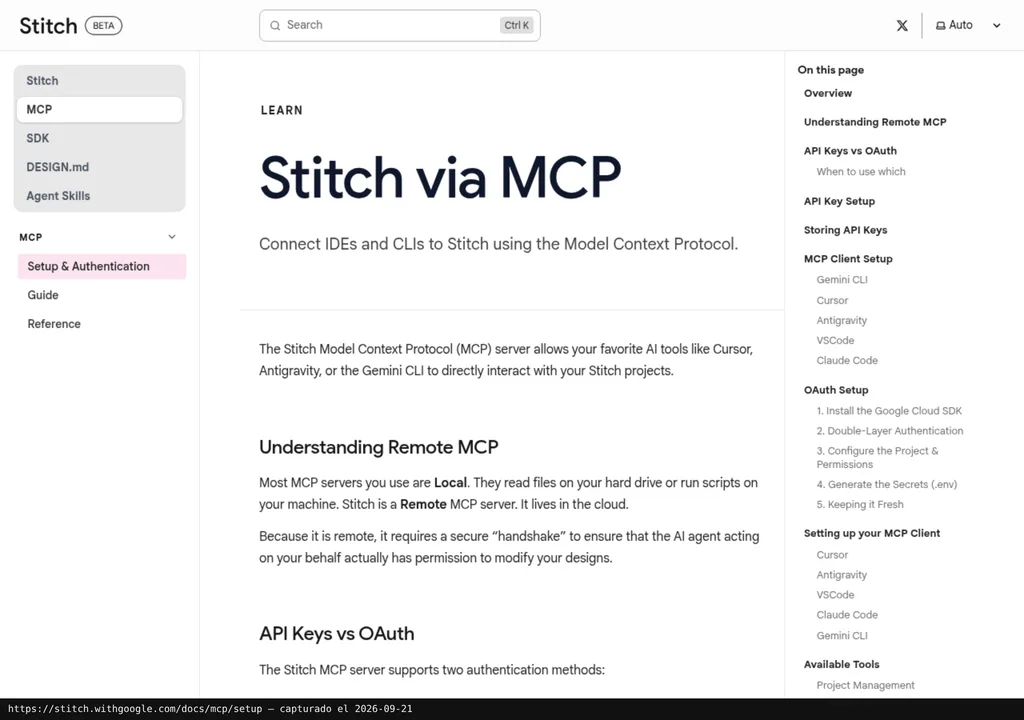
In Claude Code, the stated project installation is npx plugins add google-labs-code/stitch-skills --scope project --target claude-code. Cursor uses the same installer with workspace scope and the cursor target. Codex first adds the repository as a plugin marketplace and can limit the download through sparse paths.
OpenCode requires manually copying the skills and separately configuring the remote server. It also needs names in the stitch::... format adapted into lowercase, hyphenated names so OpenCode can load them. It is not plug-and-forget.
The documented example is specific: ask the agent to inspect a /src folder and generate .stitch/DESIGN.md. extract-design-md describes an analysis of source code to prepare the document. The package documents Stitch MCP as a setup requirement. Then you need to check whether the document reflects the repository's colours, fonts and components. Whether a generated screen will be perfect is a different story.
Copy this and paste it into Claude Code, Cursor or your favourite coding assistant:
Install Stitch Design Skills from https://github.com/google-labs-code/stitch-skills and configure Stitch MCP following https://stitch.withgoogle.com/docs/mcp/setup.
Run stitch::extract-design-md on /src and save the result to .stitch/DESIGN.md.
Check the detected colours, typography and components; report anything you cannot verify.
Installation requires working with commands and paths. You will also need to provide credentials and review the Stitch MCP configuration.
To remove it, delete the installed plugins or folders from the project and remove any MCP entry you added. The supplied documentation does not include a universal uninstall command, so check the changes before deleting anything blindly.
MCP for Stitch Design Skills
Stitch Design Skills contains real SKILL.md instructions in addition to its MCP integration. The README requires Stitch MCP to be configured for the skill set, and workflows that generate, edit or upload designs depend on the server and the appropriate access.
The official integration connects as a remote MCP server following the Stitch MCP setup. The process provides the endpoint and requires the credentials or environment variables specified there. The material does not provide a verified run with a real account, so I am not going to sell documentary evidence as hands-on experience.
The package combines code analysis with operations on Stitch designs. The MCP configuration required by the README is part of getting started; generating a DESIGN.md alone does not prove that later workflows are ready.
Using It in Real Marketing
The sensible use case for a small team appears when a brand already has a website and needs new landing pages without turning every brief into an artistic reinterpretation. The agent analyses the front end, prepares the DESIGN.md and uses those rules as a reference for subsequent screens.
Imagine a campaign with three landing pages, each built at a different time. The value is in retaining decisions: typographic hierarchy, button radius, palette or card treatment. We already know how to generate more pixels.
The risk is treating the extracted file as absolute truth. Code also preserves patches, exceptions and mediocre decisions. A DESIGN.md can turn chaos into a perfectly documented rule. Boom. Now you have scalable inconsistency.
That is why it works best as a complement to human review and resources focused on visual judgement, such as Taste Skill or Anthropic's Frontend Design. And because it supports several agents, it also belongs in the guide to skills for Claude Code, Codex and other agents.
What They Do Not Tell You
The first limitation is operational dependency. The repository is open under the Apache-2.0 licence, but the agent you use, Stitch and other services may have separate terms. No single euro price has been verified that would let anyone call the whole package “free” without qualification.
The second is support. The README itself states that this is not a product with official Google support and does not participate in its open-source vulnerability reward programme. Being maintained by the google-labs-code organisation does not turn the repository into a service with commercial guarantees.
The repository recorded 8,347 stars at the review on 27 September 2026. Those are repository stars, not users, skill installations or completed projects. No verified public reviews were provided for this review either, so there is no basis for inventing social consensus from two screenshots and a lot of wishful thinking.
The third limitation is editorial: the listing has no verified alternative. Taste Skill and Frontend Design can complement visual control, but the material does not support presenting them as equivalent substitutes for the code, DESIGN.md and Stitch workflow.
Verdict
Stitch Design Skills deserves attention because it tackles a real problem: preserving a website's visual rules when you start generating new screens with agents. The extract-design-md skill proposes analysing project files to produce a DESIGN.md.
Would I recommend it? Yes, for teams already using coding agents that want to stop redesigning their identity in every prompt. Before adopting it, configure Stitch MCP according to the README and check that the DESIGN.md accurately represents your project. Documented compatibility alone does not prove a production-ready outcome.
The appeal is that AI stops forgetting your design every five minutes. Designing is still your job.