Taste Skill works like a mixing desk for web design: it lets you tell an agent how much variety, animation and information to put on screen. It is an open skill designed to avoid generic interfaces, but version 2 remains experimental and does not replace design judgement.

TL;DR: The No-Nonsense Summary
- Three controls: set how experimental the layout can be, how much it animates and how packed the screen gets.
- Simple installation: add it with npx skills add or by copying the SKILL.md file.
- Experimental version: v2 is the default option, but its rules may still change.
- Limited evidence: the documentation explains the approach, not an independent comparison of outcomes.
In this article
| What it is | A package of design rules that teaches coding agents to generate interfaces with visual judgement instead of generic templates. |
|---|---|
| Official website | https://tasteskill.dev/ |
| Repository | repository |
| Licence | MIT |
| Price | open source |
| Alternative to | Manually reviewing the UI after every AI generation |
| GitHub stars | 89,539 |
| Launch year | 2026 |
| Maintained by | Leonxlnx (individual) |
| Platforms | Agents compatible with SKILL.md files |
| Integrations | Cursor, Claude Code, Codex, Gemini CLI, v0, Lovable and OpenCode |
Reviewed on 2026-09-23
This tool is included in these collections: Design skills for Claude Code and Codex · Skills for Claude Code, Codex and Coding Agents by Task
The Problem It Solves
Taste Skill tries to fix a very specific bad habit in AI-generated websites. You ask for a landing page and get another procession of cards, gradients and centred blocks. Here, “make it look good” becomes three decisions you can actually discuss.

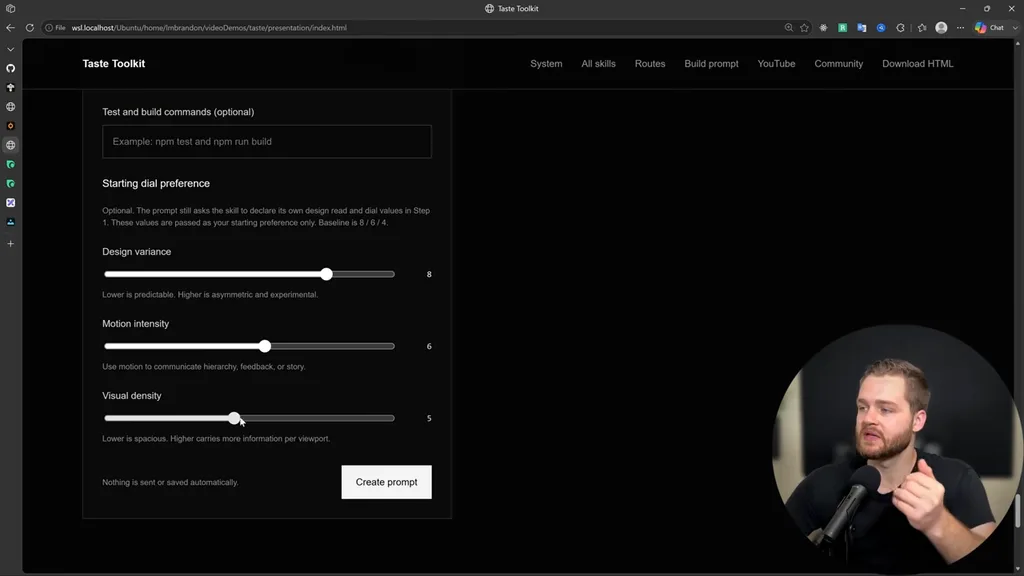
Taste Skill’s three controls
DESIGN_VARIANCE governs how much the agent can experiment with composition. A low value pushes it towards clean, centred structures; a high one allows more asymmetric layouts.
MOTION_INTENSITY determines the depth of animation, from subtle hover interactions to scroll-linked movement. VISUAL_DENSITY controls how much information fits on each screen: breathing room for a premium brand, or greater concentration for a data dashboard.
In plain English: it does not design for you. It gives the agent guardrails so it understands that a law firm’s website should not move or breathe like a trainer-launch campaign. Sounds obvious. Judging by plenty of generated interfaces, it was not.
Getting Started
You need an agent compatible with SKILL.md files. The official Taste Skill website lists Codex, Claude Code, Cursor, OpenCode, Gemini CLI, v0 and Lovable, among others.
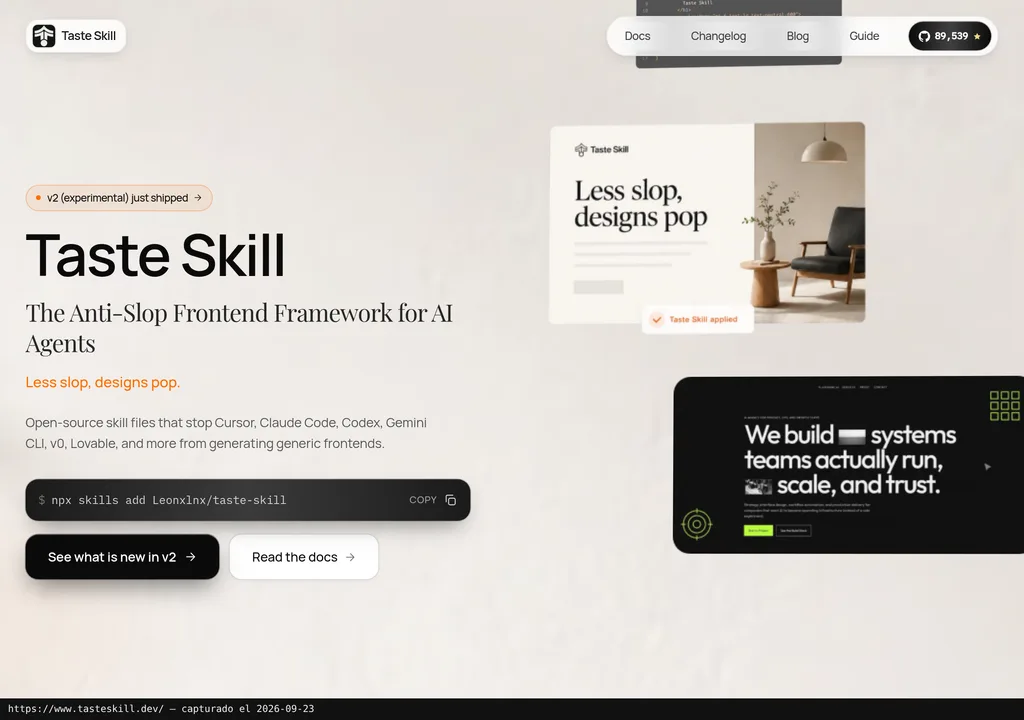
The documented command for installing only the resource reviewed here is:
npx skills add https://github.com/Leonxlnx/taste-skill --skill "design-taste-frontend"Watch the name: the folder is called taste-skill, but the installable identifier is design-taste-frontend. You can also copy the SKILL.md file into the project or paste it into a compatible conversation.
The experimental v2 currently replaces v1 when you repeat the installation. If a project relies on the earlier behaviour, the README retains design-taste-frontend-v1. To run a reproducible test, work from a specific commit and save that identifier. Installing the latest version today does not guarantee the same rules tomorrow.
Copy this and paste it into Claude Code, Cursor or your favourite coding assistant:
Install Taste Skill from https://github.com/Leonxlnx/taste-skill using the design-taste-frontend identifier.
Set up a services landing page with variance 4, motion 2 and density 5.
Create a test page and list which skill rules you applied.
You do not need to be a programmer. With a compatible agent, the assistant can handle much of the installation, configuration and testing, although you may need to lend a hand.
The documentation does not provide a specific uninstall command. If the file was copied manually, undoing the change means removing that SKILL.md from the project; first, check the exact path created by the agent or installation tool.
MCP for Taste Skill
There is no official MCP integration documented in the sources reviewed. What you install is a SKILL.md containing instructions for the agent. There is no MCP server here offering tools or external data.
That changes the picture considerably: it does not require connecting credentials or running a service to apply its rules. It also means it should not be marketed as an MCP integration simply because it works with coding agents. They are different mechanisms.
Using It in Real Marketing
Imagine an agency preparing three landing-page proposals: a conservative one for B2B lead generation, another with more motion for a launch, and a third, denser one for showcasing comparisons. With these controls, it can explain the differences without writing a treatise on art direction into every prompt.
For the record: no independent test was run for this review. The scenario explains how to apply the tool, but it does not demonstrate improvements in conversion, production speed or visual quality.
My reading is that its greatest value comes before code generation: it forces a discussion about how much design a page really needs. Turning every control up because “more is better” will just produce a different kind of mess. A PPC landing page needs hierarchy and clarity before fireworks; density and motion are commercial decisions, not decoration.
For more context, it fits within the guide to skills for Claude Code and Codex and the roundup of design skills for AI agents. It is reviewed as a single package: its internal variants do not justify duplicating the same tool thirteen times.
What They Do Not Tell You
The deciding limitation has a fairly clear label: v2 is experimental. The project itself warns that the wording of its rules may change before the stable 2.0.0 release, even if the installation name remains the same.
GitHub stars are not the same as skill installs, active users or proof that the system produces better designs. Mixing up those measures looks great in a chart and terrible in a review.
The README includes official promotion and sponsors, but the dossier offers no verifiable views from people who have used it. With that on the table, talking about adoption or consensus would be a stretch.
Make sure you install from Leonxlnx's original repository. With nearly 90k GitHub stars, forks circulate. Its stated licence is MIT and the resource itself is open; the agent, model or API you pair it with may still cost money.
Alternatives
The old-school alternative is to review the interface manually after every AI generation. It consumes more attention and means explaining corrections one by one, but it gives you direct control over hierarchy, spacing, motion and brand consistency.
I would use it to get repetitive corrections out of the way, then review the page manually. If the hierarchy, spacing or motion fail, they need fixing no matter how well the SKILL.md is written.
Verdict
Taste Skill takes three conversations that usually end in "make it look good" and gives them actual numbers. With declared compatibility across several agents and one skill to install, it costs very little to try.
Small teams generating front ends with AI that keep correcting the same quirks have the most to gain. Test it on an isolated page, from a pinned commit, compare with a version that has no skill loaded. Just do not treat it as a seal of good design. Taste Skill puts judgement into writing; someone still needs to apply the final one.