OpenCLI aims to turn the browser you already have open and signed into into a gateway for AI agents. It is a common command-line interface for websites, Electron apps and local tools, built for technical users. The catch matters: the dossier explains the idea, but provides neither a reproducible installation nor an independent test.

TL;DR: The No-Nonsense Summary
- What it does: turns websites, Electron apps and local tools into a common command-line interface.
- Its edge: it aims to reuse an already authenticated Chrome session so an agent can operate tools without starting from scratch.
- Cost: the project presents itself as open source under the Apache-2.0 licence, but there is not enough information on additional costs.
- Key limitation: detailed requirements, a reproducible test and evidence of its behaviour with specific services are missing.

DANIEL ESPINOSA RAMOS' TAKE
Yes, to be completely honest, I haven't used terminals much for a while; I do almost everything in the OpenAI interface and the Cloud one, and little else.
Dani
Dani’s comment describes his general use of terminals. This review analyzes OpenCLI documentation and does not establish a personal test of the tool.
In this article
| What it is | Turns websites, Electron apps and local tools into a unified CLI, designed for AI agents to operate your browser using already authenticated sessions. |
|---|---|
| Official website | https://opencli.info/ |
| Repository | repository |
| Licence | Apache-2.0 |
| Price | open source |
| Alternative to | Manual scraping or automation scripts using Puppeteer/Playwright |
Reviewed on 2026-10-09
This tool is included in these collections: Open Source Apps That Replace Paid Software
The Problem It Solves
OpenCLI wants AI agents to discover and use, from one place, tools that would normally be scattered across different interfaces. That includes websites, Electron apps and local programs.
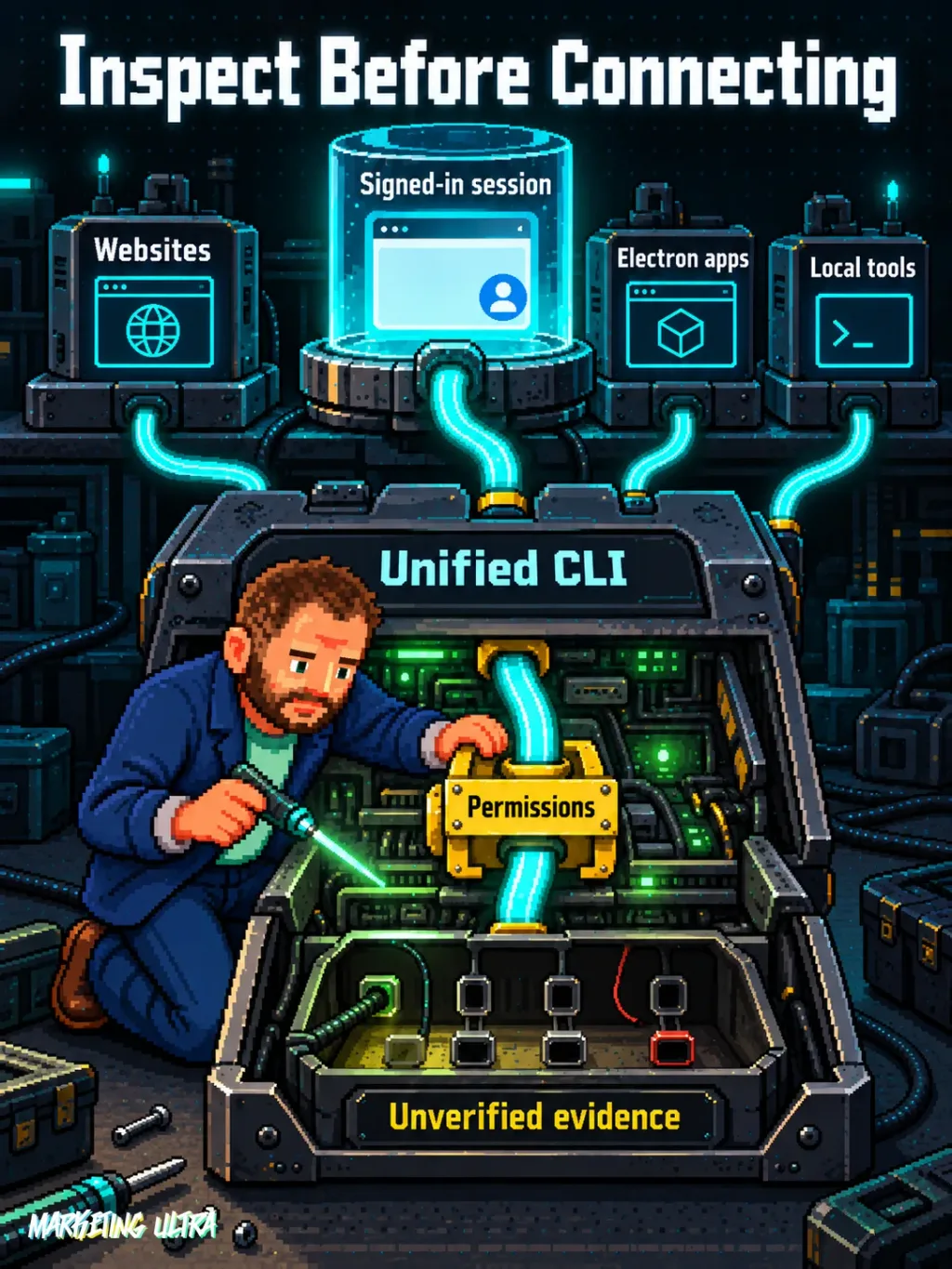
The pain point is familiar: every service has its own interface, session and way of doing things. The alternative is usually to build dedicated automations with Puppeteer or Playwright, maintain selectors and deal with each site's authentication. OpenCLI proposes reusing the browser session you are already signed into and putting a common layer on top.
In plain English: the agent gets a kind of text-based remote control for tools it could previously only use by clicking around. That does not guarantee every website will work well, or that the automation will survive an interface change. That is the project's promise. It still needs to prove it in practice.
Getting Started
The verified information does not support publishing a definitive installation guide. The official OpenCLI website identifies the product, while the public repository is where you should check the current requirements and procedure.
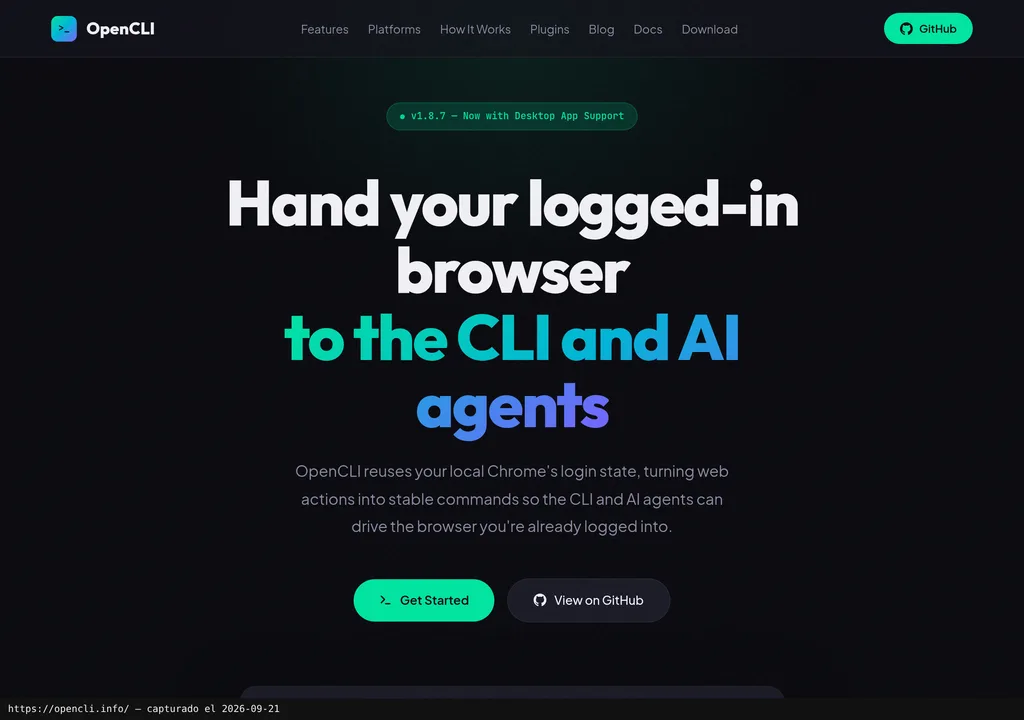
Before installing anything, review the supported system, dependencies, how Chrome is linked and which permissions it requests. The dossier does not specify versions, commands or how to uninstall it. I could make up a command to make the tutorial look complete. Very convenient. Also rubbish.
The project is listed as open source under the Apache-2.0 licence. That covers the code, but there may be infrastructure costs, external services or subscriptions to the tools being used. There is no official pricing or monetary conversion we can publish.
Copy this and paste it into Claude Code, Cursor or your favourite coding assistant:
Review the current documentation for OpenCLI at https://github.com/jackwener/opencli and install it only through the official method.
Check requirements and permissions, configure the connection to an already authenticated Chrome session and document how to undo it.
Run a read-only test on a non-sensitive site and show me the command, the result and any errors.
Use it as a starting point. The assistant can help with installation, configuration and testing; review every step and verify the result in your own environment.
If you want to better understand how instructions and tools fit together in these environments, the guide to skills for Claude Code, Codex and coding agents provides the context missing here.
Using It in Real Marketing
Where could this make sense within a marketing team? In a repetitive task that moves between several interfaces: looking up information on a website, passing it to a local tool and leaving the result ready for a person to review. It is a possible scenario. We have not tested it.
Where would the value lie? In avoiding the need for every agent to have a different integration for every screen. The authenticated session could remove some initial friction, provided OpenCLI supports the service, interprets its elements correctly and respects its permissions.
I would not sell this as autonomous campaign automation, nor let it touch budgets, ads or sensitive data without confirmation. A common interface can speed up work, sure. Judgment remains human, as do access controls and that final click nobody remembers making afterwards.
What They Do Not Tell You
The central limitation is the lack of operational evidence in the dossier. We do not have a test with a version, system, configuration, task and result. Nor do we have verified screenshots of specific functions, relevant videos or data that would allow stability to be measured.
Reusing an authenticated session sounds practical, but it raises serious questions: what permissions the agent receives, where credentials are kept, how an action is limited and what happens when a website changes. The supplied sources do not answer them. Security, compatibility and reliability remain unproven.
We also do not know how it behaves with additional verification steps, interface changes or third-party terms of use. The idea has substance. The evidence is still several steps behind.
What People Say
On Hacker News, user pingfan wrote: "Excellent job, CLI is the new language for AI Agent." The original comment neatly captures the appeal of the idea, but does not describe an installation or provide verifiable results.
"Excellent job, CLI is the new language for AI Agent." pingfan on HN
"Make Any Website & Tool Your CLI. A universal CLI Hub and AI-native runtime. Transform any website, Electron app, or local binary into a standardized command-line interface. Built for AI Agents to discover, learn, and execute tools seamlessly via a unified AGENT.md integration." ashing on HN
Another user, ashing, posted an OpenCLI description on Hacker News focused on its common interface and AGENT.md integration. The dossier identifies neither person as a maintainer, customer or verified user, and it does not provide a public date for either comment. These are useful reactions, not a satisfaction metric or commercial case study.
Alternatives
The alternative documented in the listing is to build manual automations with Puppeteer or Playwright. It is the more labour-intensive path: every workflow needs its own logic, maintenance and authentication handling.
In return, that approach lets you explicitly define what each automation does. OpenCLI is more compelling if the common layer works with your tools; manual scripts make more sense when you need fine-grained control, a limited scope and behaviour that is easy to audit.
Verdict
OpenCLI is worth watching because it tackles a real agent problem: fragmented interfaces and sessions. The proposal is easy to grasp and the open repository makes it possible to inspect, but with the available evidence I would not recommend deploying it in sensitive processes.
I would test it in an isolated environment, with minimal permissions and a reversible, read-only task. I would not use it yet to publish, modify campaigns or manage critical accounts without first reviewing installation, security and compatibility in the current documentation.
It may make plenty of sense for a technical user. For any marketing team, it is definitely not a universal shortcut yet. The idea is good. Now it needs to prove itself.