Ask an AI agent to design a landing page. Change the model, change the tool, and far too often the same creature appears: Inter everywhere, a purple gradient, cards inside cards, and hierarchy chosen by roulette. Impeccable tries to stop that pattern before it reaches production. It is an open-source skill that adds a design vocabulary, 23 commands, and a detector with 61 deterministic rules.

TL;DR: The No-Nonsense Summary
- What it is: an open-source skill that gives Claude Code, Codex, Cursor, and other agents a design vocabulary and a more structured process for improving interfaces.
- What it adds: 23 commands and a detector with 61 deterministic rules for spotting repetitive AI-made design patterns, with no API key or extra model call.
- How to get value from it: it works best when you separate shaping, critique, auditing, and polishing, and give the agent specific instructions.
- The score: 8.8/10. It is useful, free, and fits real work, but loses points because it still makes you push the agent too often.

Impeccable is excellent. It makes the design work produced with Claude Code and Codex much better and helps it escape the generic AI-made look. But I sometimes have to repeat the prompt a couple of times and be very specific, especially when I combine it with other skills. AI agents still struggle to follow the instructions on the first attempt. Even so, I use it in my daily work and it is one of my favourites.
DaniIn this article
| Fact sheet | Detail |
|---|---|
| Website | impeccable.style |
| Code | pbakaus/impeccable |
| License | Apache-2.0 |
| Reviewed state | 67,757 stars; version 4.3.1; checked September 13, 2026 |
| What it includes | 1 skill, 23 commands, live browser iteration, and 61 deterministic rules |
| Agents | Claude Code, Codex, Cursor, Copilot, Gemini CLI, Grok Build, Hermes, OpenCode, and others |
This tool is included in these collections: Skills for Claude Code, Codex and Coding Agents by Task · Design Resources for Coding Agents
The Problem It Solves
Paul Bakaus started from Anthropic's frontend-design skill and turned it into something more operational. It does more than tell the model to “make it pretty.” It adds persistent product context, commands with a specific intent, and two kinds of control: model-based critique and programmatic detection of known patterns.
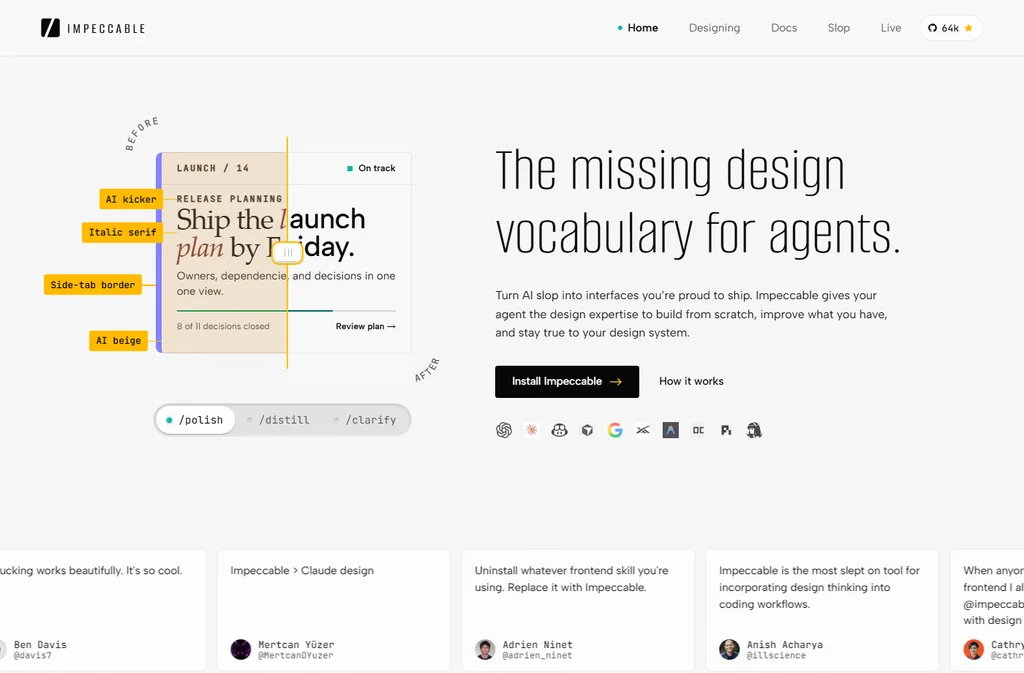
That distinction matters. The detector can flag gray text on colored backgrounds, default typography, nested cards, repetitive decorative icons, or distracting motion. It does so without spending another AI call. For a marketing team producing campaign pages with agents, this works as a first quality barrier: repeatable defects are caught before a human reviews the proposal.
It does not prove that a landing page will convert. It does not score the strategy, the offer, or the clarity of the message. If the brief is mediocre, Impeccable may make it cleaner while leaving it mediocre.
Getting Started
The project's recommended installation command is:
npx impeccable install
The installer detects available coding agents and lets you choose providers and scope. Reload the agent afterward. In Codex, open /hooks and approve the project hook when prompted; an update that changes the hook definition may require approval again.
The first command in a new project should be:
/impeccable init
init inspects the project and writes durable product truth to PRODUCT.md: audience, purpose, operating context, constraints, voice, and evidence. Visual direction is kept separately in DESIGN.md. That is a good decision: it stops “who buys this and why” from being mixed up with “what should this page look like.”
Paste it into Codex, Claude Code, Cursor, or your preferred agent:
Install Impeccable in this project with npx impeccable install. Run /impeccable init to establish the product context. Then run /impeccable audit on the main page and fix the issues it finds without changing the offer or inventing facts.
No magic claim: the agent installs and audits; you still validate the direction.
Using It in Real Marketing
Picture a small team with no in-house designer, producing landing pages in Codex, Cursor, or Claude Code. The useful workflow is not pressing one button and waiting for a masterpiece. It is separating the decisions:
/impeccable shape landingto organize the experience before code./impeccable critique landingto review hierarchy, clarity, and resonance./impeccable audit landingfor accessibility, responsiveness, performance, and deterministic rules./impeccable polish landingto align the finish with the design system and prepare it for shipping.
There are more surgical commands too: typeset, layout, colorize, quieter, bolder, clarify, harden, and adapt. The advantage is not memorizing 23 names. It is being able to say what kind of improvement you want without writing a design treatise in every prompt.
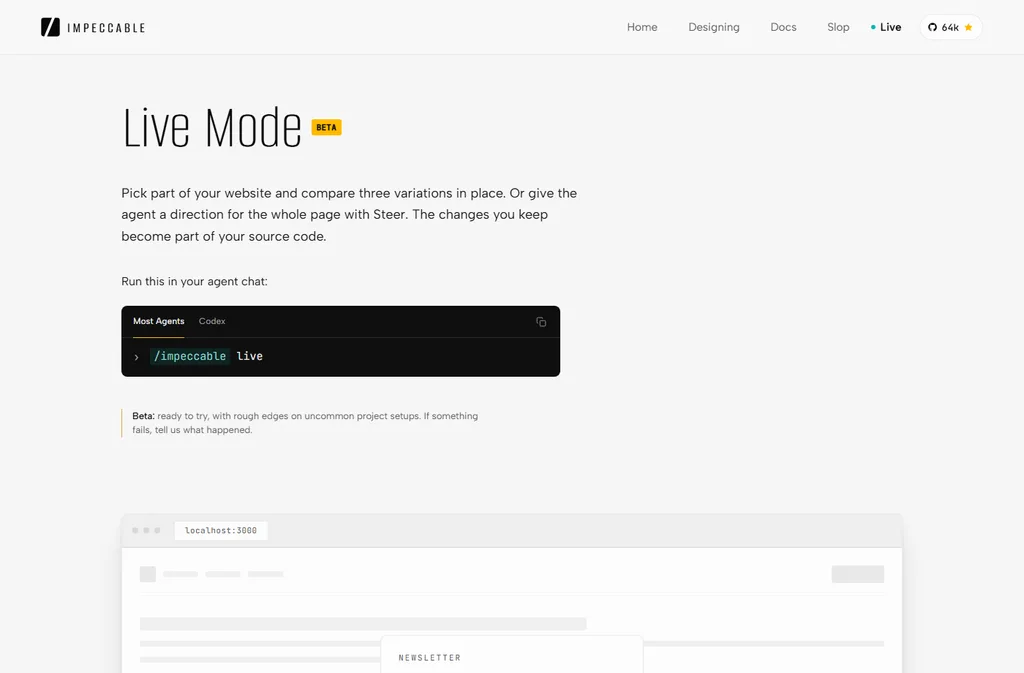
The current release also supports browser iteration through /impeccable live. It is designed around a local development server. For a deployed site, URL detection or the Chrome extension is the more appropriate route.
Relevant official video: in this 15:59 talk, Bakaus explains the system's reasoning. The decisive point comes near the end: an adjective without concrete meaning is still just a nicer prompt, and no automatic mode can manufacture judgment.
Watch “Design at the Speed of Adjectives”, by Paul Bakaus at AI Engineer
What They Don't Tell You
“61 rules” sounds like a total safety net. It is not. It catches catalogued patterns. A new design can pass every rule and still have weak composition, a confusing promise, or borrowed personality. Part of the critique also depends on the model you are using.
The author puts the limit more accurately than any headline: there is no automatic button, and there will not be one. Taste can be sharpened and amplified, but it grows from context, culture, and accumulated decisions. Impeccable gives you levers; you still decide where to move them.
Two practical limits matter as well:
- Hooks run checks when the agent edits interface files. Review and approve what you install, especially in shared repositories.
- The comp-first workflow needs image generation in your environment. Without that capability, the code-first workflow remains available, but that visual branch does not.
What People Say
The last-30-days social search found enough varied material. These are the original posts, not paraphrases hidden behind raw links.
“it's never gonna be a tool that one shot design”
im on point with @pbakaus (builder of impeccable design tool/skill)
watch this one guys if you're design eng or not
In this Reddit thread, one user says they use it heavily to clean up the AI look and recommends starting with /audit.
web design with AI is mostly solved.
not by openai, anthropic, or google.
but by a guy. i'm talking about @pbakaus.
i've been using his tool/skill @impeccable_ai for last couple of months. and the slop has significantly left the chat.
There is a counterpoint too. In discussions on ClaudeAI and ClaudeCode, users report that design skills still do not replace human UX judgment. That does not contradict Impeccable's proposition; it puts it in the right category.
Verdict
Impeccable improves the process precisely because it does not need a magic claim. It turns many repeatable visual failures into checks, preserves context agents tend to forget, and gives teams a shared language for requesting intentional changes.
That is why the score stays at 8.8/10. It improves the result considerably, costs nothing, and fits real work. It does not score higher because it still makes me push the agent too often before the rules are actually followed, especially when other skills are active in the same project.
Frequently asked questions about Impeccable
Does Impeccable replace a designer?
No. It detects patterns, structures reviews, and helps the agent make better decisions. Strategy, visual personality, and the final call still require human judgment.
Why do I sometimes have to repeat the instructions?
Because Impeccable guides the agent but cannot fully control how each model interprets its instructions. It works best with clear context, a specific action, and human review, especially when combined with other skills.
Does it need an API key or another paid model?
The 61-rule detector needs neither a language model nor an API key. Commands that request critique or generation use your existing agent; the comp-first workflow does require image generation.
Does it work with Codex?
Yes. The installer supports Codex. After installation, open /hooks and approve the project hook when prompted.
Can it inspect a production website?
live mode targets a local development server. For a public URL, use npx impeccable detect https://your-site.com or the Chrome extension.