A contact in your inbox, an opportunity in a spreadsheet and the next step buried in a note. Twenty CRM brings contacts, companies and opportunities into an open-source tool that you can use in the cloud or host yourself. That choice changes both the work and the cost: running a CRM also means looking after its server and data.

TL;DR: The No-Nonsense Summary
- What it does: organizes sales follow-up through contacts, companies, opportunities, tasks and a customizable data model.
- What it costs: self-hosted Pro has a €0 licence fee. Cloud Pro is approximately €10.47 per user/month when billed monthly, or €7.85 with annual billing. Your own hosting and maintenance cost extra.
- Where it fits: teams that need to adapt their CRM and want a choice of who hosts their data.
- What to check: integrations and commercial features; for self-hosting, backups, upgrades and recovery.
In this article
| Official website | Twenty |
|---|---|
| Source code | twentyhq/twenty |
| Deployment | Web, cloud or self-hosted |
| Licence | Mainly AGPLv3; also MIT and commercial components |
| Sources checked | 18 September 2026 |
The problem it solves
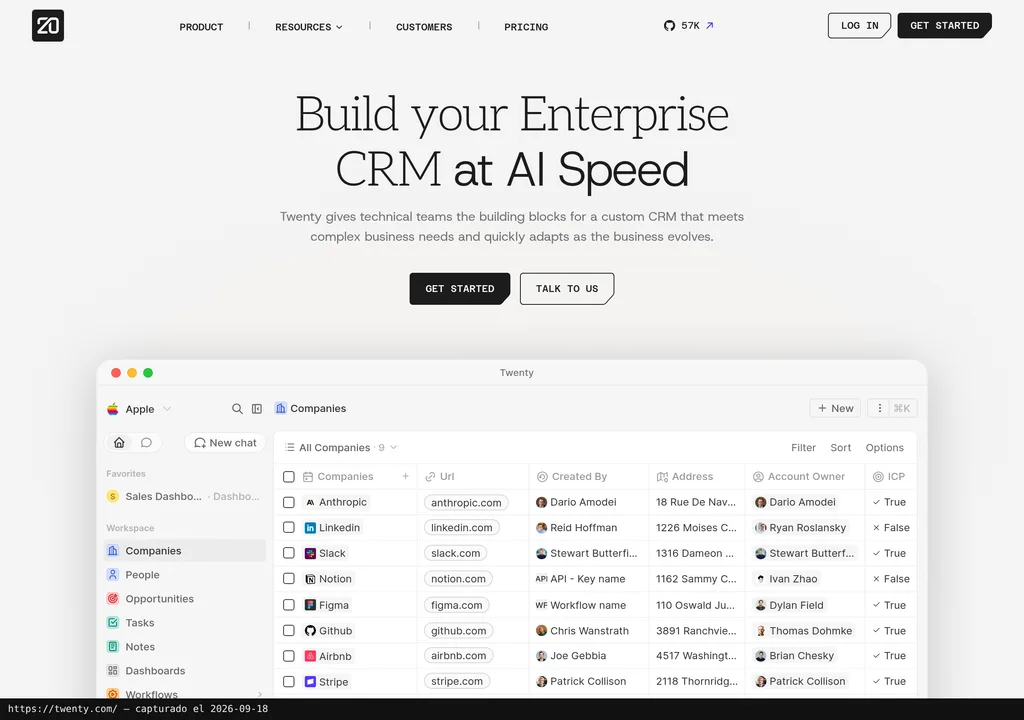
A customer list becomes limiting when you need to link several people to one company, track a sale and know who should move it forward. Twenty brings those records together. Fields, views and objects can be adapted to the way your team works.
The difference from a closed CRM subscription is the choice of hosting and customization. Its public repository lets you inspect the project and deploy it on your own infrastructure. A managed service is also available. This does not make every feature free or establish that it can replace your particular Salesforce setup.
What you can adapt
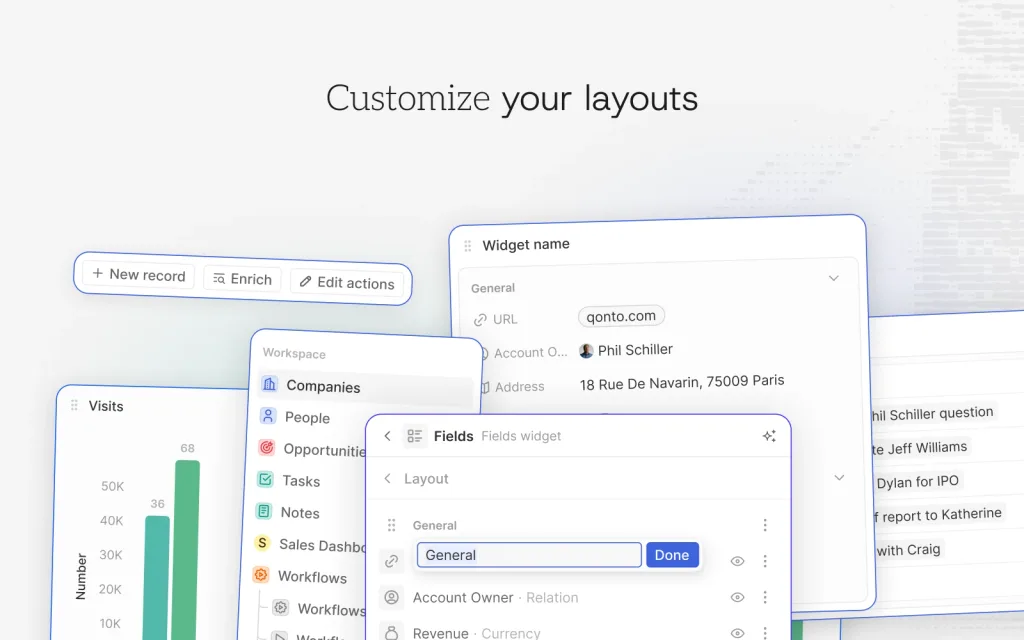
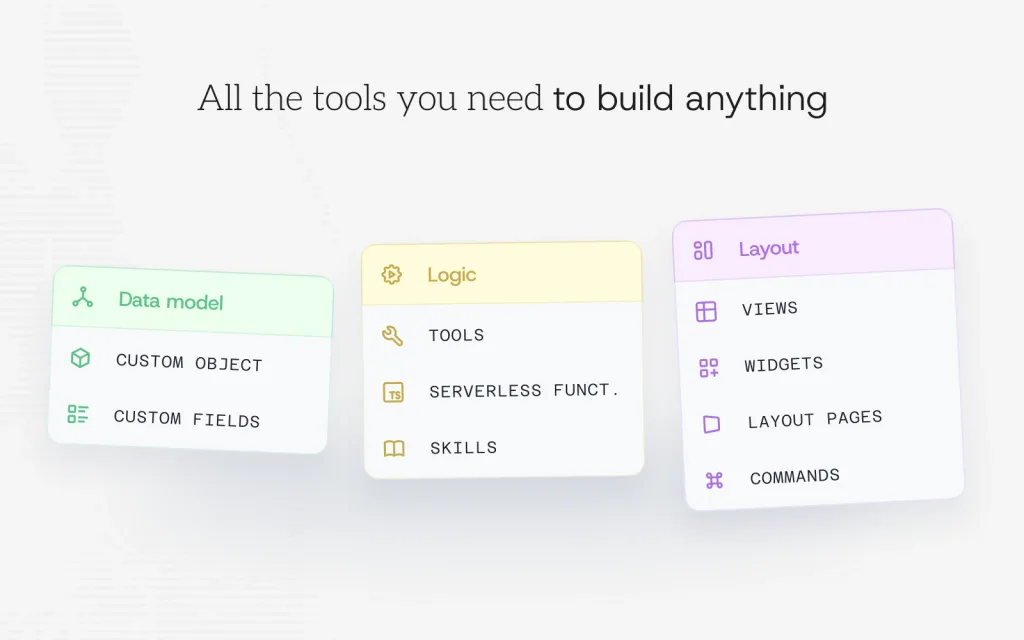
Fields and the way you display them are separate decisions. An agency might need a field for the service being sold and a view of opportunities awaiting a proposal. The official composition below shows the field and widget editor. It explains which parts can be arranged, but it does not replace testing your own process.
How to get started
The cloud option involves less server administration. Create a workspace in Twenty Cloud and check which plan covers your requirements. The provider operates the service; your team still configures its workflows and data.
For self-hosting, the official Docker Compose guide describes the deployment and requires at least 2 GB of RAM. The system uses PostgreSQL and Redis. That minimum is an installation requirement, not a performance guarantee for every workload.
- Prepare a test environment and follow the current official deployment guide.
- Configure the public URL, HTTPS and persistent storage before using commercial data.
- Add test records and check permissions, imports and the integrations you need.
- Set up backups and verify restoration before moving your existing CRM.
To remove the installation, export the records you need and verify that you can read them. Keep a database backup before deleting services or volumes. Exporting records alone does not prove that your entire configuration can be transferred to another CRM.
How far customization goes
The project separates the data model, logic and presentation. Adding a field is different from coding a function or maintaining your own application on Twenty. Before promising an integration to your team, distinguish settings you can configure from code you will have to develop and maintain.
Using it in real marketing work
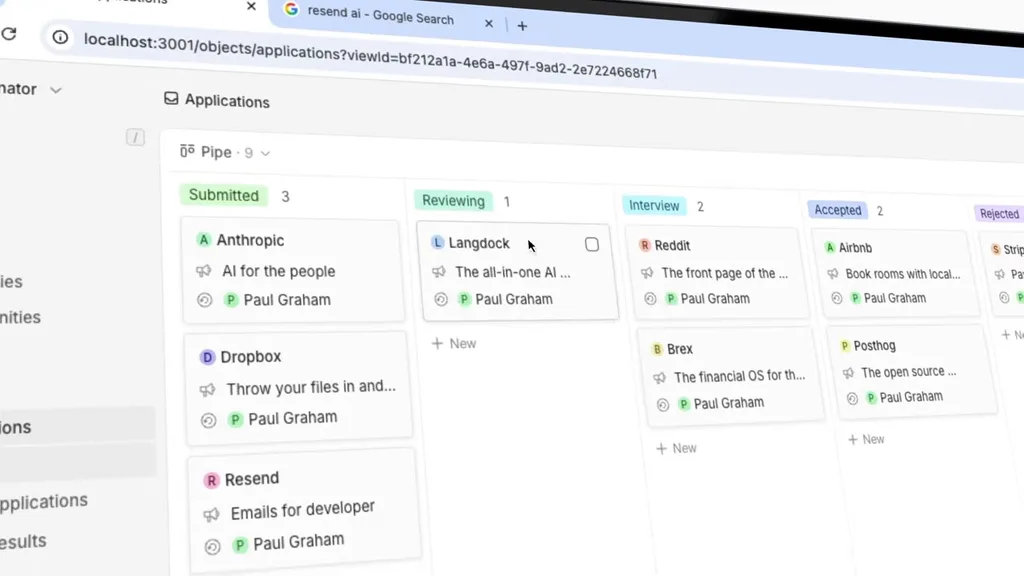
Consider an agency receiving a request for a proposal. It can create a company, link the contact, open an opportunity and add a follow-up task. A view organized by stage helps locate pending proposals. This is an evaluation scenario, not a workflow tested with Dani's clients.
The official demo shows how the interface presents records and boards. The accompanying screenshot comes from that video and shows an applications board with several stages. It is not our installation or evidence that your commercial integration will work.
Two video walkthroughs
The team’s demo shows how Twenty presents records and boards. The external tutorial below spends more time on contact management. The two sources serve different purposes.
The Twenty team’s demo
Watch Twenty's official video. The interface and some features may differ between the version in the video and the current product.
For your own trial, check a complete workflow: receiving a contact, assigning it, moving it to another stage, creating the next task and exporting its data. If you already use another CRM, compare results with a small set of test records before migrating.
Contacts step by step, with Phylux Express
The clip starts at 7:32, in the People section, showing contact records inside the CRM. This English-language video dates from 2025. It helps explain the interface, but its prices and menus may have changed. Use this review’s euro table for current costs.
What you should know
A free licence does not make maintenance free
The official pricing selector distinguishes hosting and billing options. The following are approximate euro equivalents checked on 18 September 2026:
| Option | Price per user/month |
|---|---|
| Self-hosted Pro | €0 licence fee |
| Cloud Pro · monthly billing | ≈ €10.47 |
| Cloud Pro · annual billing | ≈ €7.85 |
| Organization · monthly billing | ≈ €21.82 |
| Organization · annual billing | ≈ €16.58 |
Converted using the ECB reference rate of 18 September 2026. The provider lists prices in dollars; these equivalents are not contractual euro prices. The annual column gives the monthly equivalent of annual billing. Taxes and the exchange rate applied when charging can change the final amount. Self-hosting adds infrastructure, administration and any commercial features you buy.
Licensing and upgrades matter too
According to the project's terms, the code is mainly AGPLv3, with some MIT packages and commercially licensed files. Check the terms for the features you intend to use.
In his June 2026 reply, prastoin described cross-version upgrades since version 1.24, with exceptions and possible downtime. LTS images were not planned then. Read release notes and rehearse upgrades on a copy.
This review does not include our own installation, migration or load test. The demo address redirected to Twenty Cloud's login page. Conclusions are based on documentation, official prices, project visuals and attributed public experiences.
What users say
These mentions come from the Twenty 2.0 launch thread on r/selfhosted and the project’s GitHub forum. Original wording and source links are included. These are individual experiences, not a satisfaction survey.
Helpful support, with limits
“As a early user of Twenty self-hosted I can vouch for this. Even Discord support is quite good for self-hosters”
vanguardly · Reddit · 28 April 2026
This self-hosted user reports useful help on Discord. The same comment qualifies it as free support, with no guaranteed five-minute response. Encouraging for getting started; it does not replace a support agreement when your operation depends on the CRM.
Updates are part of the cost
“I tried Twenty for a while and my biggest challenge was the frequent breakage that would come with updates.”
lawrencesystems · Reddit · 21 April 2026
The author describes problems with updates before 2.0 and says they stopped using it. This is historical experience, not proof that the current version fails. It identifies what to rehearse before changing your team’s data: upgrades, backups and recovery.
A question to ask before self-hosting
“A CRM sits at the core of a company's operations”
hubyhuby · GitHub · 2 June 2026
The question concerns version planning and maintenance. The maintainer’s answer about cross-version upgrades and the absence of LTS is discussed above. Being able to install the software does not settle who will maintain it.
As a commercial perspective, Twenty’s NetZero case study highlights an adaptable model while acknowledging another CRM used alongside it for WhatsApp operations. This is a vendor-selected story, not an independent opinion.
Alternatives
Salesforce is the reference Twenty positions itself against. If you already use it, compare your actual setup: permissions, automations, reports, integrations and the data you need to retain. This review has not reproduced those workflows in both products and makes no claim of full functional equivalence or measured savings.
If you still use a spreadsheet, identify what is no longer working. Managing relationships and follow-ups can justify a CRM. Changing tools without deciding who updates each record carries the same problem into another interface.
Verdict
Twenty earns its place in our open-source applications roundup by combining a customizable CRM, available source code and a choice of hosting. It is worth evaluating when your team needs those options and can check the integrations it uses.
Self-hosting means taking responsibility for maintenance. If that does not fit, compare the managed service's cost and features with your needs. The evidence supports a focused trial, not a promise of frictionless migration. Dani's rating remains undefined.
Frequently asked questions
Is Twenty CRM free?
Self-hosted Pro has a €0 licence fee per user/month. You must provide and maintain the infrastructure. Twenty Cloud and some commercial features cost extra; see this review's price table and the official pricing page.
Do you need to code to use Twenty?
Using the CRM and adapting fields or views are not the same as developing an application. Installing and maintaining it on a server does require technical capability. Code extensions provide another customization route, but are not needed for every everyday change.
Can it replace Salesforce?
It may be a candidate if it covers your workflows, permissions and integrations. This review has not tested a Salesforce migration or verified full equivalence. Check a representative workflow and data export before deciding.