124,000 stars on GitHub. That is what a project has accumulated that, technically, is not a library. shadcn/ui is a collection of interface components whose code you copy directly into your project, adapt, and make your own. No packages to update, no abstractions you do not understand, no new major version that breaks your site on a Friday at six.

TL;DR: The No-Nonsense Summary
- Not a library: shadcn/ui gives you code you copy and adapt. No dependencies, no updates that break things.
- 124,000 stars: one of the most-starred UI component projects around. The community treats it as the benchmark.
- Full blocks: not just buttons. Analytics dashboards, charts, forms, and chat interfaces ready to copy and customize.
- Entry barrier: you need a technical profile. If you do not touch code, this is not for you.
In this article
| What it is | Interface components whose code you can adapt. |
|---|---|
| Official website | https://ui.shadcn.com/ |
| Platforms | Web |
Reviewed on 2026-09-21
This tool is included in these collections: React UI Libraries and Components for Building Websites with AI
The Problem It Solves
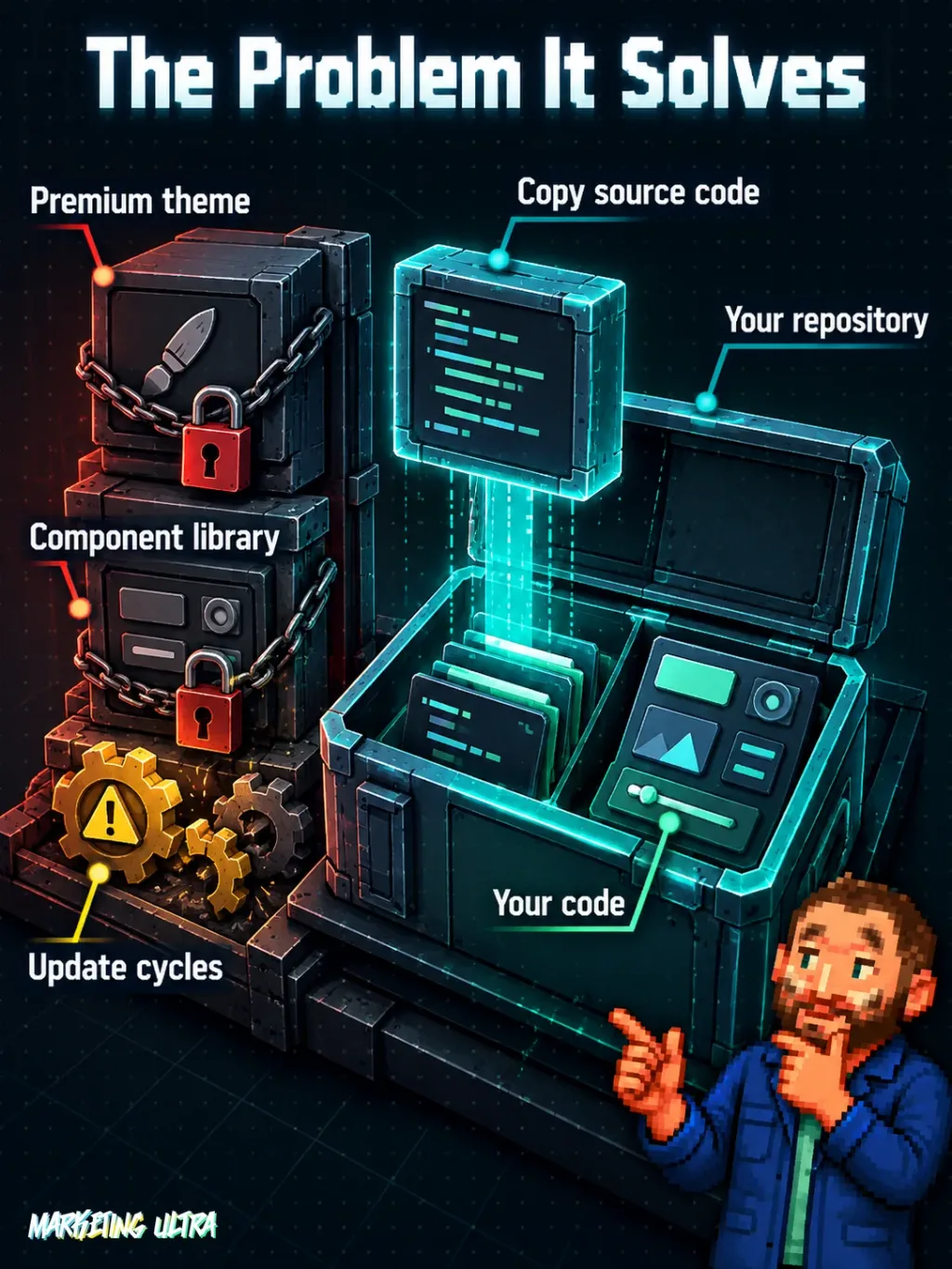
Building a decent interface in 2026 is still a headache for any team that is not a big tech company with its own design system. The usual options: pay for a premium theme you cannot touch without breaking it, or install a component library that locks you into its design decisions and update cycles.
Want to change how a button behaves? Time to dig through 200 pages of documentation for the right property. The library releases a major version? Time to pray.
shadcn/ui changes the logic from the ground up. Instead of adding a package and depending on it, you copy the source code of the component you need. You paste it into your project, adapt it to your design, and from that point it is YOUR code. If the project disappears tomorrow, it does not matter: what you have works because it lives in your repository. Its official website puts it plainly: “Build your own component library with code you can customize, extend, and make your own”.
Getting Started
The shadcn/ui website organizes everything into clear sections: documentation, component catalog, pre-designed blocks (complete layouts), charts, and a builder tool. The flow is straightforward: pick the component, copy the code, and integrate it into your project.
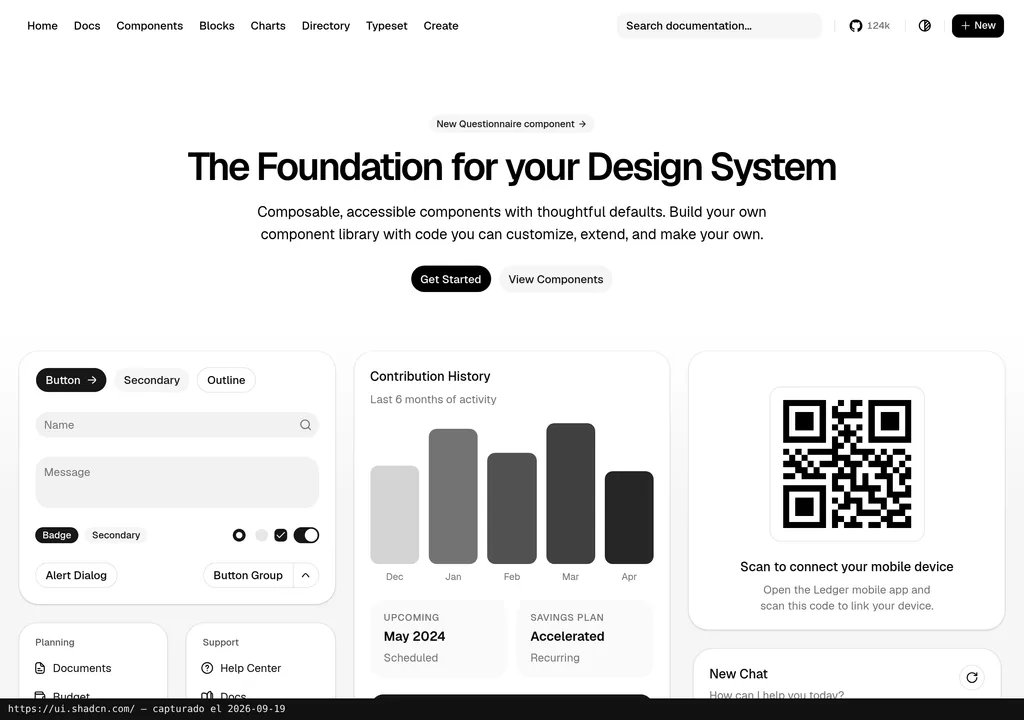
The catalog ranges from the basics (buttons, badges, dialogs) to complex pieces the homepage showcases in action: analytics dashboards with charts, chat interfaces, configuration forms, data tables, and notification systems. The page itself serves as a real-world demo of what you can build by combining its pieces.
For installation and configuration steps, the official documentation is the reference. What matters here: you do not need to learn a new API. You copy standard code and adapt it. If you already work with modern web development tools, the learning curve is minimal.
Copy this and paste it into Claude Code, Cursor, or your favorite coding assistant:
Initialize shadcn/ui in this project. Add the Button, Card, Dialog, and Chart components. Build a landing page with a hero section, three feature cards, and a contact form using only shadcn/ui components. Documentation: https://ui.shadcn.com/
No coding knowledge required. The assistant handles installation, configuration, and testing.
MCP for shadcn/ui
shadcn/ui has MCP (Model Context Protocol) integration, the standard that lets coding agents like Claude Code or Cursor connect to external tools while they work. On paper, the agent can browse the component catalog, copy what you need, and adapt it to your project context without you leaving the editor.
I have not verified the MCP server configuration in depth, so I will not walk you through steps I have not tested myself. But if it works as promised, this turns shadcn/ui into something more than a pretty catalog. A coding agent accessing design resources while it programs changes the picture entirely (I cover this in depth in the guide to AI agents for marketing campaigns).
If you are interested, check the integrations section at ui.shadcn.com.
Using It in Real Marketing
So what does a marketing team actually do with this? The catalog is not just pretty buttons: the homepage shows complete analytics dashboards, performance charts, chat interfaces, and configuration forms. All copyable. All adaptable.
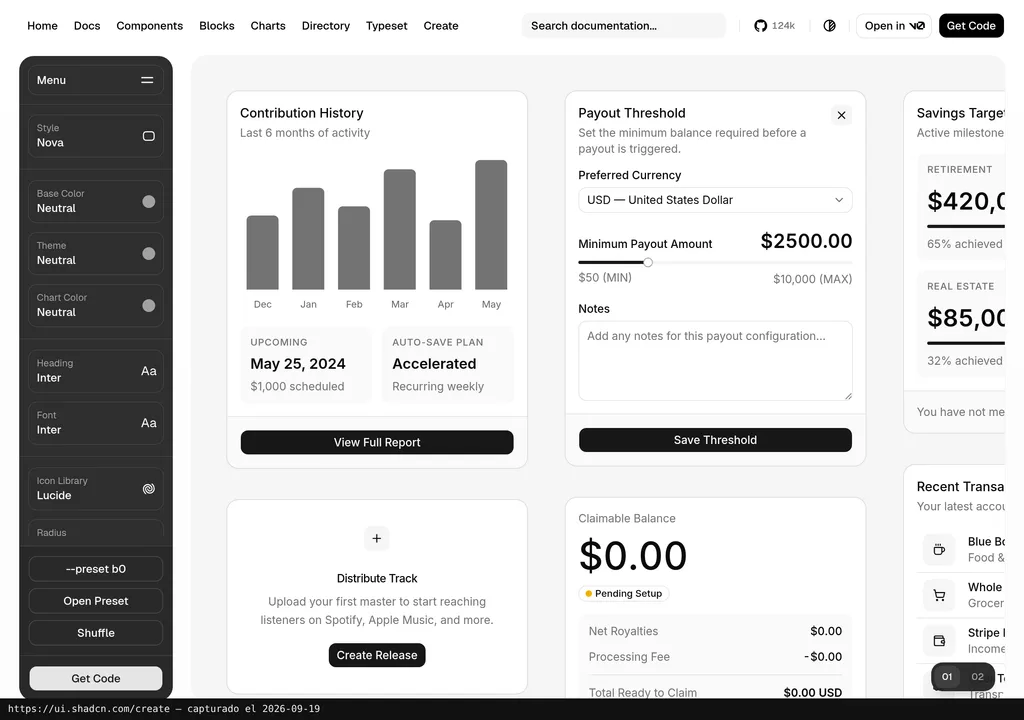
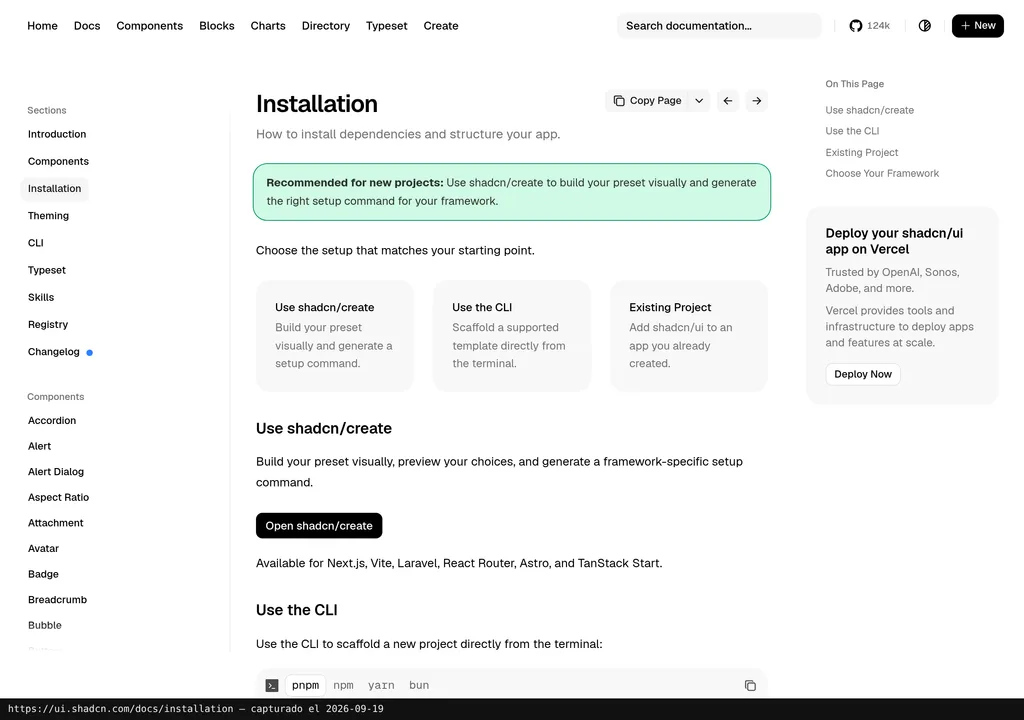
The clearest use case: a small agency or a freelancer that needs a campaign landing page or a client dashboard. With a conventional library, the design is stuck with whatever the package decides. With shadcn/ui, you copy the blocks and adjust everything to your brand. Done. No negotiating with some third-party API.
I would bet that for marketing teams the biggest value is in the pre-designed blocks: complete structures combining multiple components, ready to adapt. Having bricks is fine. Having pre-built walls you finish to your taste is better. If you are weighing your options, our guide to UI component libraries for building with AI covers more alternatives to compare.
What They Do Not Tell You
That the code is ‘yours’ sounds freeing, until you realize what that means: you maintain it. If there is an accessibility bug in a copied component, nobody sends you an automatic patch. You have to stay on top of it. And if you copy twenty components, that is twenty pieces to watch over.
shadcn/ui is not for everyone. If your team does not have a technical profile, copying and adapting code is not a realistic option. The entry barrier is higher than a visual page builder like WordPress or Webflow. We are talking about web development here, with everything that entails.
And the ecosystem. The official website does not spell out technical requirements on its homepage, but given the nature of the components, this assumes a specific development environment. If your project does not fit that environment, shadcn/ui is not for you no matter how beautiful the catalog looks. Check the documentation before getting your hopes up.
Verdict
shadcn/ui offers a different proposition: instead of depending on a package, the code is yours, full stop. Those 124,000 stars did not accumulate through marketing. They accumulated because the approach solves a real problem that has been there for years.
If you have a technical team, few options are smarter for building your own interfaces without selling your soul to a platform. No technical team? Then this is pure development, and pretending it is not helps nobody.
This review is based on shadcn/ui’s public documentation as of September 2026. It does not include a hands-on test run by the Marketing Ultra team. When we do one, we will update with results and a score.