Editing a video by deleting words from a transcript sounds like a party trick, until you see the logic: CutScript turns text into the timeline of a local video editor. It is aimed at creators, agencies and teams producing interviews, podcasts or clips, though installation still requires some technical confidence.

TL;DR: The No-Nonsense Summary
- Text-based editing: delete words from the transcript and CutScript removes them from the audio or video.
- Local and open source: the repository is MIT-licensed and combines Electron, React, FastAPI, WhisperX and FFmpeg.
- Technical setup: you need Node.js 18+, Python 3.10+ and FFmpeg configured on your system.
- The key limitation: the documentation lists plenty of features, but the dossier contains no independent evidence of performance, accuracy or stability.
In this article
| What it is | A free, local video editor that turns your transcript into a timeline: delete a word from the text and it disappears from the video. |
|---|---|
| Official website | https://saisunkara.gumroad.com/l/CutScript |
| Repository | repo |
| License | MIT |
| Price | open source |
| Alternative to | Descript |
| GitHub stars | 254 |
| Launch year | 2026 |
| Maintained by | DataAnts-AI (individual) |
| Platforms | Windows, macOS (Electron desktop app) |
| Requirements | Node.js 18+, Python 3.10+, FFmpeg in PATH; optional: Ollama for local AI |
| Integrations | Ollama, OpenAI, Claude (LLM APIs for filler-word removal and clip creation) |
Reviewed on 2026-09-29
This tool is part of the living roundup Open-source apps that replace paid software →
The Problem It Solves
CutScript wants to save you one of the most tedious parts of editing: finding every sentence on the timeline and cutting it by hand. The concept is easy to grasp. It transcribes the file word by word and turns that text into an editable surface.
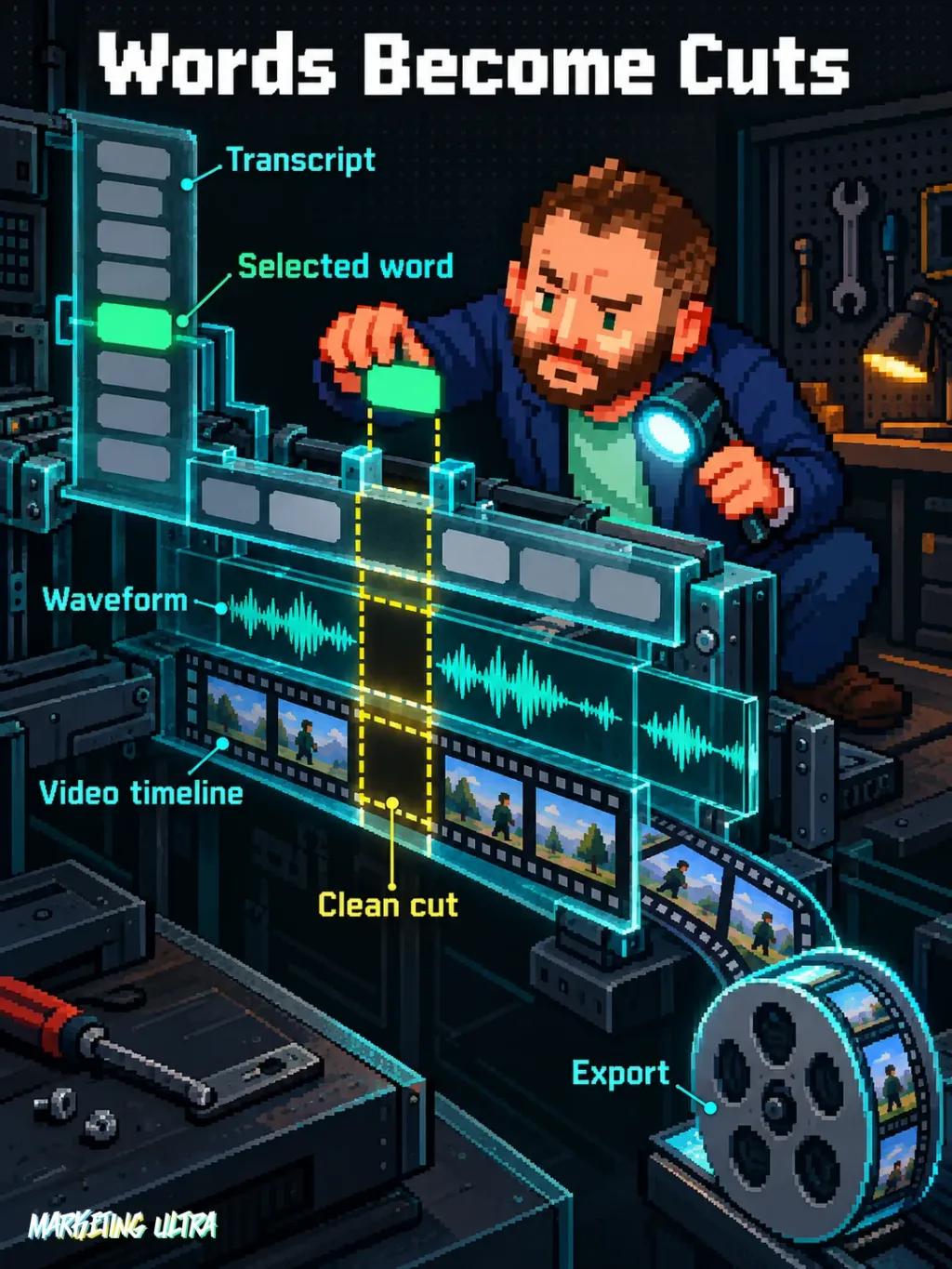
According to the official CutScript repository, deleting a word from the text also cuts it from the audio or video. The tool adds undo and redo, a waveform, FFmpeg export, SRT, VTT and ASS subtitles, speaker identification and noise cleanup with DeepFilterNet.
Who feels this pain? Anyone turning long conversations into interviews, video podcasts, customer testimonials or Shorts. Searching for a specific line by ear is a remarkably efficient way to lose an afternoon.
Getting Started
CutScript works as a desktop application for Windows and macOS, but the repository documents a development installation. The material reviewed does not include the familiar “next, next, finish” installer.
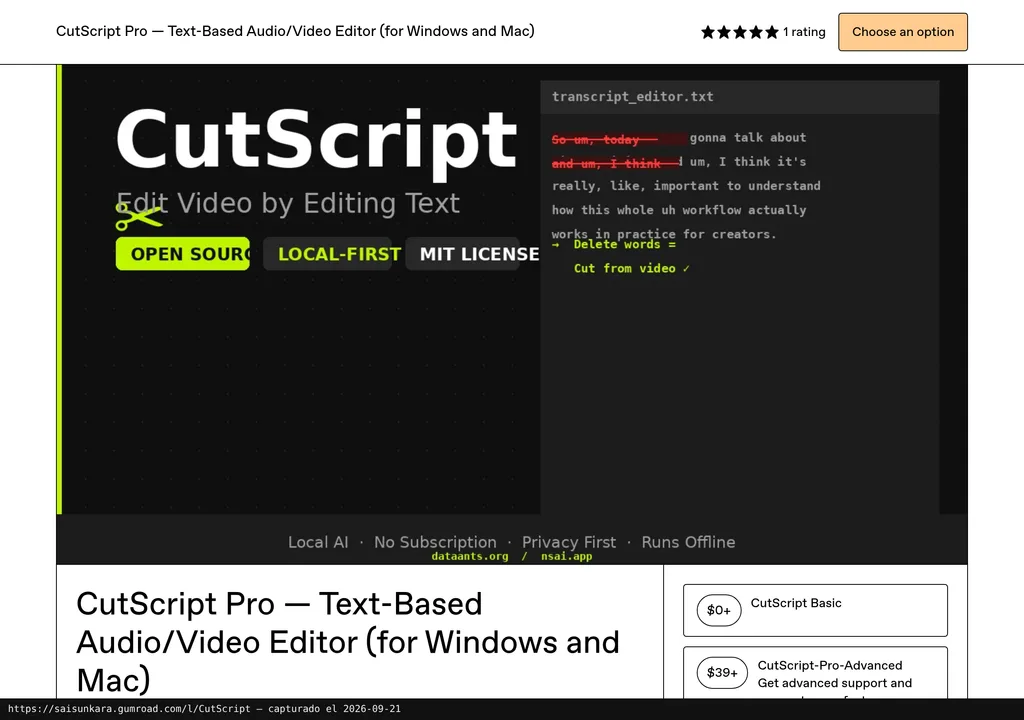
The stated requirements are Node.js 18 or later, Python 3.10 or later, and FFmpeg available in PATH. Ollama is optional and runs the AI features locally; the project also supports connections to OpenAI and Claude.
- Download or clone the repository.
- Run
npm installin the root folder and thefrontendfolder. - Install Python dependencies with
pip install -r requirements.txtinsidebackend. - Start everything with
npm run dev.
That command starts the FastAPI backend, the React frontend and Electron. The documentation also lets you run the three pieces separately, with the backend on port 8642. Uninstallation is not explained either. Before putting it on a production machine, I would check which dependencies and models it downloads so you can remove them manually later.
Copy this and paste it into Claude Code, Cursor or your favourite coding assistant:
Install CutScript from https://github.com/DataAnts-AI/CutScript, first checking for Node.js 18+, Python 3.10+ and FFmpeg.
Start it with npm run dev without adding any external API.
Import a short video, generate its transcript, and check that deleting a word changes the edit and lets you undo the change.
You do not have to do everything by hand. The assistant can guide you through installation, configuration and testing, but you will need to review the dependencies, downloaded models and results.
Using It in Real Marketing
In marketing, the most obvious use is turning a long interview into several pieces of content. Import the video, generate the transcript, remove what is unnecessary from the text, then export the edit or subtitles.
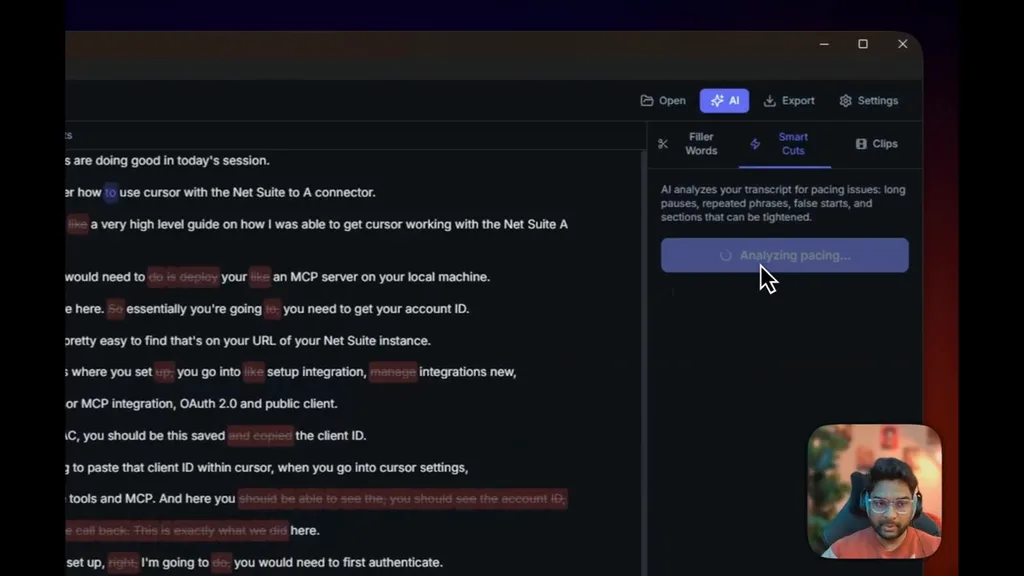
CutScript also claims LLM-based filler-word detection and short-form clip suggestions. It can work with Ollama, OpenAI or Claude, but the repository does not explain in the reviewed material which models perform best, what API costs might be involved, or what data leaves your machine with each provider.
For a small agency, the appeal is combining editing and transcription in a local workflow. That brings more value than another AI bolted on for decoration: it reduces tool-hopping and lets you review the cut with the text in front of you. But this is a possible use case. Dani has not tested it, and there is no measurement of the time saved.
What They Do Not Tell You
The feature list looks great: export up to 4K, speaker identification, word-by-word subtitles, audio cleanup and encrypted key storage. But a table marked “Completed” by the project itself only confirms what its maintainers say they have completed. Not a word about real-world performance.
The dossier contains no independent test, no verified video with a version number and useful timestamp, and no public user opinions with meaningful context. It also lacks information about transcription times, memory use, language accuracy, supported formats and long projects. Drawing a conclusion from this would be putting a moustache on the documentation and calling it journalism.
The MIT licence lets you use and modify the code. That does not mean the whole workflow is free: using OpenAI or Claude may create external costs, while Ollama needs local resources. There is no euro conversion to calculate because the dossier provides neither an official CutScript price nor verified pricing for those APIs.
In addition, the official page calls it “CutScript Pro” for Windows and Mac, while the repository presents itself as open source. Based on the available evidence, it is impossible to determine whether that page distributes exactly the same version, a packaged build or a different edition.
The repository was created in 2026, shows 254 stars and records 6 March 2026 as its latest reported activity. Those are signs of existence and attention, not a guarantee of future maintenance.
Alternatives
The only alternative validated by the product card is Descript. CutScript plays the local, open-source card, although the dossier does not allow a direct comparison of features, pricing, accuracy or ease of use.
Which would I choose? Descript would be the benchmark to assess if you want a product already designed as a service. CutScript makes sense when you prioritise open source, local work and the ability to modify the workflow, while accepting a much more technical installation. Beyond that, there is no basis for declaring a winner.
Verdict
CutScript tackles a real problem with a strong idea: using the word as the editing unit. On paper, its technical approach covers the whole journey, from transcription to export. Whether it does it well remains to be proven.
My recommendation is to test it with a copy of a short video and without connecting external APIs at first. Check transcription, cutting, undo, subtitles and export on your own machine. If that workflow holds up, then it makes sense to consider Ollama or an external provider for automating filler words and clips.
Until independent results emerge, CutScript remains a candidate for the open-source applications roundup. It is not yet a favourite or a tool approved by Dani. A feature list sells. A well-documented test decides.