Building a landing page with animations that don't look like they came from a 2019 template takes time. A lot of time. Magic UI is an open-source library with 150+ animated components for React that promises to shorten that path: copy, paste, and your page stops looking like a PDF with buttons.

TL;DR: The No-Nonsense Summary
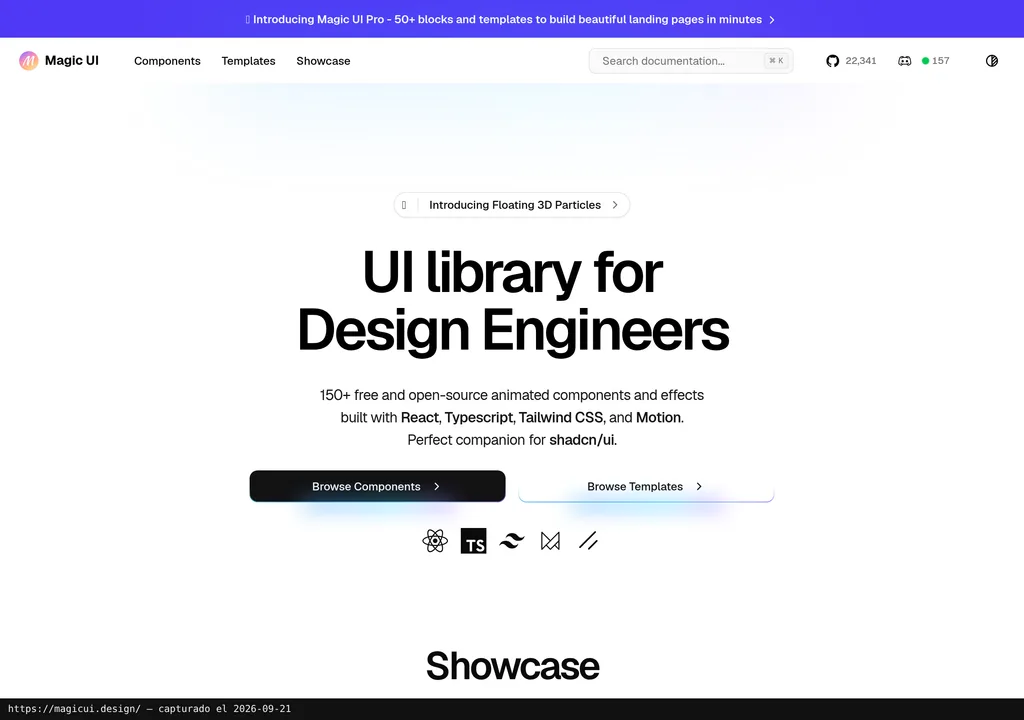
- 150+ free animated components: MIT license, individual installation with shadcn CLI, compatible with shadcn/ui.
- React + Tailwind + Motion only: check compatibility with your project.
- Pro at approximately €173.65: one-time payment (ECB rate Sept. 2026) for 50+ sections and 9+ templates with commercial use.
- Official MCP server: connects Cursor, Windsurf, and other compatible clients to the full component catalog.
In this article
| What it is | Animated components for marketing pages. |
|---|---|
| Official website | https://magicui.design/ |
| Repository | repo |
| License | MIT |
| Price | MIT library: €0. Pro: approximately €173.65 per individual license, one-time payment; ECB rate 18-Sep-2026. |
| GitHub Stars | 22,345 |
| Launch year | 2023 |
| Maintained by | magicuidesign (organization) |
| Platforms | Web (components for React projects with Tailwind CSS and Motion) |
| Requirements | React, TypeScript, Tailwind CSS, Motion (and compatible with shadcn/ui) |
Reviewed on 2026-09-21
This tool is included in these collections: React UI Libraries and Components for Building Websites with AI
The Problem It Solves
Building a landing page with professional animations takes longer than it should. The designer delivers a mockup with smooth transitions, a client logo marquee, text that fades in. And the developer estimates three days. For a page that will last one quarter.
The usual result: the visual ambition gets cut back (and the landing falls flat) or you reach for templates where your brand is indistinguishable from the other five hundred sharing the same structure.
Magic UI targets that gap. Over 150 React components with ready-made animations: marquees, spotlight-effect cards, blur fade, pattern backgrounds. Each piece installs individually with one command and is customized with Tailwind CSS. You grab what you need from the catalog, one piece at a time.
Getting Started
Magic UI shares the shadcn/ui installation process. If you already have a Next.js project with shadcn configured, there is no new learning curve.
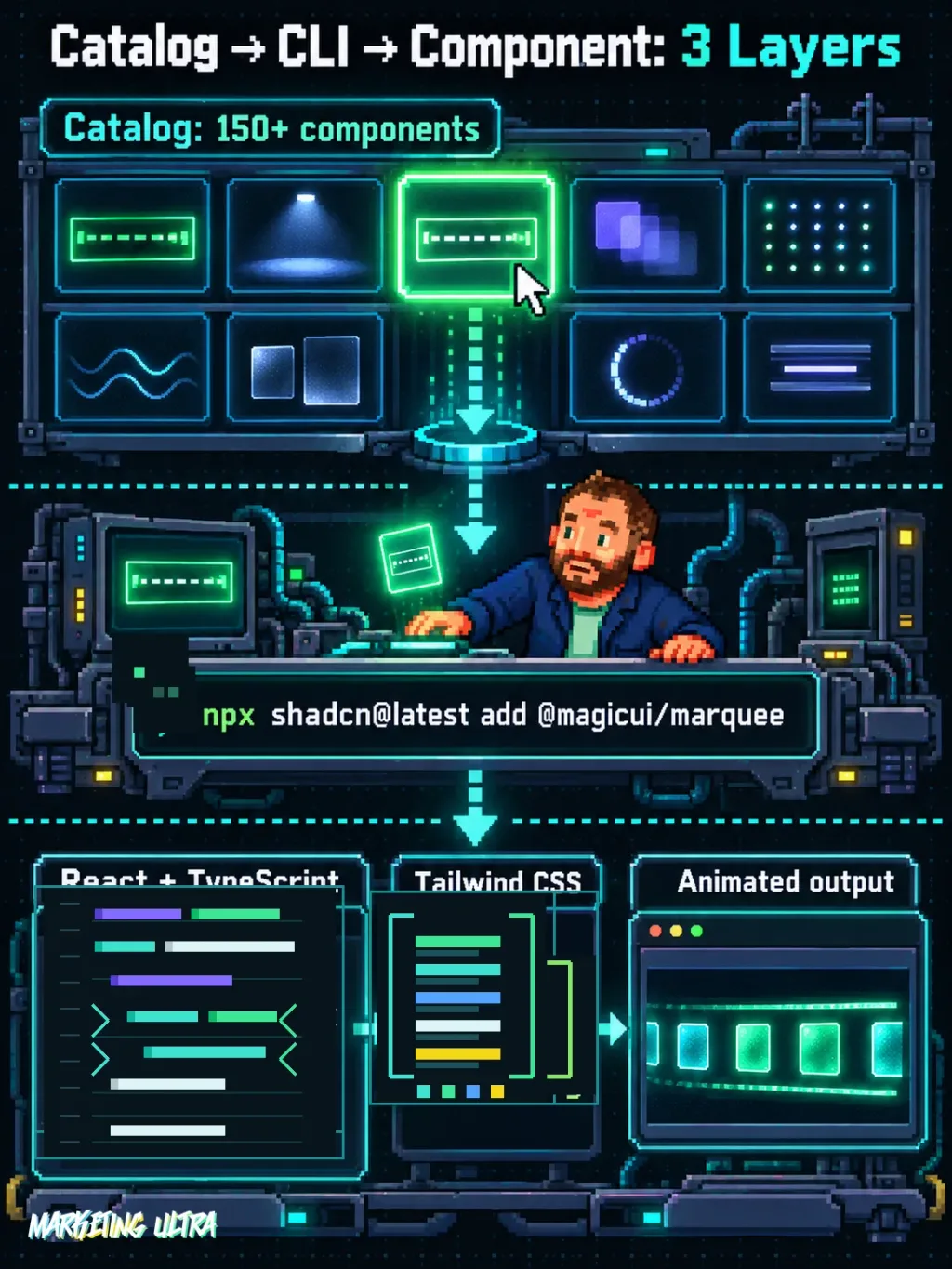
You initialize the project if you have not already (npx shadcn@latest init) and then install components one at a time. A marquee, for example: npx shadcn@latest add @magicui/marquee. Import it into your React component, customize with Tailwind classes, and you are done. Three steps.
The documented components use React, TypeScript, Tailwind CSS, and Motion. The official repository declares Node 22.14+ for its development environment; that repository requirement does not equal a universal minimum version for each component copied into another project. Check the dependencies of whatever piece you add.
MCP for Magic UI
Magic UI has an official MCP server that connects your AI-powered editor directly to the component catalog. In practice: you tell a compatible client "add a logo marquee" and the assistant knows which component exists, how to install it, and what code to generate.
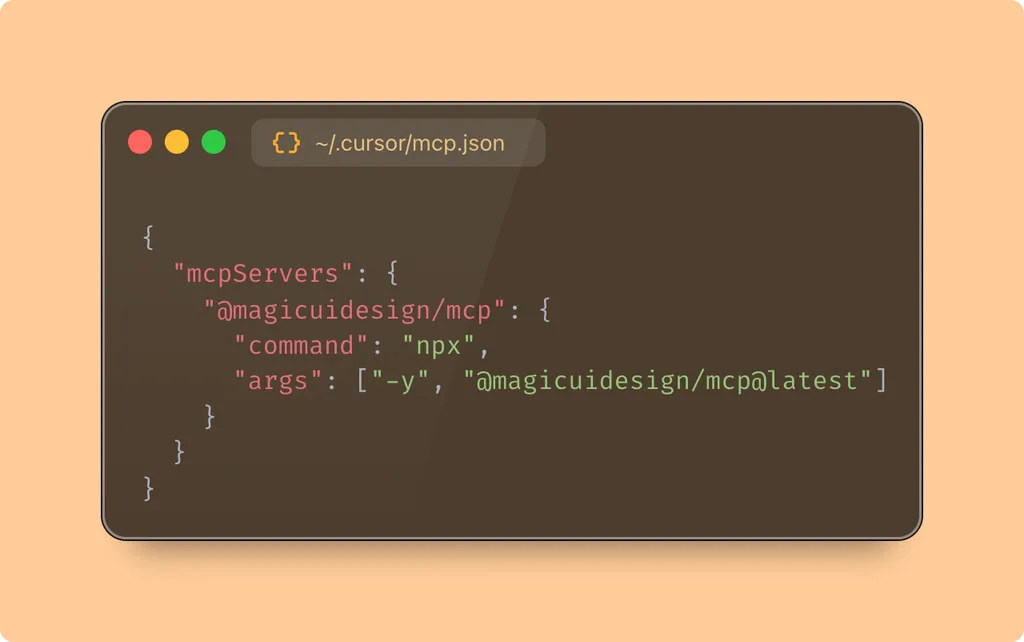
Installation is one command per client: npx @magicuidesign/cli@latest install cursor (or claude, windsurf, cline, roo-cline). You can also configure it manually by adding the MCP server to your IDE's configuration JSON. Then check in the client that the server tools appear.
The server exposes three tools: listRegistryItems to list components with filters, searchRegistryItems to search by keyword, and getRegistryItem to retrieve full component details with installation instructions. It works like a catalog: your assistant asks what component it needs, how to install it, and what code to generate. If you work with AI agents applied to marketing, the Magic UI MCP fits as one more piece of the workflow.
Copy this and paste it into Cursor or your compatible client:
Install the Magic UI MCP server with npx @magicuidesign/cli@latest install cursor. Then add a Marquee component with npx shadcn@latest add @magicui/marquee and show me how to use it in a React component.
Start with a React project. The assistant can prepare the steps; review the configuration and result before publishing.
Using It in Real Marketing
Marc Klingen wrote on May 23, 2024 that Magic UI had served him well when building the Langfuse website. His original post, cited below, does not include implementation times or conversion numbers.
Start with a logo marquee on a campaign page or a card effect on a services block. The assistant can consult the catalog and prepare the code, but the team must review the integration.
The temptation with 150+ components is obvious: slap animations on everything. Don't. Pick the ONE thing that needs to grab attention on that landing page and animate that. The rest can sit still.
I have not independently tested these setups or measured their performance.
What They Do Not Tell You
The documented catalog is built around React, Tailwind CSS, and Motion. In a project using a different framework you cannot assume those components will integrate directly: you will need a compatible implementation or adaptation.
The base library is free under the MIT license: the 150+ components, no strings attached. But if you want full-page templates (50+ sections, 9+ templates), that is Magic UI Pro: approximately €173.65 as a one-time payment, individual license with commercial use, no code resale (approximate conversion at the ECB rate of 18 September 2026, €1 = $1.1460; the final tax and currency amount at checkout has not been verified). No monthly subscription.
The MCP provides search and registry lookup. Its documentation notes tool limits in some clients and explains that broad concepts like "widgets", "media", or "devices" are not top-level categories in its API. Search by the specific component name or function instead.
Before taking an animated page to a campaign, check its load performance and how it behaves on mobile.
What People Say
Everything I found lives on X and YouTube. And here is the catch: all the positive quotes are cherry-picked by the Magic UI website.
magicui.design was a godsend when building the current langfuse.com
A UI library of animated components to build beautiful landing pages.
Started using @magicuidesign yesterday It's like shadcn supercharged - will never go back
Dillion is the maintainer, so his post is a product launch, not a review. Klingen actually shipped a real site with it, which says more. Robert loved it after one day. All three are positive picks from the official showcase, so factor that in.
Mckay Wrigley published Instant Landing Pages with Cursor + Magic UI on September 4, 2024, in English. From 2:25 he shows component selection and work with Dot Pattern in Cursor. It is useful for understanding that workflow, with the 2024 interface; it does not demonstrate the MCP documented later, in 2025.
All three come from the product's own showcase. If there is criticism out there, you will not find it here.
Verdict
If your team already works with React and Tailwind, Magic UI is worth a spin. MIT license, official MCP for querying the catalog, and you keep the authorship and license notices when reusing the code.
I like being able to pick individual pieces before committing to a full template. That matters. Pro adds sections and templates under a different commercial license, but I would start with the free library and check whether it handles the intended design before paying for anything.
To compare other libraries, see the UI components guide and the React Bits review.