OpenWA connects your own tools with WhatsApp Web. OpenWA is a Node.js library that turns your WhatsApp Web account into a programmable API for bots, notifications and automations. It has been on GitHub since 2019, has racked up more than 3,600 stars, and the v5 alpha already includes an MCP server so AI agents can operate on your chats.

TL;DR: The No-Nonsense Summary
- What it is: Node.js library with source code available that turns WhatsApp Web into a HTTP API. v5 alpha adds an MCP server for AI agents.
- Cost: the core is free. Some restricted features may require a license key (pricing not published).
- Real risk: unofficial project. The repository warns that users proceed at their own risk.
- Status: stable version 4.76.0. v5 is in alpha and not production-ready.
In this article
| What it is | Node.js library that turns WhatsApp Web into a programmable API for bots, notifications and automations, with a self-hosted option and restricted features that may require a license. |
|---|---|
| Official website | https://openwa.dev/ |
| Repository | repo |
| License | Hippocratic + Do Not Harm Version 1.0 |
| Price | freemium |
| GitHub Stars | 3,660 |
| Launch year | 2019 |
| Maintained by | open-wa (organization) |
| Platforms | Local (Node.js), Docker, self-hosted, CLI (npx) |
| Integrations | Chatwoot, Webhook, S3, Node-RED, Cloudflare, MCP (Claude, Cursor, Windsurf) |
| Language | English (interface and docs); no Spanish support mentioned |
Reviewed on 2026-09-22
This tool is part of the living roundup Open source apps that replace paid software →
The Problem It Solves
The official WhatsApp Business Platform has its own onboarding requirements and usage and pricing rules. Check Meta's current documentation before comparing options.
For a multinational with a legal department, great. For a small agency that wants to automate appointment confirmations or handle after-hours contacts, that barrier is a brick wall.
OpenWA uses an unofficial integration. It spins up a local server that connects to WhatsApp Web and exposes functions through an HTTP interface: send messages, receive events, manage groups, forward files. You manage the local instance; the connection still depends on WhatsApp Web.
The project was born in 2019, maintained by the open-wa organization, and as of September 2026 it has racked up more than 3,600 stars on GitHub. The stable version is 4.76.0.
Getting Started
This example pins stable version 4.76.0. Its command-line interface declares --key as the access-key option. You still need to complete the WhatsApp QR pairing.
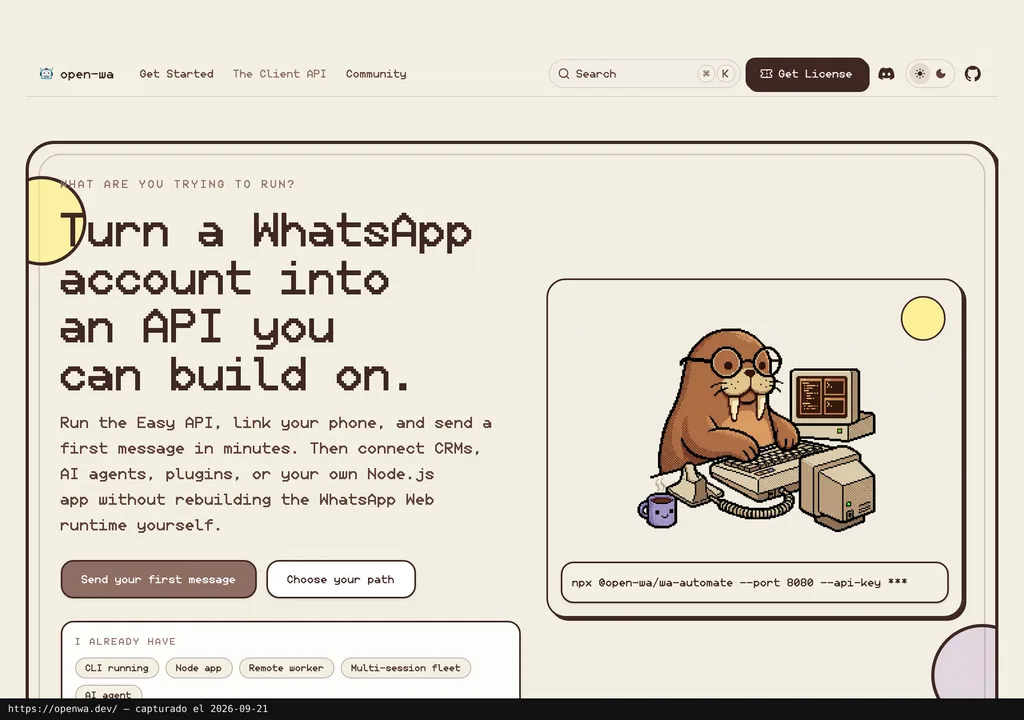
npx @open-wa/wa-automate@4.76.0 --port 8080 --key "your-secure-key"The address http://localhost:8080/api-docs/ shows the API documentation. Check session pairing separately. The project also documents Docker; check the image tag and its instructions before choosing a version.
The v5 alpha documentation describes two paths for integrating it into a Node.js app. These are not instructions specific to stable version 4.76.0. SocketClient: your app connects as a remote consumer to an already-running Easy API instance. Or createClient in embedded mode: you control the browser directly with interchangeable drivers (Puppeteer, Playwright or Lightpanda).
If connecting AI agents is what you are after, OpenWA includes an MCP server (note: only in the v5 alpha, not in the stable 4.76.0 branch). You enable it in the configuration file (mcp: { enabled: true }) and it becomes accessible at http://localhost:8080/mcp. Any compatible MCP client discovers the methods and can execute them with the same API key.
Requirements: Node.js, a WhatsApp number and an internet connection. The documentation recommends protecting API access; the v5 MCP server requires a key. The official documentation covers the configuration in detail, in the English-language materials reviewed.
Using It in Real Marketing
The most direct use case: automating transactional notifications. Picture an agency with several e-commerce clients that need order confirmations via WhatsApp, after-hours query handling and routing of the tricky ones to a human. With OpenWA you spin up one instance per client, hook a webhook to your CRM (Chatwoot has native integration in the project) and script the responses. You need infrastructure to run the instance, such as a virtual private server.
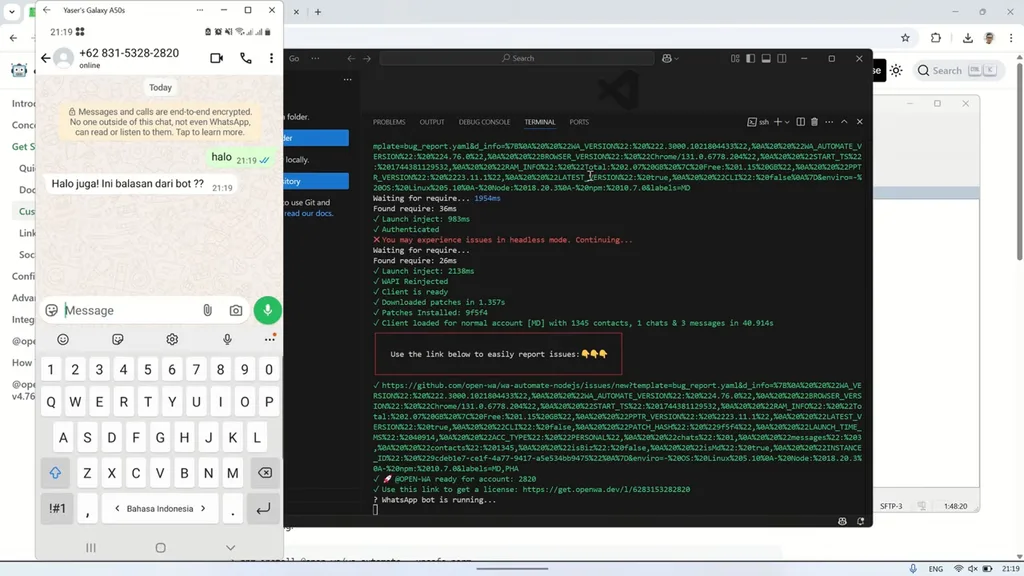
The most compelling angle? MCP. In the v5 alpha, OpenWA exposes every API method as an MCP tool: an agent in Claude, Cursor or Windsurf can read messages, reply and manage groups with no additional code. If you already work with AI agents for your marketing campaigns, this piece slots in as both an input and output channel inside a broader workflow.
I have not tested OpenWA with real clients, so I am not going to sell you on it "working seamlessly in production." The documentation describes an HTTP API, events and integrations, but this review does not establish their reliability in production.
The headache is WhatsApp's side of the equation.
What They Do Not Tell You
Sounds too good? Here comes the fine print. OpenWA is not the official WhatsApp API. It is an independent project, not affiliated with Meta, that automates WhatsApp Web under the hood.
The project describes itself as unofficial and warns that users proceed at their own risk. The repo states: "This project is unofficial and is not affiliated with WhatsApp or Meta. Use it at your own risk." Do not use your personal number for testing. EVER.
Version 5 is alpha. The README flags it in red: "Use version 4 unless you are testing or contributing to v5." Mixing documentation from both versions is a recipe for losing half a morning chasing down why something does not work.
The published license is named Hippocratic + Do Not Harm Version 1.0. Read its terms before incorporating OpenWA into your project.
The core is free, but some restricted features may require a license key and the project does not publish pricing anywhere, so check openwa.dev directly before you commit to a deployment.
The documentation reviewed is in English; Spanish-language support was not documented in the sources consulted.
What People Say
The social sources collected for this review include these Hacker News comments.
"Ever wanted to turn your WhatsApp account into an API? Now you can with one command > npx @open-wa/wa-automate --help" smashah on HN
"I appreciate your hard work. I will try it" aymenitc on HN
The Hacker News comments collected here offer a few technical impressions. This review does not include hands-on testing by Marketing Ultra.
Verdict
OpenWA offers a way to connect WhatsApp automation with your own tools. Its MCP integration remains in alpha. For prototyping or an internal experiment, it is worth evaluating. Before using it in a client-facing workflow, compare the project requirements and license with the current conditions of Meta's official platform.
My bet: over the coming months we will see more tools wiring messaging channels to AI agents via MCP. OpenWA got there early. Now it just needs WhatsApp to keep looking the other way.
Copy this and paste it into Claude Code, Cursor or your favourite code assistant:
Install OpenWA pinned to version 4.76.0. Check its options first with npx @open-wa/wa-automate@4.76.0 --help. Use --port 8080 and --key to set the access key; do not mix these instructions with the v5 alpha documentation. Ask me to complete QR pairing and verify the session before testing delivery to a number I specify.
The assistant can guide the installation. You will need to complete QR pairing and check the configuration before using the instance.