Jaaz puts AI image and video production on one canvas: draw, point, chat, and generate without bouncing between tools. The README calls it an open-source alternative to Canva AI, with more control and the option to run it locally. Sounds good, but read the licensing and manual installation details before touching anything.

TL;DR: The No-Nonsense Summary
- What Jaaz Is: according to its repository, it is a creative assistant with an infinite canvas for generating and organizing images, videos, and storyboards through drawings, prompts, and chat.
- Flexible Deployment: the project announces web access, apps for Windows and macOS, manual installation on Linux, and local options with Ollama or ComfyUI.
- Pricing: free community licensing with conditions; commercial euro pricing was not verified.
- Key Limitation: the repository promises a great deal, but the available material does not include an independent comparison proving quality, speed, or savings over Canva AI.
In this article
| What it is | An open-source creative assistant with an infinite canvas where you draw, point, and chat to generate images and video with AI, runnable locally for maximum privacy. |
|---|---|
| Official website | https://jaaz.app/ |
| Repository | repo |
| License | Jaaz Community License (dual: free community + paid commercial) |
| Price | Free community license with conditions; commercial euro pricing not verified |
| Alternative to | Canva AI |
| GitHub Stars | 6,657 |
| Launch year | 2025 |
| Maintained by | 11cafe (organization) |
| Platforms | Windows, macOS, Linux, web (jaaz.app); Docker image or source code for commercial private or enterprise deployments |
| Requirements | Sign-in to jaaz.app for API model access; Python >=3.12 and Node/npm for manual installation; optionally Ollama or ComfyUI for local models |
| Integrations | GPT-4o, Midjourney, VEO3, Kling, Seedance, ComfyUI, Ollama |
Reviewed on 2026-10-05
This tool is included in these collections: Open Source Apps That Replace Paid Software
The Problem It Solves
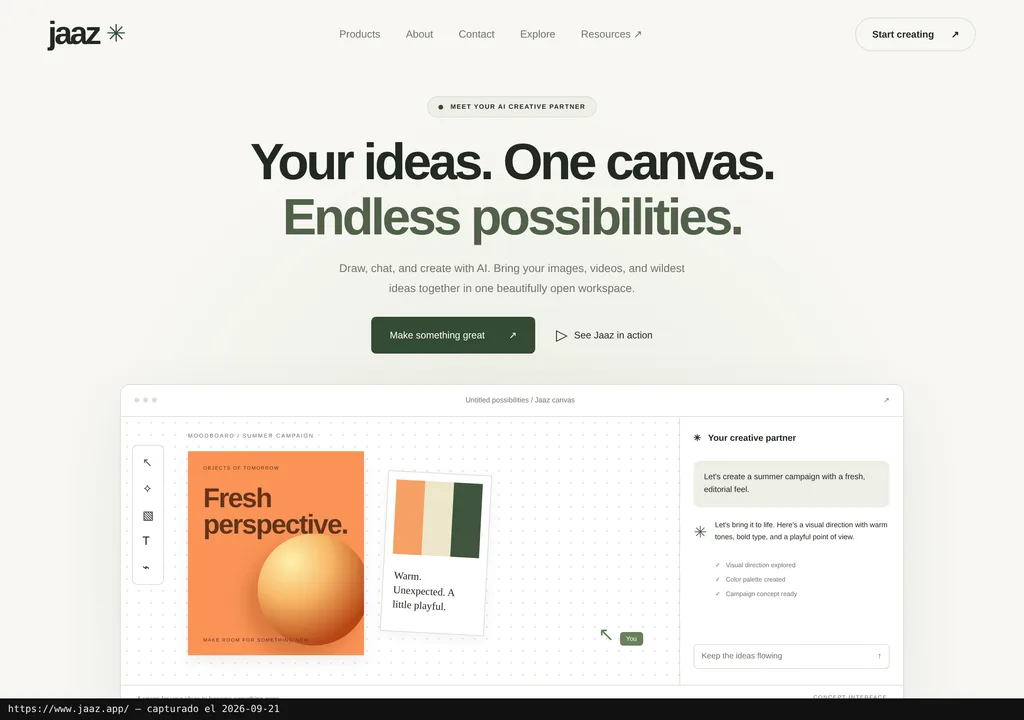
Jaaz brings ideation, generation, and visual organization into a single canvas. According to its official repository, you can start from a phrase, a sketch, or an image, link scenes together, and ask the agent to insert objects, transfer styles, or generate variations.
The pitch makes sense for a team that currently spreads a campaign across an image generator, an editor, a whiteboard, and a folder full of files named "final-for-real-3." The infinite canvas tries to keep the concept, references, assets, and visual thread all in one place.
In plain terms: Jaaz lets you show the AI what you want in a more visual way. You can point to an area, sketch a composition, or describe a sequence, rather than relying entirely on a sprawling text prompt.
The project documentation lists integrations with GPT-4o, Midjourney, VEO3, Kling, Seedance, ComfyUI, and Ollama. That broadens the possible routes, but it does not mean all those services are included or cost nothing. Jaaz is the workspace; the models and their access may involve separate costs.
Getting Started
The README points to jaaz.app and to versions for Windows and macOS. Worth noting: at the time of review, the website was displaying an update-in-progress notice. Web access is announced, but cannot be assumed to be live. For API-based model access, the README asks you to sign in and mentions a "low-cost plan," without explaining its terms or documenting the option of supplying your own API key.
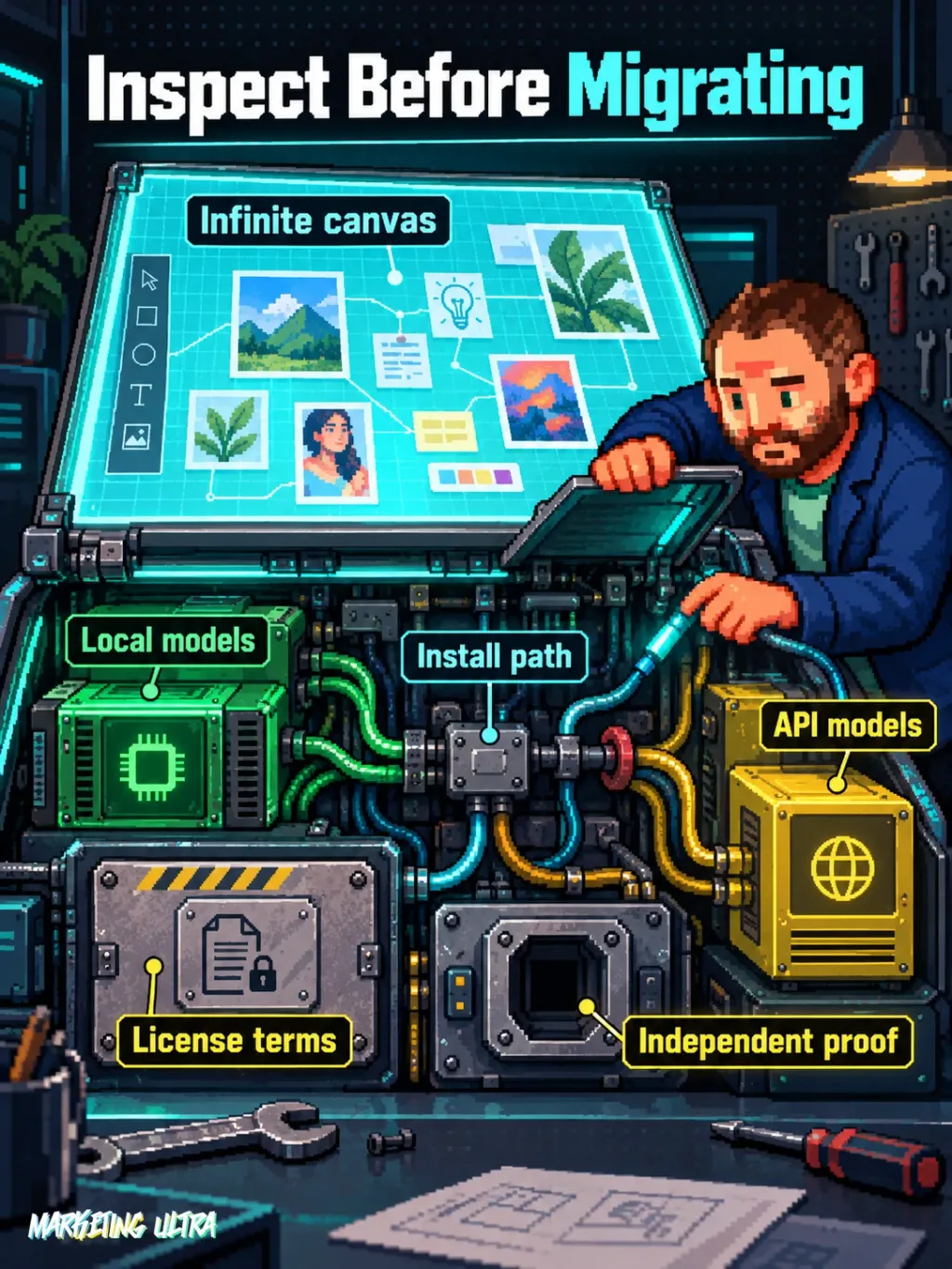
For a manual installation, the referenced README requires Python 3.12 or higher, Node, and npm. The documented process builds the interface with Vite, installs server dependencies, and runs python main.py. Ollama and ComfyUI appear as options for running local models. Docker, however, is only announced as part of the commercial offering for private or enterprise deployments.
One thing to watch. According to the reviewed text, the manual instructions in the README link to a repository called "localart," not the main Jaaz repository. This could be a dependency or a trace of an earlier structure, but the document does not clarify. Before running any commands, check the published version and confirm that path. Copying and pasting on blind faith is a reliable way to inherit someone else's problem.
Copy this and paste it into Claude Code, Cursor, or your favourite coding assistant:
Review the official Jaaz repository at https://github.com/11cafe/jaaz and verify the installation path before running anything.
Check the requirements listed in the current README; install dependencies only after reviewing them. To access models via API, log in as the README instructs; for local use, review the Ollama or ComfyUI options.
Launch Jaaz and test a three-scene storyboard, documenting any errors and how to stop or uninstall the service.
May require technical knowledge. A coding assistant can guide you, but you must review commands, permissions, and changes before running them.
The reviewed documentation does not include a universal uninstaller. With a manual installation, reverting may require stopping the server and removing the environment, dependencies, and any created files. Keep keys outside the project directory and log every change you make.
Using It in Real Marketing
Where does it make sense in marketing? In the planning phase of a visual campaign, before producing final assets. A small team could place product references, sketch three compositions, generate variations, and arrange a vertical storyboard, all within the same canvas.
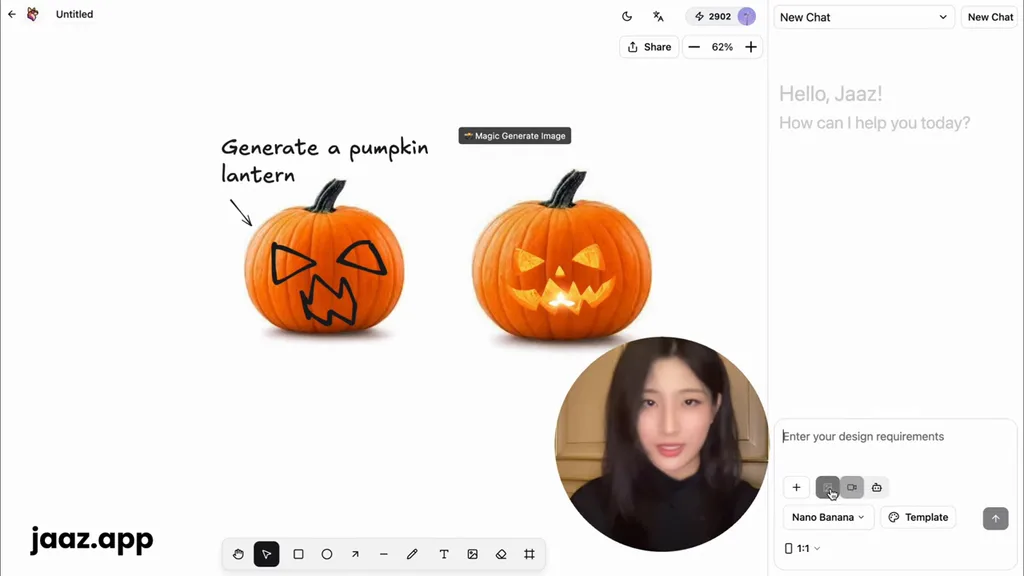
The README shows an example with a character placed in front of six landmark buildings, in 9:16 format, with harmonious lighting, warm tones, and a realistic finish. It also includes canvas screenshots and video demonstrations. They show what the project promises. Proof of character consistency, final quality, or performance in a real campaign? Nope.
What matters here is whether Jaaz preserves the visual reasoning behind a campaign. Each variation becomes a mess when it loses its references, decisions, and context. Keep that thread alive in a shared canvas and Jaaz can save real friction. Lose it, and this is just another pretty interface layered on top of several models.
For the record: no documented test is included in the reviewed material, and no controlled comparison exists. Nor are there campaign results, production timelines, or conversion rate data. The scenario above is plausible, not a disguised success story.
What They Do Not Tell You
The repository’s LICENSE file confirms a free community license with conditions and a paid commercial license. Personal use is permitted; organizations may use the unmodified version for evaluation or noncommercial purposes. Team deployments and modifications require commercial licensing. Current euro pricing was not verified.
Privacy depends on configuration. The project advertises compatibility with local Ollama or ComfyUI, but it also connects to models via API and offers web access. Sending assets to an external provider while calling the tool "local-first" does not magically make that workflow local. Check which model processes each file and where.
Independent evidence is missing. The reviewed material contains no verified public reviews, user tests, or dated commercial cases. An external Zopia AI video is credited as the source of one screenshot, but that frame does not prove production results. The remaining screenshots and demos come from the project itself. They help you understand the interface. They do not prove that Jaaz can replace a mature production workflow.
Alternatives
The alternative framed in this review is Canva AI. The comparison rests on the multimodal canvas, potential self-hosting, and the option to connect local or external models, but the available material does not demonstrate full feature parity between the two products.
Reducing the decision to "open vs. closed" would be fooling yourself. Jaaz may be a better fit when infrastructure control and experimentation matter more than convenience. Without comparable data on price, features, and performance, there is no honest winner to declare.
Verdict
Jaaz is worth keeping on your radar: it combines canvas, conversation, sketching, and multimodal generation, with announced options for local execution. For freelancers and small teams with technical skills, it could be a worthwhile lab.
That said, I would not use it as a production hub without validating three things first: the applicable license, the actual path your files travel, and the installation of the specific version. Nor would I migrate an operation away from Canva AI based on the manufacturer's own materials.
My recommendation: try Jaaz on a throwaway project, with non-sensitive assets and a contained task, like a three-scene storyboard. If it maintains coherence, logs decisions clearly, and lets you tear down the environment without drama, then we can talk. Until then, it stays in the lab.