Copying an AI response, pasting it into a document, fixing the formatting and starting over was proper mechanical busywork. Google has just removed much of that toll: Gemini can now create and edit Google Docs, Sheets and PDFs within the chat itself. It may look like an interface change. For marketing, it could be much more than that.

TL;DR: The No-Nonsense Summary
- In-chat editing: you can generate a file, preview it and edit it manually or with another prompt.
- More formats: it supports Docs, Sheets, presentations, PDFs, Markdown, TXT and code.
- Uneven availability: PDFs work on web and mobile; everything else is currently web-only.
- Spain and the EU: official documentation confirms availability, subject to account requirements and limits.
In this article
Availability in Spain/the EU: Confirmed for compatible channels and accounts
Generally available; Google Workspace has listed it as 'Available now' since October 29, 2026.
How does Gemini edit Google Docs, Sheets and PDFs?
Gemini lets you create, preview and modify files without leaving the conversation. Google announced the capability on October 29, 2026 and marked it as immediately available, according to the official announcement and the Google Workspace update log.
The process is fairly straightforward. First, you ask for the file: for instance, “create a campaign document for launching a B2B lead generation campaign.” Gemini generates a preview in the chat. You can then open it full-screen, type directly into it or select a section and request a specific change.
Is the table poorly organised? Select it and ask for a different structure. Does the report introduction sound like it was written by a committee of robots in ties? Ask it to rewrite it. When you are finished, you can open the content in the relevant app, download it or upload it to Drive, depending on the format.
The Verge also covered the announcement, although this article relies on Google’s official documentation for its details. There is also a clear boundary: Gemini can generate and edit files in the chat, but Google does not guarantee that you can do the same with any file already in Drive while preserving it as the original object. That part has not been promised yet.
What file types does Gemini support?
Gemini supports Google documents, spreadsheets, presentations, PDFs, Markdown, TXT and code. It can also export presentations as PPTX or PDF.
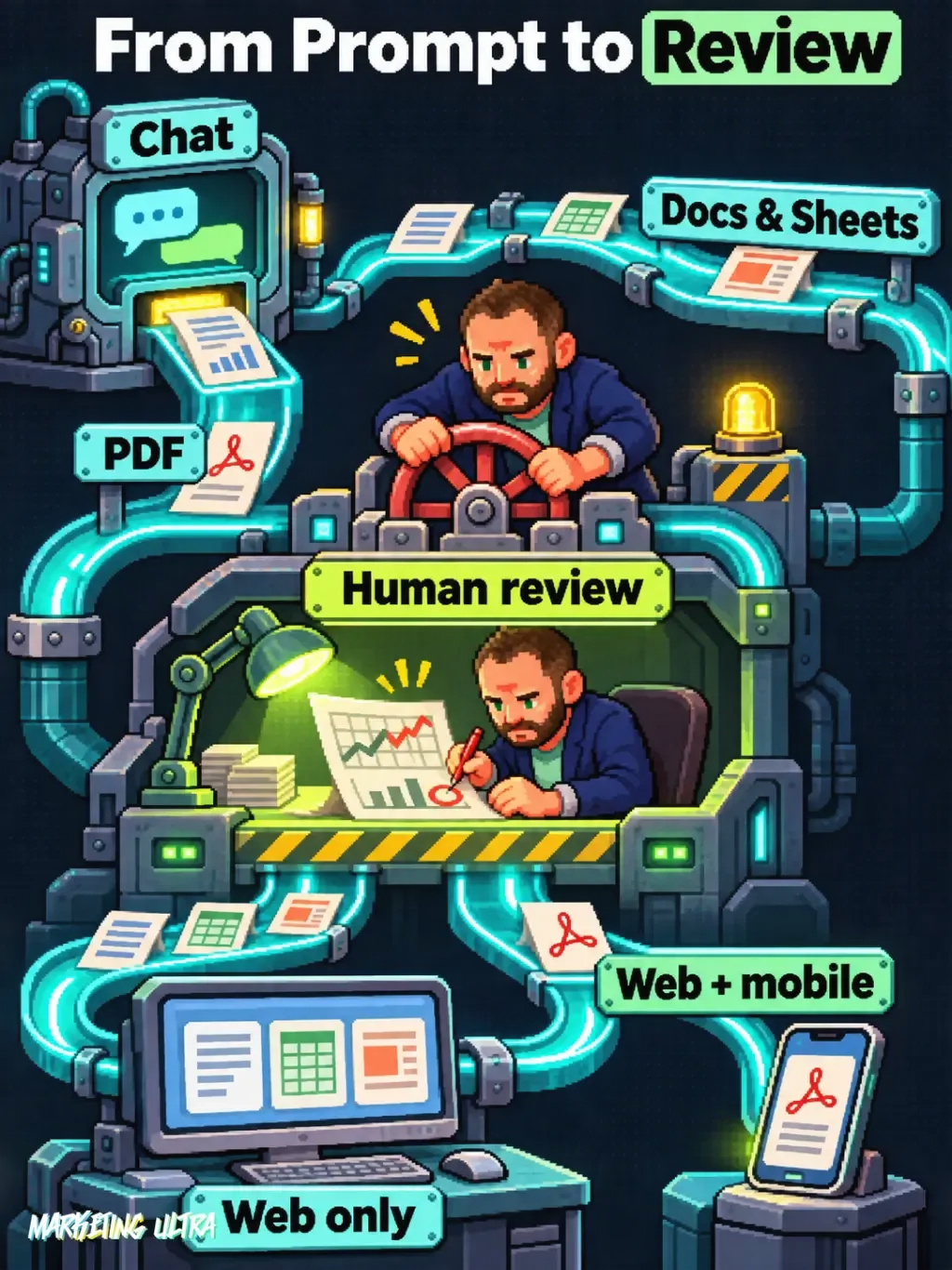
There is an important difference between devices. PDF previewing and editing work on both web and mobile. Google Docs, Sheets, presentations, Markdown, TXT and code are currently limited to the web version.
Confirmation comes from the official Gemini countries and languages list, which includes Spain, Spanish and EU Member States. That does not mean unlimited access: work or education accounts need access to Gemini apps and may be subject to organisational administration.
What can Gemini do for a marketing team?
The value appears when you reduce the constant jumping between conversation, draft, spreadsheet and presentation. I would start with very specific practical use cases, because building a big “AI strategy” before solving real tasks usually ends with a great presentation and zero adoption.
Campaign and working documents
Need to document a campaign plan? Ask Gemini to organise the objective, audience, proposition, channels, assets and measurement approach. Then you only fix what falls short. The first draft arrives quickly; the version that gets shared is finished by the person who knows the campaign.
Campaign reports
Gemini can structure a report in Docs or PDF, turn findings into a presentation and organise metrics in a spreadsheet. To know which metrics are worth including, you still need to understand the account, as I explain in the complete guide to Google Ads.
Data analysis and organisation
In Sheets, you can ask it to create a campaign-tracking spreadsheet, organise results or prepare tables and data models. It can also build an initial visualisation from those instructions. For dashboards that require more groundwork, see this guide to Google Sheets Canvas.
Be careful with the word “analyse”. Gemini producing a table or chart does not prove the data has been interpreted correctly. Broken attribution, duplicated conversions or a badly designed comparison can still result in a beautiful, false report. Boom. The damage is done.
What are its current limitations?
Gemini speeds up production. Accuracy is still your responsibility. Google has not published time-saving measurements or specific guarantees about the accuracy of marketing calculations, charts or conclusions.
There are also computing limits that depend on the plan and available capacity. Google warns in its Gemini limits documentation that these can vary. There is also no announced date for bringing non-PDF formats to mobile.
Business or education accounts do not have an admin control exclusively for this feature. Control lies in allowing or blocking general access to Gemini apps. For some organisations, that will be too broad: you either open the whole door or close it.
The trap is confusing speed with judgment. Calculations, charts and conclusions need human review, and the person who should steer this integration is the one who understands the process, the data and the business goal. A technical specialist can help connect the pieces, but cannot magically know why ROAS dropped or which client needs to read a warning before seeing a chart.
Gemini creates the file; you are accountable for it
Gemini removes a considerable amount of mechanical work when editing Google Docs, Sheets and PDFs within the chat. The improvement makes sense for campaign documents, reports and early data exploration, and it can already be used in Spain and the EU under the conditions outlined above.

My recommendation is simple: choose a repetitive process, test it with a real document and review every figure before sharing it. If the result helps you make data-driven decisions, keep it. If it only produces documents faster, you have automated bureaucracy. Congratulations, I suppose.