Plaud is genuinely impressive. No sarcasm. You record a meeting, it splits speakers, transcribes every word, and hands you a clean summary ready to paste. Solid product, plug and play. But when I started using it seriously, two problems showed up that never make it into the ad copy: your voice, and your clients', goes to a server you don't control, and you're locked into a monthly subscription indefinitely. So I set out to transcribe meetings with AI entirely in-house, no fees. The hard part wasn't where I expected.

TL;DR: The No-Fluff Summary
- The expensive resource is the GPU: "free" cloud tiers don't include what your task actually needs. Oracle gives you CPU; you need GPU. Identify the bottleneck before picking a platform.
- Cheap hardware is not cheap: a $130 mini PC with no dedicated GPU and no PCIe slot to add one is the most expensive purchase you can make.
- Wake-on-LAN: $0 investment: wake your desktop GPU only when there's audio to process, shut it down when done. No new hardware required.
- Privacy in layers: transcription (with real voices) runs locally with Whisper. The summary can go to an external LLM. You decide what leaves your network.
Free Cloud AI Meeting Transcription: The No-GPU Plan Is a Trap
First brilliant idea: Oracle Cloud free tier. A free server for life. Sounds great in the headline.
The reality: you get CPU, RAM, and storage. GPU? Not a single one. And this kind of work, transcribing audio with Whisper, diarizing speakers with pyannote, is exactly the type of task that crawls without a GPU. Audio that takes minutes with a GPU takes hours on CPU. Literally.
And there's more. Oracle has been quietly tightening its free tier: instances get shut down if they sit idle for a few days. So not only do you lack the key resource, you end up building automations just to keep the server awake. You're maintaining infrastructure for a machine that can't do the job. The frustrating part isn't that it's free, it's that it wastes your time making you think you have something.
This applies to any platform: identify the expensive resource BEFORE choosing where to run your project. Here, the expensive resource is the GPU. If your "free" plan doesn't include one, it's not a plan. It's a distraction.
The $130 Mini PC: When Cheap Hardware Costs More
Second brilliant idea: buy a second-hand mini PC. $130, compact form factor, low power draw, stick it in a corner and forget about it. I found one that looked like a steal. Until I actually read the specs.
A sluggish processor from several years ago. No dedicated GPU. And the killer detail: no PCIe slot to add one later. A dead end dressed up as a bargain.
A GPU-less machine for a GPU-dependent workload. The only question that matters: does it do the job? A $130 box that can't deliver is more expensive than not buying anything, on top of losing the money, you lose the time trying to make it work. The urge to buy something cheap to solve a problem is exactly that: an impulse. Not a plan.
Wake-on-LAN: Wake the GPU You Already Own for Free
This is where things clicked. I already had a capable GPU sitting in my desktop. Leaving that machine running 24/7 waiting for an audio file every few days made no sense.
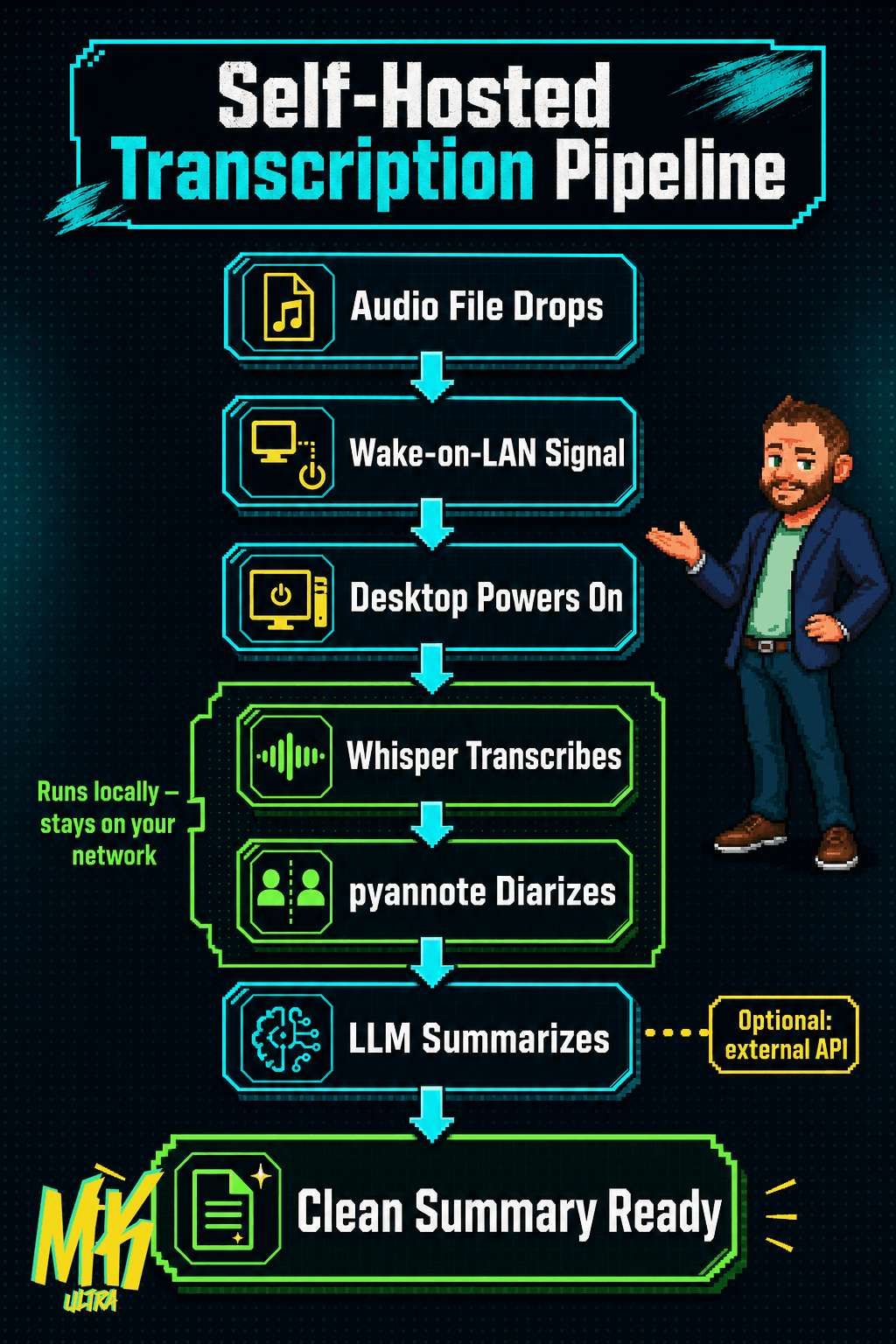
The fix: Wake-on-LAN. A magic packet that travels across the local network and powers the PC on remotely. A new audio file drops, the system sends the signal, the desktop boots, Whisper transcribes, pyannote identifies who said what and when, and once it's done the machine shuts itself off. Additional hardware cost: zero.
The software is mature and open source. Whisper has been running and improving for years. pyannote for diarization is rock solid. None of this is experimental: these are battle-tested tools. If you like the idea of a pipeline that runs itself, automating AI workflows without manual review follows the same logic.
No desktop GPU at home? The answer isn't to buy one: it's to rent GPU seconds in the cloud (Vast.ai, RunPod). You pay a few cents per audio file, no monthly commitment. Use it and leave. Think of it like booking a hotel room for the night instead of signing a lease.
Privacy in Layers: What Leaves Your Network, and the Verdict
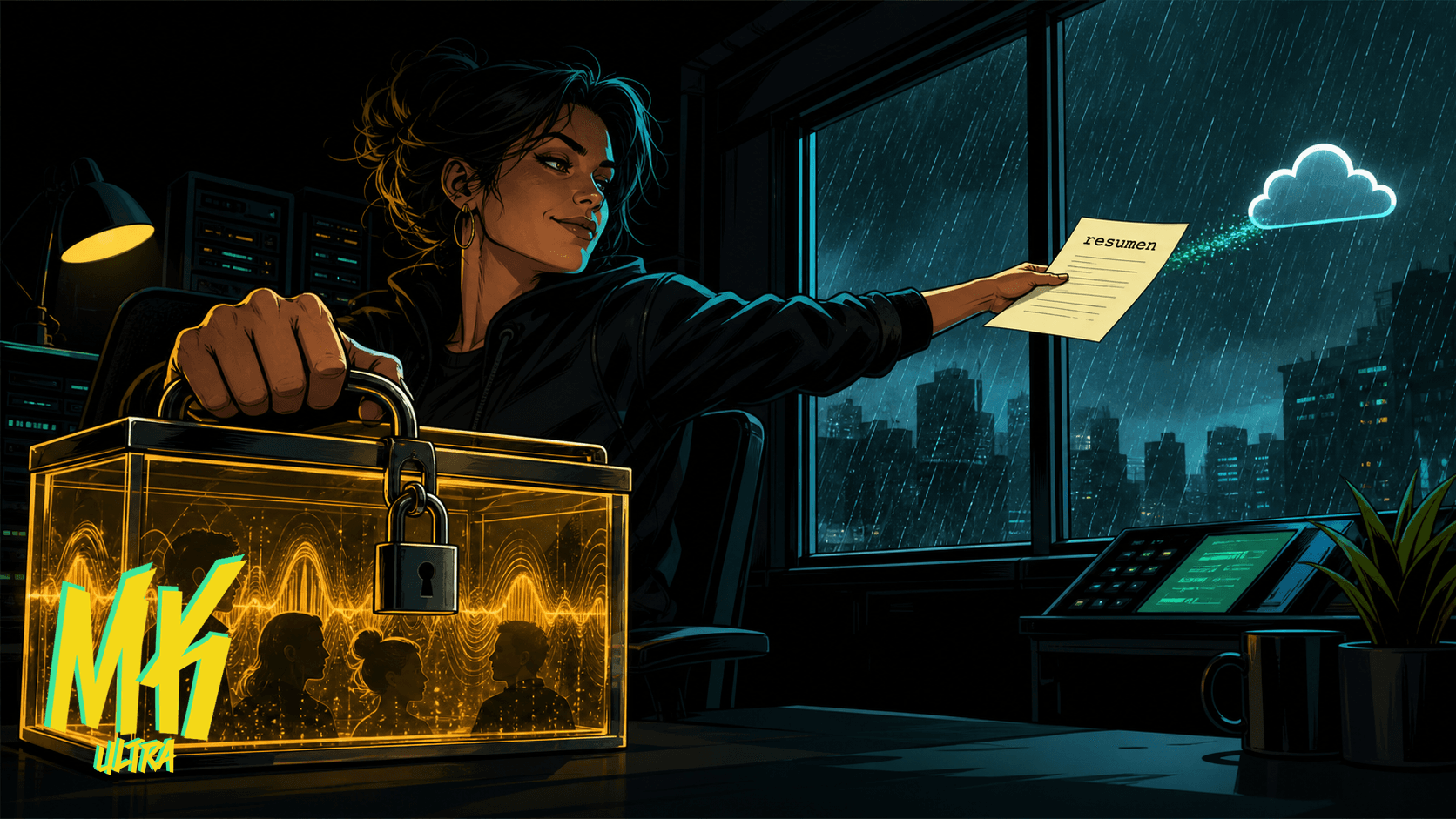
And this is the real takeaway. Not everything has to be local, and not everything has to go to the cloud. You decide, layer by layer.
The transcription, where your actual voice lives, your clients' voices, names, sensitive details, runs locally with Whisper. It never leaves your network. Full stop. This is the layer where privacy genuinely matters, because raw audio with identifiable voices is the most sensitive data in the entire chain.
The summary, which works on already-processed, anonymizable text, can go through an external LLM. If you're choosing which model to put in that layer, check how it actually behaves in production first: a model's real-world reliability doesn't always match its benchmark, and that matters when you're running automated pipelines with no one watching.
Privacy by design means knowing which data needs a lock and which can travel freely. You stay in control, instead of swallowing the "everything to the cloud" default that commercial apps push on you.
It depends on who you are. If you'd rather skip the complexity and value your time above everything else, Plaud is an excellent product. It works. Period. And I have no problem recommending it.
But if you'd rather transcribe meetings with AI autonomously, controlling where the data goes, no monthly fees attached, the self-hosted alternative is more mature than you might think. Whisper plus speaker diarization plus an LLM for summaries. The pieces are there. You just need to put them together with some intention.
And often the best infrastructure decision is waking up what you already have instead of reaching for your credit card.