openGym makes a sensible case for itself: keeping your training history without locking it behind a subscription. Routines, sets, weights, and progression in an app you can host yourself. The less glamorous part comes after: someone has to look after that data and keep the system running.
- Open source under AGPL-3.0. Self-hosted server, web demo, and a server-free Android option.
- Routines, workout logging, statistics, and import from other apps.
- The demo lets you try the product before wrestling with an installation.
- The repository returned to GitHub on September 11, 2026, according to its maintainer.
In this article
This tool is part of the living roundup Open-source apps that replace paid software →
What we checked
For this update, dated September 11, 2026, we opened the public demo, reviewed the repository, and cross-referenced user-reported issues with a video walkthrough. We did not install a server or migrate a real training history. That limits what we can say about sync, imports, and months of actual use.
What it solves and how it works
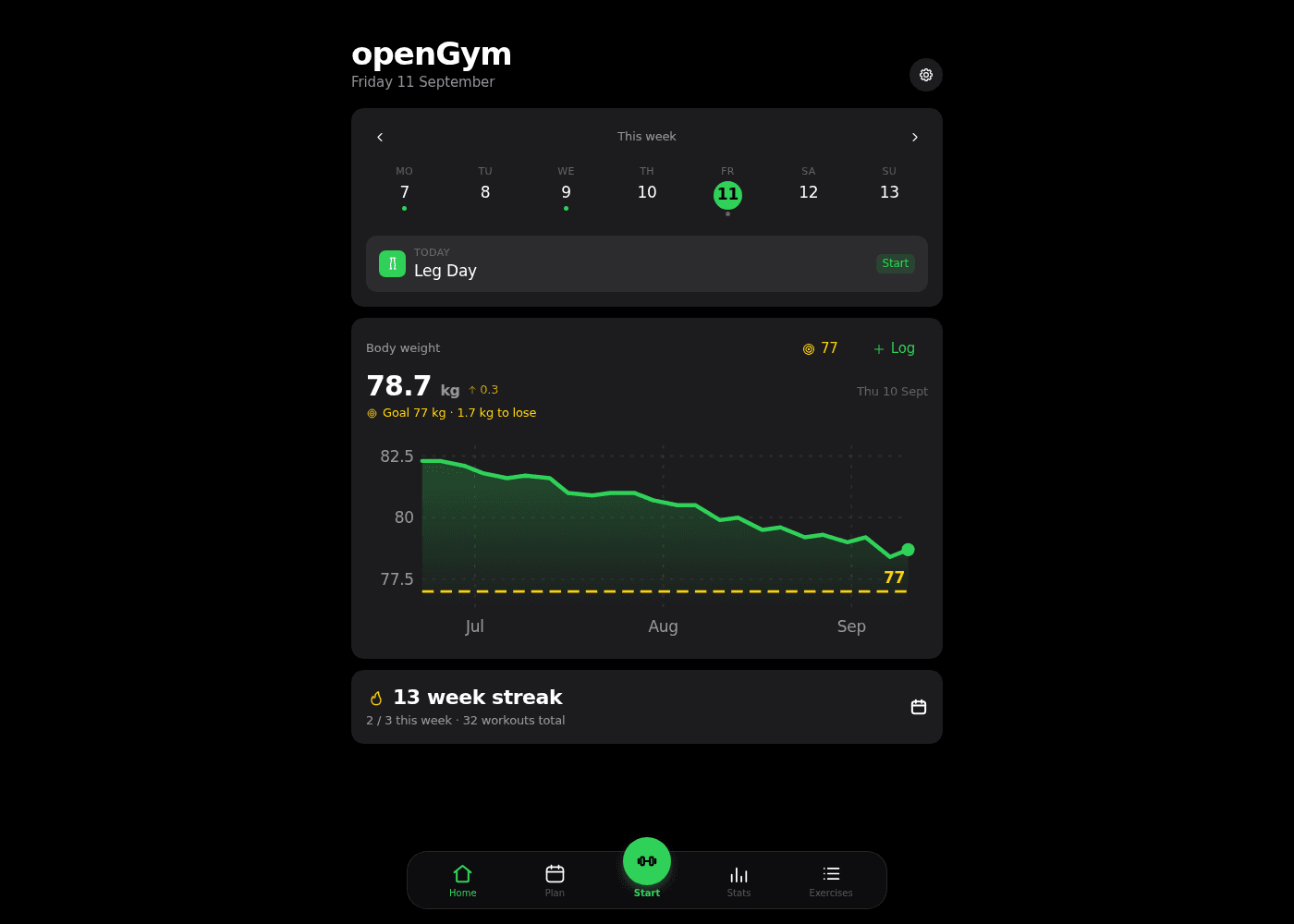
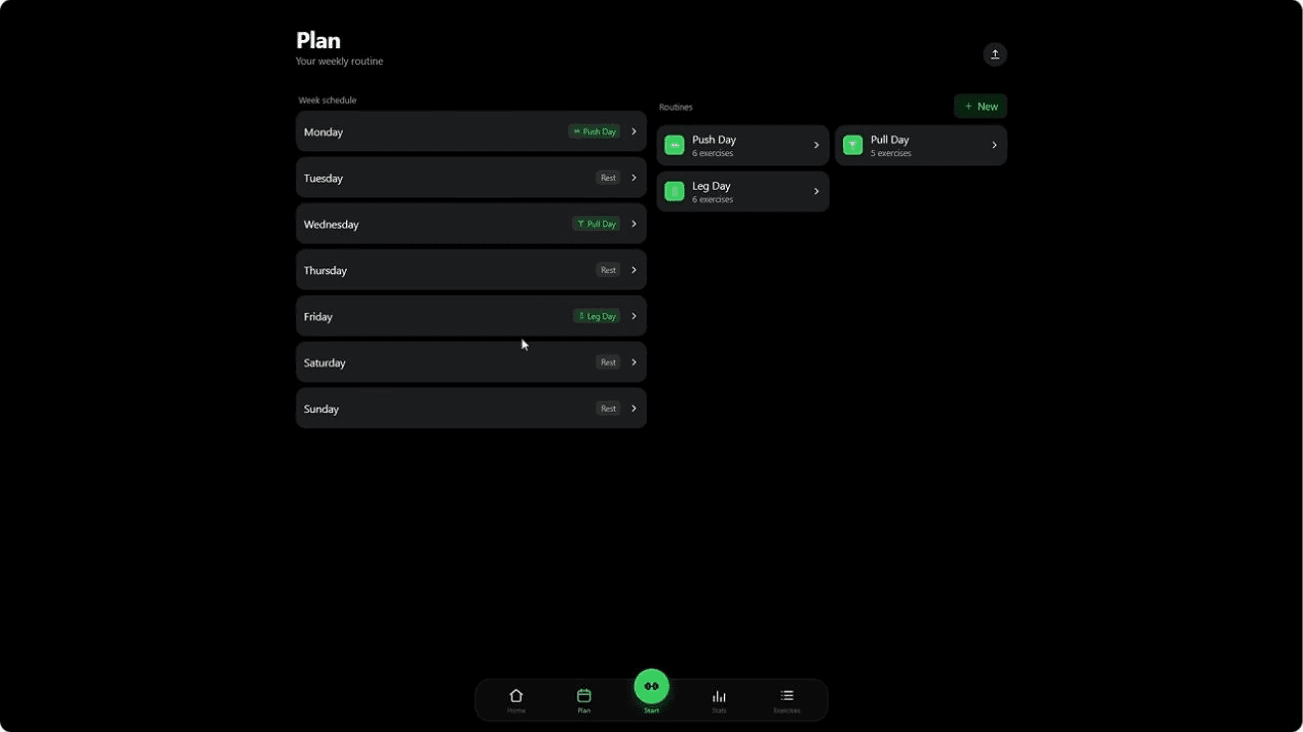
The home screen gives you a quick orientation: what is on the schedule today, how much you have trained this week, and how your weight is trending. The demo shows access to planning, starting a workout session, statistics, and exercises. That separation is useful: building your routine at a desk and logging a set between rest periods are two very different tasks.
According to the official README, openGym offers profiles with passkeys, PWA support, JSON export and import, and importers for FitNotes, Strong, and Hevy. There is also an Android APK that works without a server. Saying you need Docker in ALL cases would be inaccurate.
The value of data export is not about having a button in settings. It is about being able to recover your exercise names, dates, units, and sets later without losing anything. Before switching apps, import a small sample and compare several sessions against the original. If it converts kilos to pounds or silently drops your notes, the dashboard aesthetics stop mattering.
A walkthrough that shows the product
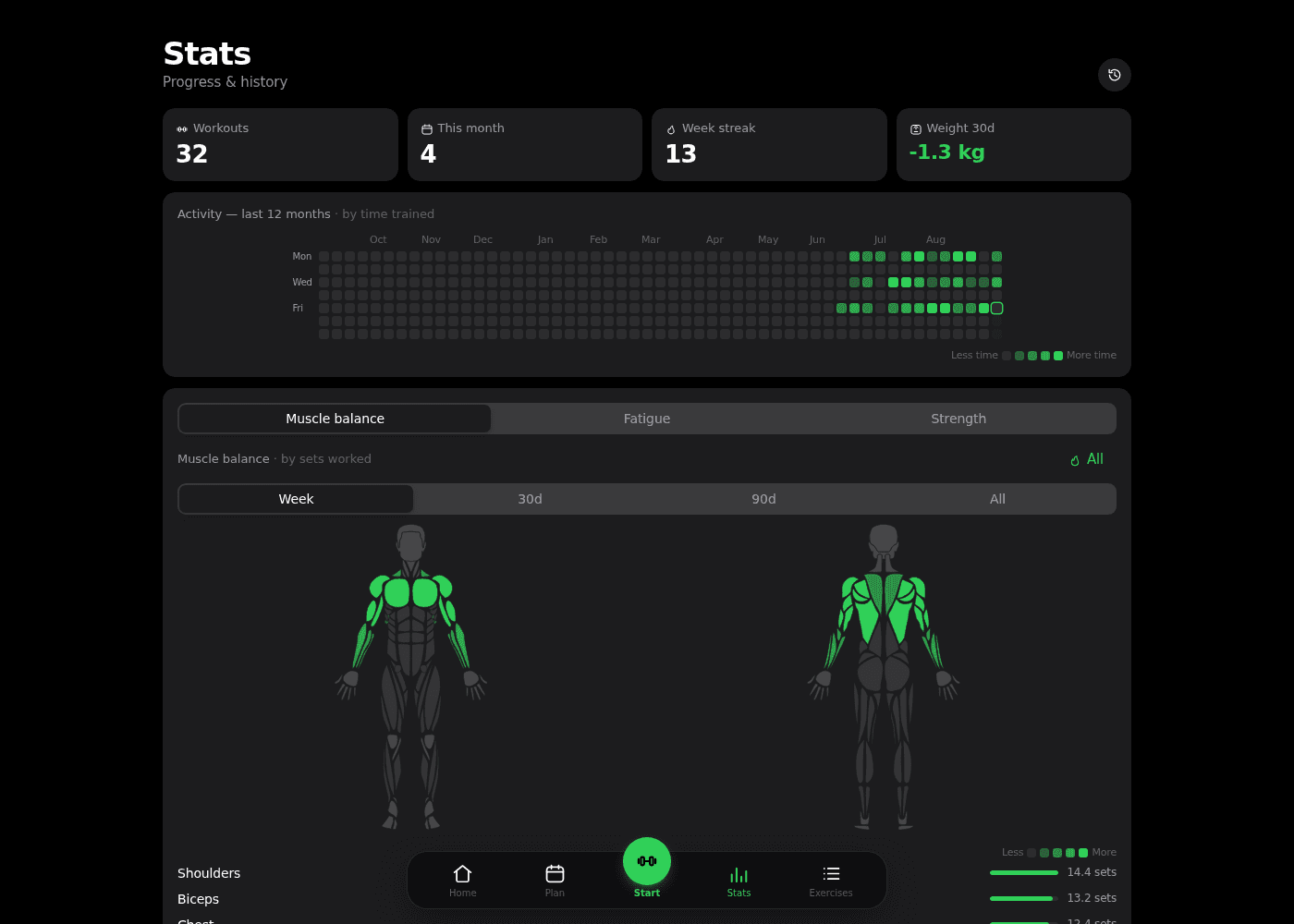
Servers at Home includes openGym in their self-hosted app roundup. The segment starts at 5:58 and ends at 9:09. It is in English and covers the workouts and planning sections. This is an external walkthrough, not a test from our own installations.
User feedback: the details come out when people actually train
«we can only set duration and speed, and not incline»
Vaibhav159, GitHub #169
This user is requesting custom fields to log treadmill incline. It is a specific, open request at the time of our review. If cardio is part of your training, check that your usual metrics are supported before importing your entire history.
«I have to keep tapping Previous to find it.»
xwr3, GitHub #163
The problem described is very much a gym-floor issue: a machine is occupied, you skip an exercise, and then it is hard to find the pending one. That is exactly where a logging app earns its keep, when you are in a hurry with your phone in your hand.
In the Reddit launch thread, mancaveit asked for a Docker image and the developer replied that amd64 and arm64 images were already published. This is a conversation about distribution and support, not a months-long assessment of the app.
These sources point to a usable product that is still ironing out the details. They do not allow you to gauge overall satisfaction. Two open issues do not mean the whole app is broken.
Installation, maintenance, and the repository scare
For the server, follow the Compose file from the current repository and keep a backup of your data directory. For Android, check the APK published by the project. On iPhone, the documented route is the PWA. There is no need to invoke a blanket Apple prohibition to explain that difference.
On September 11, the maintainer announced the repository was back after several weeks suspended on GitHub. According to the maintainer, links to the code, container images, and the demo all broke during that period, though existing installations kept running. This is the maintainer's account, not a GitHub explanation of the cause.
The practical takeaway: self-hosting removes one dependency, but it does not eliminate the need to keep installers, backups, and an upgrade path. The project maintains a mirror on GitLab. It is worth knowing about before you need it.
For a personal trainer: useful, with caveats
The README describes an optional admin panel for viewing activity and training histories and capping registrations. That could work for a small group. It does not by itself constitute a complete commercial system for client management, billing, consent, or professional record-keeping.
If you work with other people, test the profile isolation. Log in as two sample users, check what each one can see, and run through a restore. That is the difference between an interesting experiment and a tool you can actually rely on.
My verdict
It interests me more than a lot of apps bloated with social features I have no use for. The training history, the export, and the option to self-host are concrete arguments. But I would decide based on how it logs MY workouts, not on GitHub stars.
Open the demo, walk through your routine, and check the three metrics you use most. If it fits, try an installation with sample data. If you want to forget about maintenance entirely, also price up a managed app. Your time counts too.