For years, Google has been the one deciding how many days count toward attributing a conversion. Three days for engaged view conversions, full stop. No negotiation. Since August 11, 2026, that has changed: GA4 Custom Conversion Windows let you choose the exact integer number of days your attribution window lasts, for both clicks and views. Sounds good. Almost too good. Let's look at what's really going on.

TL;DR: The No-Fluff Summary
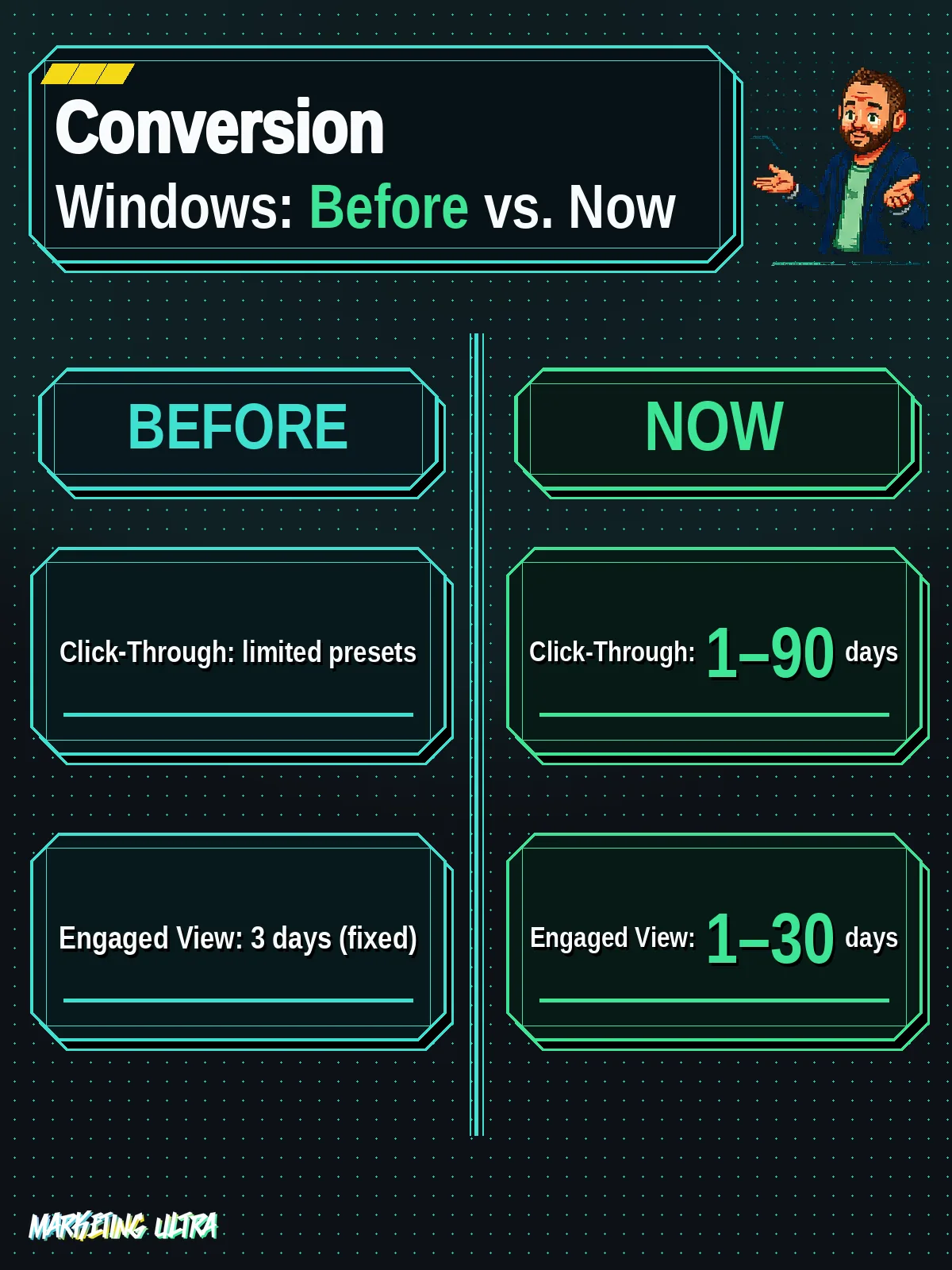
- Customizable windows: click-through conversions (CTC) from 1 to 90 days, engaged view conversions (EVC) from 1 to 30 days. Previously EVC was locked at 3.
- Available now: enabled on August 11, 2026 in GA4 and Google Ads. No additional cost.
- Direct impact on bidding: Smart Bidding optimizes based on the conversion data you feed it. A misconfigured window means misinformed bids.
- Not retroactive: changes only apply to data collected from the modification date onward.
In this article
- What Are GA4 Custom Conversion Windows?
- How to Configure Conversion Windows in GA4
- What Changes for Your Automated Bidding, and Why It Matters
- What They Are Not Telling You About Custom Conversion Windows
- Is It Worth Configuring GA4 Custom Conversion Windows?
- Frequently Asked Questions About GA4 Custom Conversion Windows
What Are GA4 Custom Conversion Windows?
GA4 Custom Conversion Windows are the new option that lets you configure conversion attribution windows using any integer, not the preset options Google decided were "good enough." The closed menu is gone. Now you can be surgical.
You can customize two types of window:
- Click-through conversions (CTC): from 1 to 90 days. Before, you had a limited set of preset options; now you pick any integer within that range.
- Engaged view conversions (EVC): from 1 to 30 days. The big one: previously locked at 3 days. No exceptions. Now you have ten times the range.
EVCs fire when a user watches a video ad for more than 10 seconds (or completes a bumper ad) and then converts without clicking the ad. According to Search Engine Land, the setting is accessible from both GA4 and Google Ads, which makes life easier for anyone managing both platforms separately. It is a built-in feature available on any GA4 property, at no extra cost.
How to Configure Conversion Windows in GA4
If you know your way to the attribution settings, you can do this in two minutes.
In GA4:
- Log into your Google Analytics 4 account.
- Click the "Admin" icon (the gear, bottom left).
- Under "Data display," select "Attribution settings."
- Find the "Lookback window" section. There you can edit the acquisition conversion window and the window for other events.
- Choose your number of days: 1 to 90 for CTC, 1 to 30 for EVC.
- Save.
In Google Ads (and this is KEY):
- "Tools and settings" → "Measurement" → "Conversions."
- Edit each conversion action imported from GA4.
- Set the window to the same value you configured in GA4.
Why does syncing both platforms matter so much? Because if you skip this step, automated bidding will optimize using data that does not match what you see in your reports. And that is where chaos starts. It comes up constantly in r/PPC: "Google Ads usually credits the conversion back to the day the ad was clicked, while GA4 reports it on the day the conversion actually happened." If your attribution windows do not align across platforms on top of that, the numbers become even harder to trust.
What Changes for Your Automated Bidding, and Why It Matters
Google Ads Smart Bidding strategies depend entirely on the conversion data you feed them. If your attribution window is set to 7 days but your actual sales cycle runs 45, the algorithm optimizes on incomplete information. Conversions from day 8 onward go dark, treated as if they never happened.
Now you can align the window with your real sales cycle. For impulse-driven e-commerce, 7 days of CTC may be plenty. For B2B SaaS with long decision cycles, 60 or 90 days gives a far more accurate picture of each click's actual impact. As Napkyn explains, GA4's data-driven attribution model (DDA) distributes credit across multiple touchpoints using machine learning. Custom windows give you control over the period the DDA actually analyzes.
Better-informed bids, better numbers. In theory.
What They Are Not Telling You About Custom Conversion Windows
First warning: changes are NOT retroactive. If you expand your window from 30 to 60 days today, historical conversions that were not counted before will not suddenly appear. It only applies to data collected after the change. According to the official Google Ads documentation, this is one of the most common sources of confusion.
Second warning, and I will go out on a limb here: expanding the EVC window from 3 to 30 days is a double-edged sword. I would bet that more than a few advertisers are going to inflate their video conversion numbers without realizing it. Think about it. If you were previously only counting conversions that happened within 3 days of someone watching a YouTube ad, and now you are counting conversions up to 30 days later, your video campaigns are going to "perform" a lot better. On paper.
And what happens when video campaigns perform better? You pour more budget into YouTube. Which is owned by Google. Funny how that works, is it not?
I am not saying it is intentional. But the play is right there, and as I break down in the complete Google Ads guide, every time Google gives you "more control," ask yourself who benefits from that control when it is used without judgment.
The key: do not use the maximum value just because you can. The right value is the one that mirrors your actual purchase cycle, not a day more. If you sell t-shirts, a 90-day CTC window is absurd. If you sell enterprise software, 7 days leaves money on the table. That sounds obvious, but once the Smart Bidding algorithm starts optimizing on inflated windows, those pretty numbers will be hard to resist.
Is It Worth Configuring GA4 Custom Conversion Windows?
Yes. Done right. A 3-day EVC window was an absurd straitjacket for any business with even a moderately long consideration cycle, and the preset CTC options fell short for too many use cases.

As PPC Land points out, the new flexibility demands that you know exactly how long it takes your customers to convert. If you do not have that data, you are configuring blind. And configuring an attribution window blind is worse than leaving the default in place.
Google has handed you the wheel. Just make sure you know how to drive.
Frequently Asked Questions About GA4 Custom Conversion Windows
Do GA4 Custom Conversion Windows cost anything?
No. It is a native feature included in any GA4 property, with no paid plans or add-ons required. It has been available to all accounts since August 11, 2026.
What if Custom Conversion Windows do not appear in my GA4?
Go to Admin → Data display → Attribution settings and look for the "Lookback window" section. If the option is not there, verify that your property is GA4 (not Universal Analytics) and that your user account has Editor permissions or above.