Inventory may look calm while cash, stock and deadlines fight it out behind the scenes. Shopify wants to shine a light on that with its new purchase order reports in Shopify Analytics. The idea is sound. The execution, as ever, demands a close look at the fine print.

TL;DR: The no-nonsense summary
- Three new reports: costs, transfers and outstanding purchases within Shopify Analytics.
- Confirmed launch: Shopify announced that this data could be reviewed and exported on October 6, 2026.
- Availability with an asterisk: Spain, the EU, eligible plans and universal store access remain unconfirmed.
- Data does not make the decision alone: the reports help, but properly connecting them with sales, demand and cash flow is still the real work.
In this article
Purchase order reports in Shopify Analytics are views for analysing supplier purchase costs, the movement of related inventory and items still awaiting receipt. We are not talking about customer orders. That sounds obvious until someone mixes them up in a meeting and the spreadsheet starts smoking.
Availability
- Launch status: Shopify presents this as available from October 6, 2026, rather than as a beta or preview, although the source does not explicitly use the term “GA”.
- Spain: unknown.
- European Union: unknown.
- Eligible plans and stores: Shopify does not specify plans or access criteria; its documentation makes the reports conditional on purchase order analytics being available to the store.
Availability in Spain/EU: Unconfirmed
The source does not confirm availability in Spain/EU. Phase: general availability (GA).
What do Shopify Analytics purchase order reports include?
Shopify has added three default reports: “Purchase order costs”, “Purchase order transfers” and “Purchases on order”. The official Shopify announcement, published on October 6, 2026, confirms that this data can be reviewed and exported from Analytics.
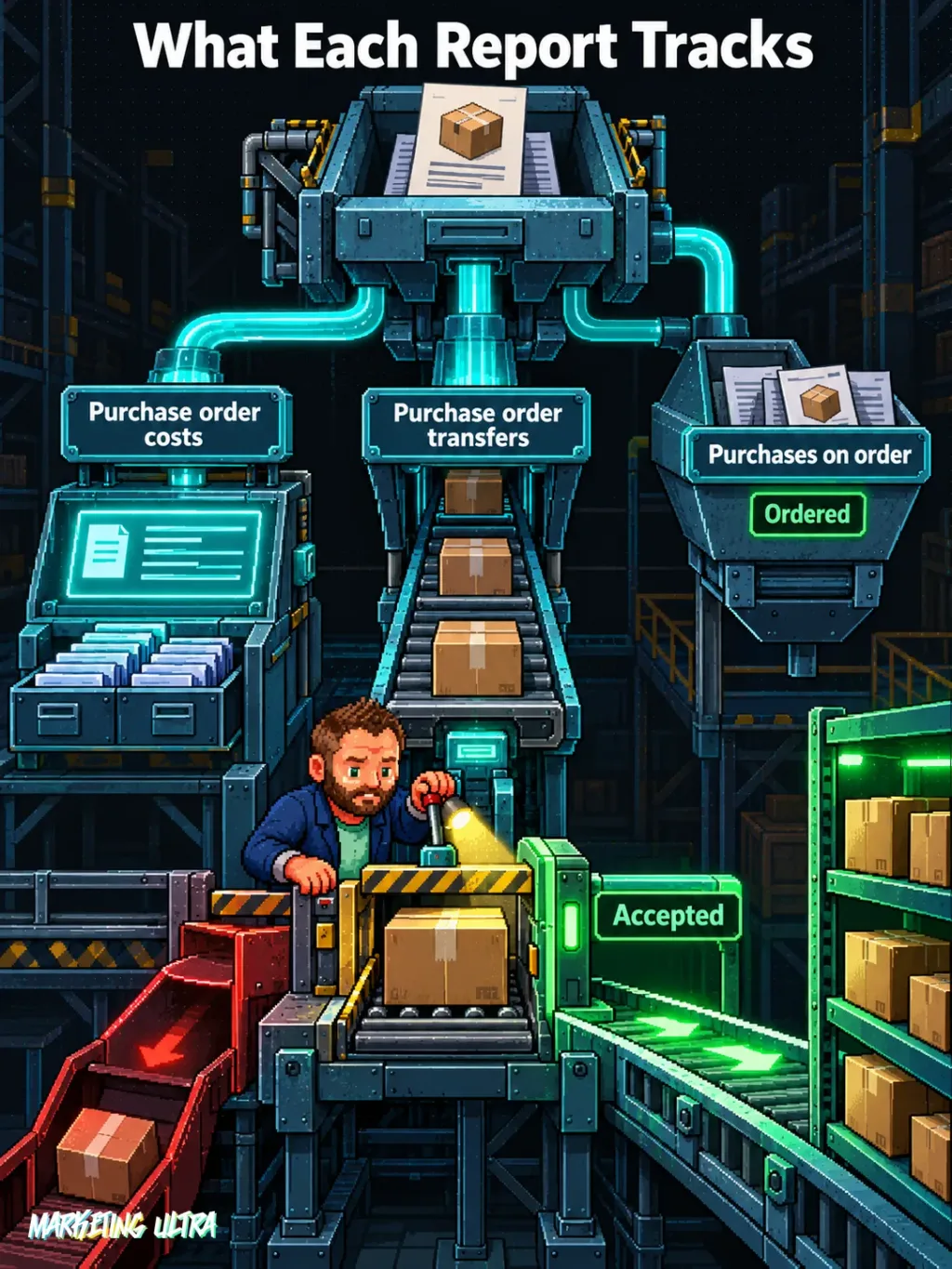
The costs report brings together ordered quantities, supplier costs, estimated taxes and total costs. It also lets you break the information down by purchase order, date, supplier, destination and item.
The transfers report covers the physical side of things: shipment statuses, expected dates and quantities shipped, received, accepted or rejected. The purchase order records the agreement with the supplier; the linked transfer tracks the actual movement of stock. Similar does not mean the same.
The third report, purchases on order, is narrower in scope than its name might suggest. It only includes open purchase orders marked as ordered and without a linked transfer. If you come here looking for everything that has yet to arrive, you may get an incomplete picture.
On top of that, the purchase orders page adds summaries for purchases on order, total items ordered, acceptance rate and shipments nearing their due date. That is far more operationally useful than the usual inventory total sitting in the corner.
What are these new Shopify reports for?
They help you spot how much capital is committed, which stock should be moving and where a purchase gets stuck before the problem reaches the customer. They are useful for operations and procurement, as well as for anyone keeping an eye on cash flow. They do not perform miracles.
Shopify’s documentation on custom reports lets you go beyond the default views. You can build explorations to analyse ordered inventory, supplier costs, activity by destination or changes in unit cost.
To me, building a dashboard is easy. The hard part is properly connecting and comparing the sources with the rest of your reporting. Isolated purchasing data tells you what you ordered. Combined with sales, turnover, campaigns and cash forecasting, it can help you understand whether you bought wisely or simply got carried away.
That is where the value lies. Three extra reports look great in a screenshot; what matters is linking cost, ordered quantity, receipts and rejections to the demand you create.
There is a clear operational risk here: the team may interpret “ordered” as “available”. An order marked “Ordered” can later be linked to an inventory transfer, according to the official guide to managing purchase orders. Until the stock moves, is received and is accepted, mentally treating it as sellable stock is still a gamble.
The catch with costs and currencies
The costs shown in Analytics may not match the figures in the purchase order exactly. Shopify converts metrics into the store currency using the daily exchange rate at the time each line item was added.
That detail matters if you buy from suppliers in another currency. A difference between reports does not automatically mean somebody entered the cost incorrectly. It may come down to when the conversion happened. Before chasing the procurement manager down the corridor, check the dates and currencies.
It is also worth understanding where each figure comes from. The costs and purchases-on-order reports are based on purchase order line items. The transfers report uses linked shipment line items. If you compare different data sets as if they were identical, the dashboard is not broken. Your comparison is.
My criticism is this: Shopify brings useful information closer, but it does not solve data governance. Who checks a partial receipt? When is a unit accepted or rejected? What happens when the team leaves open orders that no longer reflect reality? The tool amplifies the process you have. If the process is a mess, you will see that mess in prettier charts.
Are they available in Spain and the European Union?
That has not been confirmed. Shopify says merchants can now review and export the data, but neither the announcement nor the documentation reviewed mentions Spain, the European Union or a regional rollout schedule.

It is also not confirmed that all three reports are enabled on every plan or store. The specific documentation uses conditional wording: if purchase order analytics is available for your store. So presenting this launch as universal would be getting ahead of ourselves.
The sensible check is to open Shopify Analytics and look for purchase order reports. If they do not appear, check the store’s access and the official documentation. Making up a European launch date because the announcement says “now available” sounds decisive, but it is still made up.
My verdict on Shopify Analytics purchase order reports
I think they are a practical improvement for any retailer managing suppliers and inventory in Shopify. Having these figures in Analytics saves trips between screens and spreadsheets.
I recommend them if your store has them enabled, with one condition: define what every status means and connect this data with sales, demand and cash. The dashboard is the easy part. Turning orders, transfers and costs into a sound purchasing decision is where the work begins.
Shopify has fitted better headlights. Just try not to drive while looking only at the dashboard.