OpenWhispr wants to turn voice into text without forcing you to hand every recording to someone else’s cloud. According to its official repository, it is a dictation app built for writing in other applications, transcribing meetings and organising notes, but its real value depends on choosing wisely between local processing, cloud services and your own API keys.

TL;DR: The No-Nonsense Summary
- What it does: the project says it lets you dictate in other applications, transcribe meetings and files, and work with notes.
- Configurable privacy: its documentation presents local processing, cloud and provider-key options.
- Compatibility: the repository offers versions for several desktop systems; the cited material also mentions iOS.
- The deciding limitation: the supplied material cannot confirm a current official price or measure accuracy, latency or resource use on real machines.
In this article
| What it is | An open-source dictation app that turns voice into text in any application: it transcribes locally with Whisper or Parakeet, records meetings with speaker diarisation, and organises notes with semantic search. |
|---|---|
| Official website | https://openwhispr.com/ |
| Repository | repo |
| Licence | MIT |
| Price | open source |
| Alternative to | Wispr Flow, Aqua Voice |
| GitHub stars | 8,430 |
| Launch year | 2025 |
| Maintained by | OpenWhispr (organisation) |
| Platforms | macOS, Windows, Linux, iOS |
| Requirements | Node.js 24+ for development; optionally, LLM API keys or local models |
| Integrations | GPT-5, Claude, Gemini, Groq, Tinfoil, OpenRouter, Zoom, Teams, FaceTime, Google Calendar, Microsoft Calendar, Apple Calendar, Amazon Bedrock, Azure OpenAI, MCP server |
| Language | English interface; supports more than 100 transcription languages, including Spanish |
Reviewed on 2026-10-03
This tool is part of the living roundup Open-source apps that replace paid software →
The Problem It Solves
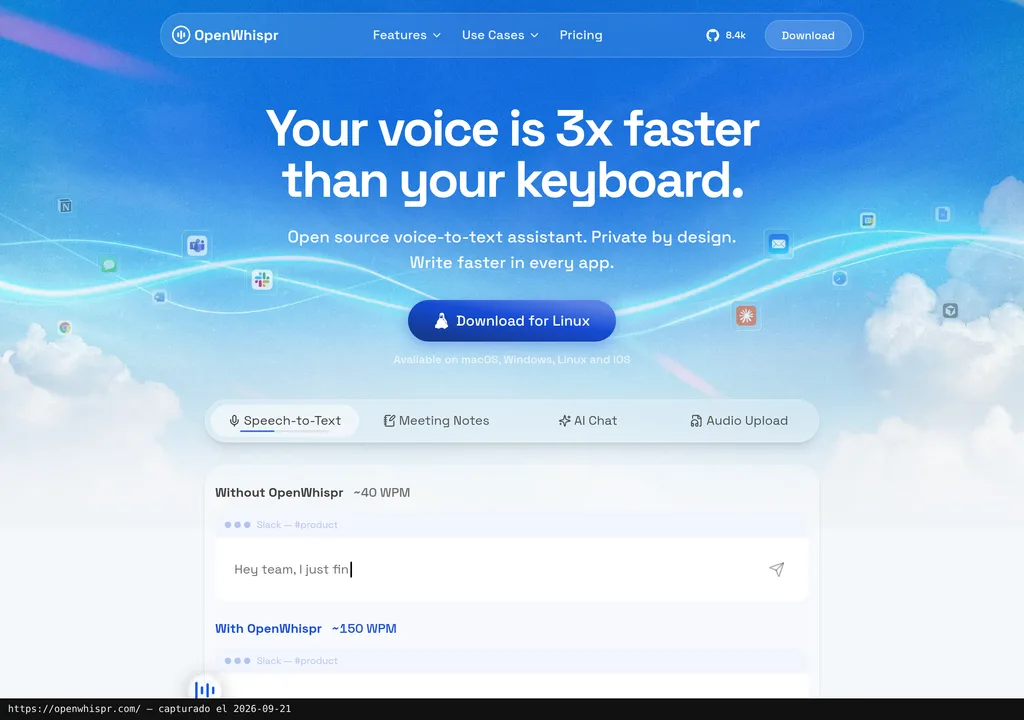
According to its official repository, OpenWhispr turns voice into text through a global shortcut and pastes the result into the active application. The project also offers features for importing audio or video, detecting meetings and organising transcripts as notes.
Put plainly: it aims to spare you from recording in one tool, copying the transcript, cleaning it up, then moving it into Slack, Gmail, Google Docs or whichever document is in front of you. That window-hopping seems minor until you do it twenty times a day. Then it becomes a monthly headache.
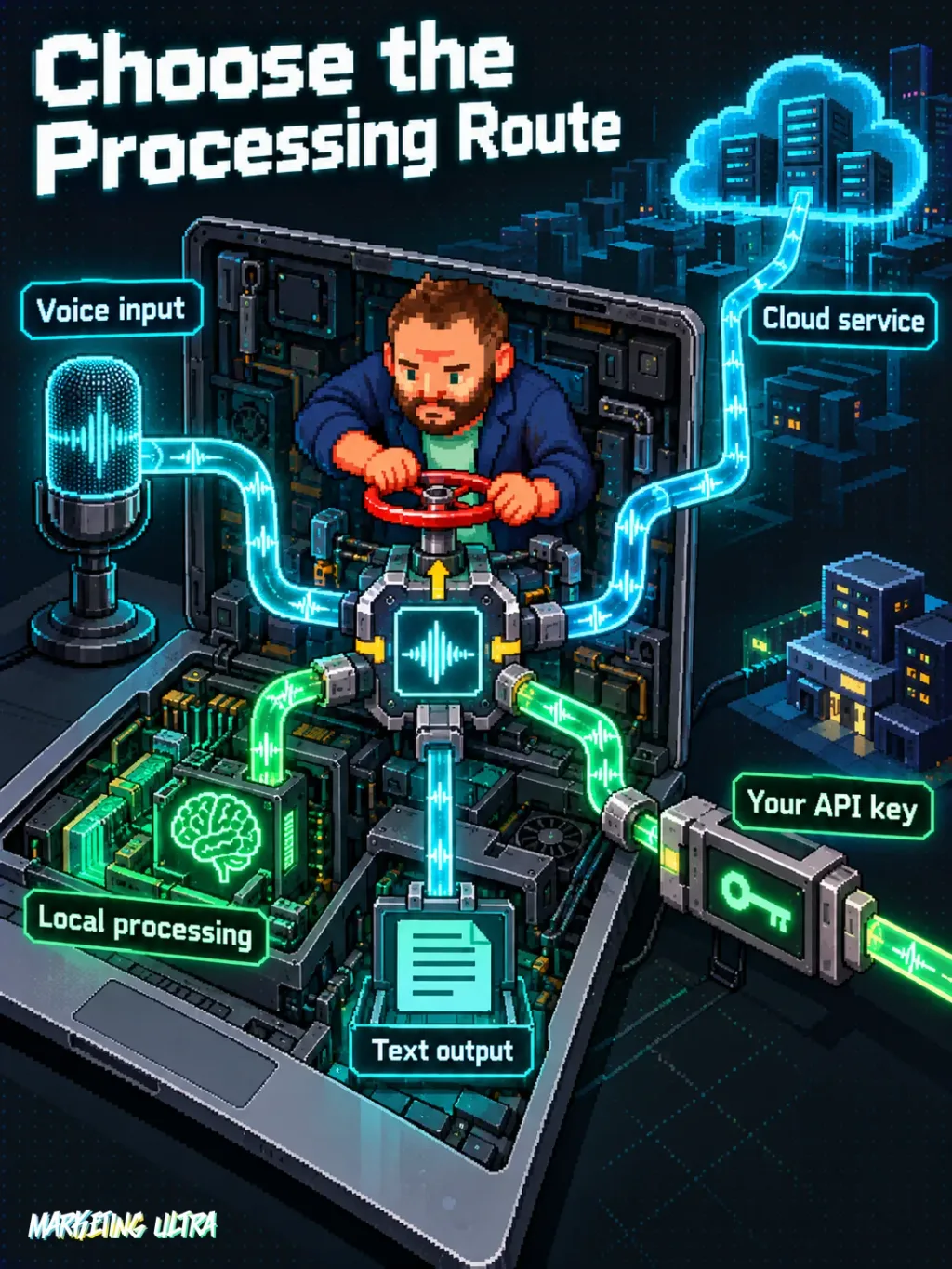
That is where it gets interesting for anyone working with sensitive information or offline. The project says local transcription keeps audio on the device and allows models such as Whisper or NVIDIA Parakeet. It also offers cloud and external-provider routes, so “private” does not describe every configuration equally. You decide how far it goes.
Getting Started
The easy route is to download the appropriate version from the official releases. The repository publishes packages for macOS, Windows and several Linux distributions. The cited material also mentions iOS, although it does not document its installation process here.
If you want to run the code for development, the project instructions require Node.js 24 or later. You need to clone the repository, enter the folder, install dependencies with npm and start the environment. External provider keys are optional because local routes are also available.
Next, choose a transcription engine, grant the system permissions requested by the app and configure the shortcut. The cited documentation warns of specific limitations on Intel Macs for speaker identification and voiceprints; check their scope in the installed version before relying on those features.
Copy this and paste it into Claude Code, Cursor or your favourite coding assistant:
Check that I have Node.js 24+, then clone and install OpenWhispr from https://github.com/openwhispr/openwhispr.
Set up local transcription without external keys and explain every permission before requesting it.
Run a Spanish dictation test and tell me how to stop the environment and revoke the permissions used.
Installing from source may require technical knowledge. Review every command, permission and change suggested by the assistant before accepting it.
The supplied material does not document a complete procedure for uninstalling the application and deleting local models or data. Before setting it up on a corporate machine, review the specific setup guides and define the exit path too. Installation is the fun part. Cleaning up afterwards counts as well.
Using It in Real Marketing
A sensible use case would be dictating draft ads, emails or instructions while reviewing a campaign, then sending the text to the active field without using an intermediate app. Another would be importing a meeting recording and turning its decisions into searchable notes, provided the chosen version and configuration support those features.
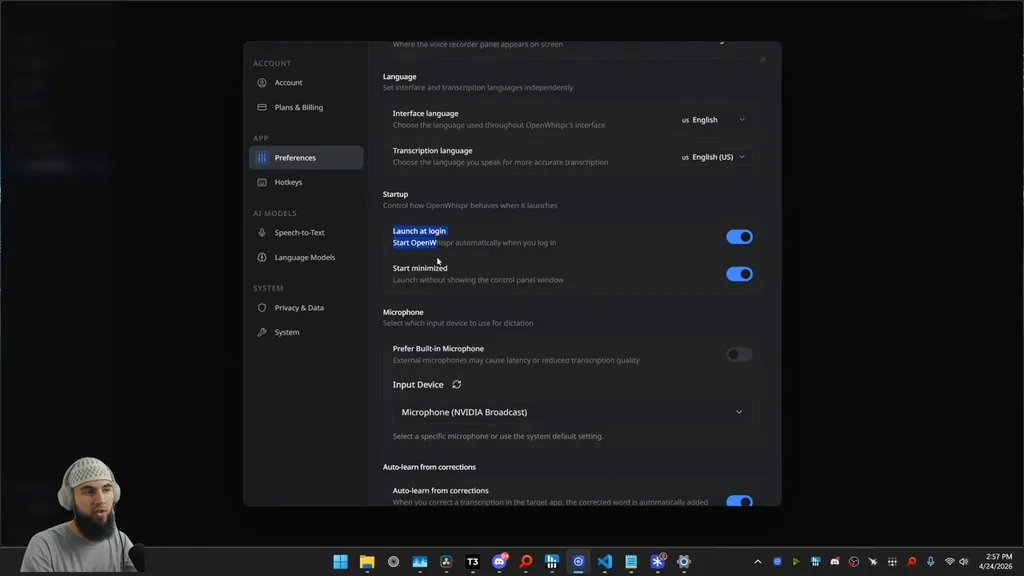
To be clear: this is a usage scenario, not a Marketing Ultra test. We do not have independent measurements of Spanish accuracy, time saved, latency or speaker-identification quality. Performance with your voice, microphone and machine remains an open question.
The delicate point usually appears after the first transcript: repeated corrections, client names and text that gets too heavily “fixed” to preserve the original meaning. OpenWhispr advertises dictionary features and learning from corrections, but there is no evidence here to quantify how much they improve the outcome.
What They Do Not Tell You
The repository releases OpenWhispr under the MIT licence. That does not make every configuration free: AI providers, cloud services or infrastructure can create costs. Without a current official price or a verified conversion to euros, there is no publishable figure. Full stop.
The local option also comes with less photogenic costs: model downloads, memory, storage and processing power. The documentation presents models in different sizes, but provides neither hardware requirements nor comparable results. “It runs locally” and “it runs well on my laptop” are different statements. Very different.
The repository presents an Electron-based client. In a Reddit post, ayushchat criticises it as heavier than some native alternatives and attributes limitations to the managed cloud, without defining their scope here. This is a third-party opinion, not an audit or proof that the client has stopped being open source. Before bringing it into a company, clarify where the open client ends and managed services begin.
What People Say
On Reddit, ayushchat lists the cap it attributes to the managed cloud, key management and Electron’s weight as reasons people leave. Do not give it more authority than it has: it has not been possible to confirm the date, whether the author actually used the tool, or whether they have a commercial relationship with an alternative.
"TL;DR: Most people leave OpenWhispr for one of four reasons. Each has a different best fix. Why people actually leave: 2,000-word/week cloud cap (~15 min of dictation) hits on day one for heavy users API keys mean a provider account, spending caps, rotation, and retention-policy" ayushchat on Reddit
"TL;DR: Both are free, MIT-licensed, and run on Mac/Windows/Linux. One question decides it: do you want a cloud fallback? OpenWhispr: - Local Whisper/Parakeet, managed OpenWhispr Cloud, or bring-your-own-key, three paths - Free tier capped at 2,000 words/week on managed cloud - L" ayushchat on Reddit
"to r/DigitalEscapeTools" No-Hospital5028 on Reddit
The same profile compares OpenWhispr with Handy and values the former’s ability to combine local models, managed cloud and bring-your-own keys. That post does not represent a consensus either. It is useful for identifying frictions worth investigating, not for manufacturing a standing ovation.
Alternatives
The brief names Wispr Flow and Aqua Voice as alternatives. Without current official prices or comparable tests, crowning a winner would take a fair bit of imagination. To decide, compare local processing, supported systems, audio handling and dependence on external accounts.
Wispr Flow and Aqua Voice appear as reference points in the assisted-dictation category. OpenWhispr has editorial appeal because it publishes its code under an MIT licence and offers local engines, but that alone does not prove better accuracy, lower latency or a more polished experience.
Verdict
OpenWhispr belongs in a roundup of open-source applications. According to its repository, it brings together global dictation, meetings, notes and local models for several systems. The MIT licence and local processing are tangible arguments. Not hype.
Would I recommend it? Yes, for a controlled trial with local transcription and non-sensitive documents at first. I would not deploy it across an entire team without checking resource use, accuracy with its own vocabulary, data deletion and the real limits of any cloud service.
OpenWhispr promises a lot and shows quite a bit. To stop being merely interesting and become essential, it needs independent testing and clear official costs. It also needs to explain, without fine print, where local and open ends and managed begins.