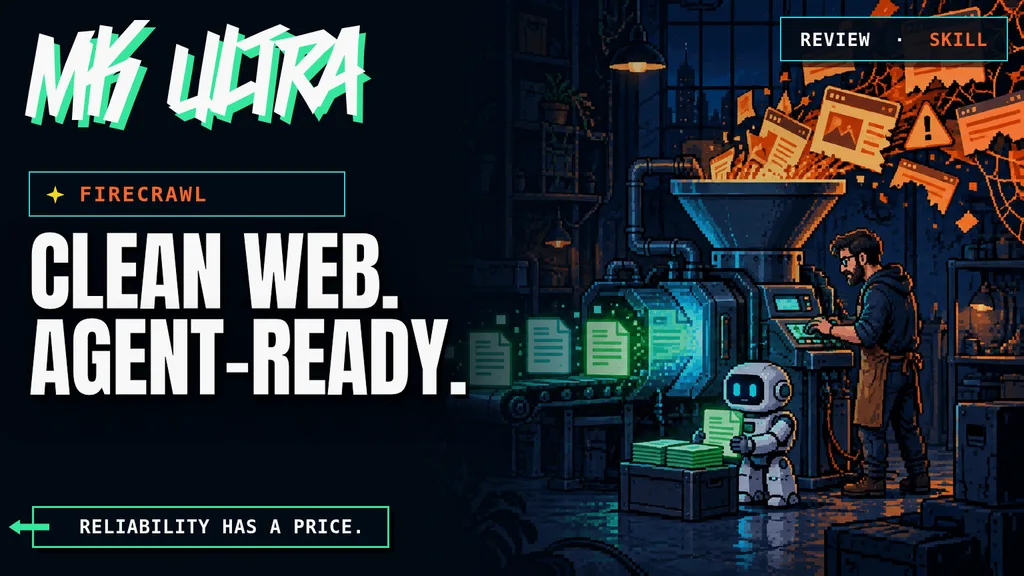

An AI agent without reliable web access is like a brilliant intern locked in a room with no windows. It can reason, write code, and produce a solid plan. But the moment it needs documentation updated yesterday, twenty competitor pages, or a table hidden behind JavaScript, the circus begins.
Firecrawl turns pages, entire websites, and search results into clean information an agent can actually use. It does more than download HTML. It handles the browser, content cleanup, common blocking problems, and delivery as Markdown or structured JSON. The promise is simple: ask for web context and get something ready to work with.
The useful question is whether it handles YOUR sources well enough to justify its cost.
This tool is included in these collections: Skills for Claude Code, Codex and Coding Agents by Task · AI Agent Resources for Marketing by Task
What this review actually checks
Updated September 11, 2026. We checked current documentation and pricing, inspected public user reports, and selected an English demonstration. We did not run a paid API benchmark. Reliability and time savings below are reasons to test the product, not measured results from our own workload.


TL;DR: The no-fluff summary
- What it is: a web context API for searching, reading, crawling, and interacting with pages from agents and applications.
- What it does best: returns Markdown or structured data without forcing you to maintain browsers, proxies, and HTML cleaners.
- Price: 1,000 free credits every month. Hobby starts at $19 monthly, or $16 per month when billed annually.
- The catch: advanced formats consume more credits, and pay-as-you-go can keep charging unless you set a monthly limit.
In this article
- What this review actually checks
- Firecrawl in plain English
- Why it fits coding agents so well
- What Firecrawl gets right
- What Firecrawl really costs
- Firecrawl vs Crawl4AI
- What nobody tells you
- User feedback: useful details, noisy threads
- English demonstration, with the date in view
- A test that can justify the bill
- Verdict
- Firecrawl FAQ
Firecrawl in plain English
The web was designed for people, not models. Menus, cookie banners, ads, JavaScript calls, pagination, and repeated blocks turn a normal page into a pile of noise. Giving raw HTML to an agent is asking it to find a needle inside another needle.
Firecrawl sits in the middle. Give it a URL or a query and it returns the main content as Markdown, HTML, a screenshot, or structured JSON. It can also crawl a domain, discover URLs, search the web, handle simple interactions, and parse documents.
That changes the agent's job. It no longer needs a custom scraper for every site. It gets a relatively stable context layer and can spend its tokens on analysis, comparison, or action.
Why it fits coding agents so well
Firecrawl is no longer just an API for developers. Its official agent onboarding includes a CLI, skills, and an MCP server. An agent can install the tools, authenticate, and choose whether it needs to search, scrape one URL, crawl a site, or interact with a page.
The distinction matters. A traditional scraper needs someone to program the flow. Firecrawl lets the agent choose the operation. No URL? Search. Known page? Scrape. Whole domain? Crawl it. Content behind a button? Interact.
From isolated tool to eyesight.
Marketing teams can use it to monitor pricing, read advertising documentation, audit landing pages, feed research, and compare competitor messaging. Developers can use it for current documentation, knowledge bases, and support agents grounded in real pages.
What Firecrawl gets right
It turns awkward pages into usable context
Downloading a page is not the interesting part. Any library can do that. The value is getting clean content back when JavaScript, unusual structures, and surrounding noise get in the way. Markdown works for reading. JSON works when you need specific fields.
It covers the full path
Search finds sources. Scrape reads one page. Map discovers URLs. Crawl covers a site. Interact handles browser steps. Agent tackles open-ended research. You do not need to stitch six providers together to build a decent workflow.
It removes maintenance work
Proxies, limits, retries, browsers, and pages that keep changing are the ugly side of scraping. Firecrawl charges you to own that problem. If your team needs web data every day, the bill may be cheaper than maintaining a collection of brittle scripts.
It is open source too
The project uses the AGPL-3.0 license and publishes its source code on GitHub. You can self-host it. Read the small print, though. A local deployment does not turn a complex stack into a toaster. Security, persistence, queues, upgrades, and scaling become YOUR problem.
What Firecrawl really costs
The free plan includes 1,000 monthly credits with no card required. A basic scrape generally costs one credit per page. Hobby includes 5,000 credits for $19 per month, or $16 per month when billed annually. So far, simple.
The maths changes when you use advanced features. JSON, Question, and Highlight formats add four credits per page. Search uses two credits per ten results. Interact costs two credits per browser minute. Even a page that returns 403 or 404 can consume one credit when Firecrawl returns it as a result.
Then there is pay-as-you-go. When a paid plan runs out of credits, Firecrawl can add more automatically. You can set a monthly cap or disable it. Do that. An agent inside a loop has no natural sense of “we have spent enough” unless you give it one.
Pricing changes, so check the official credit table before moving a workflow into production.

Firecrawl vs Crawl4AI
The easy comparison is managed service versus local software. Firecrawl sells operational convenience. Crawl4AI gives you control and a variable cost close to zero, provided you have the machine and the time to maintain it.
| Criterion | Firecrawl | Crawl4AI |
|---|---|---|
| Setup | API, CLI, skills, and MCP | Local installation and execution |
| Maintenance | Handled by the provider | Handled by your team |
| Cost | Usage credits | Your infrastructure and time |
| Data control | Depends on service and plan | Data can stay in your environment |
| Best for | Recurring workflows that need reliability | Technical, cost-sensitive, or local-first work |
I have already reviewed Crawl4AI and the hidden cost of “free” scraping. My position is the same: if you have the technical capacity and the volume does not demand an industrial operation, local makes a lot of sense. If you need the agent to work today and keep working next month, Firecrawl buys peace of mind.
What nobody tells you
Firecrawl cannot guarantee that every website will cooperate. Blocking changes, paywalls exist, and every site can impose different conditions. The fact that an API can extract a page does not make every use of that data sensible.
Structured output does not remove the need to verify. Ask for a price, availability, or a critical figure and the agent may still receive stale, incomplete, or badly selected data. The web arrives cleaner. It does not arrive notarised.
The Agent endpoint adds autonomy and cost. It can help with an open research task. For one known URL, it is a helicopter sent to buy bread.
Paste this into Claude Code, Codex, or your preferred coding agent:
Install the official Firecrawl CLI and skills by following https://docs.firecrawl.dev/ai-onboarding. Never print my API key or save it inside the project. Once configured, scrape the main Firecrawl documentation as Markdown and summarise only the available endpoints, their purpose, and their credit cost.
Start on the free plan and set a spending cap before automating anything.
User feedback: useful details, noisy threads
In a Reddit comparison with Crawl4AI, BodybuilderLatter154 describes spending time maintaining a local scraping stack and finding the hosted option easier to use. The post also repeats old prices and a coverage percentage without an auditable test set. Those claims are not our benchmark.
«crawl only those»
Heavy_Plan7527, Reddit
This commenter recommends discovering the relevant URLs before crawling everything. It is a useful workflow idea, not a promise that discovery has no cost: account for the current Map and Crawl rates.
«Please someone stop these firecrawl ads.»
floriandotorg, Reddit
Another reader challenges the promotional tone of the discussion. That does not prove paid promotion, but it is a reason to avoid treating the thread as an independent satisfaction survey.
There are also specific technical reports. GauravRawat369 reports an unhelpful HTTP error in the Rust SDK. This is an isolated debugging report, not evidence that all scraping fails. For a production workflow, useful errors and observable failures matter as much as a clean successful response.
English demonstration, with the date in view
Eric Ciarla, a Firecrawl cofounder, presents the tool in this AI Tinkerers talk published in October 2024. It explains the original web-to-LLM workflow. It is a vendor demonstration of an earlier version; use today’s documentation for endpoints, setup and prices.

A test that can justify the bill
Build a small set of pages you actually need: a static page, a JavaScript page, a long article and a page with the structured fields your workflow expects. Record the original value and capture time. Then compare missing content, wrong fields, errors, response time and credits used. Keep failures in the results.
Repeat the same inputs with your current method. “Returned Markdown” is not a success criterion if it omitted the price, date or source link you needed. Set a spending limit before adding retries or autonomous discovery, and measure the cost per usable result rather than per request.
Verdict
Firecrawl solves a boring but decisive problem: letting an agent see the web without turning every project into a war against HTML, browsers, and proxies.
You are not paying for “AI”. You are paying to avoid maintaining the plumbing.
For occasional research, the free plan or Crawl4AI may be enough. For an agent that works with web information every day, Firecrawl becomes easier to justify once you count the hours it saves. Set limits, watch the credits, and use it where reliability has real value.
Firecrawl FAQ
Is Firecrawl free?
It has a free plan with 1,000 monthly credits and no card requirement. Paid plans increase credits, concurrency, and support.
Does Firecrawl work with Claude Code and Codex?
Yes. It offers a CLI, skills, and an MCP server for agent integrations. You can also call the REST API directly.
Can I self-host Firecrawl?
Yes. The project is open source and documents self-hosting. You take responsibility for security, storage, queues, upgrades, and scaling.
Is it better than Crawl4AI?
Not universally. Firecrawl wins on convenience and managed operation. Crawl4AI wins when you want local execution, control, and no per-page credits.


Getting an agent to read a website and use its content solves a very specific need. If you repeat that task often, having extraction sorted can save you from wrestling with pages and formats every time.
You still have to check what it extracted and whether the source deserves your trust. Firecrawl helps obtain the material; the conclusions remain the user's responsibility. I see more value in a recurring workflow than in a one-off search.