How many times have you opened Obsidian, typed a word into the search bar, and gotten nothing back... even though you know that note exists? It's happened to you. It's happened to me. And it's not your fault: you're still searching like it's 1995, without semantic search in Obsidian.
Your vault grows, the notes pile up, and your search tool is still the same old contraption: exact text matching. Grep wearing makeup, basically. If you don't type the literal word you wrote eight months ago, your second brain goes silent.
Enter gbrain, a semantic memory system for AI agents built by Garry Tan (yes, the Y Combinator guy). It's the kind of leap that, much like the AI revolution reshaping everyday work, changes how you operate without forcing you to wrestle with the tech. And after putting it through a serious test, I'll tell you straight: semantic search in Obsidian is no longer a nerds-only toy. It's the upgrade your second brain has been begging for, for years.
Why grep falls short in your Obsidian vault
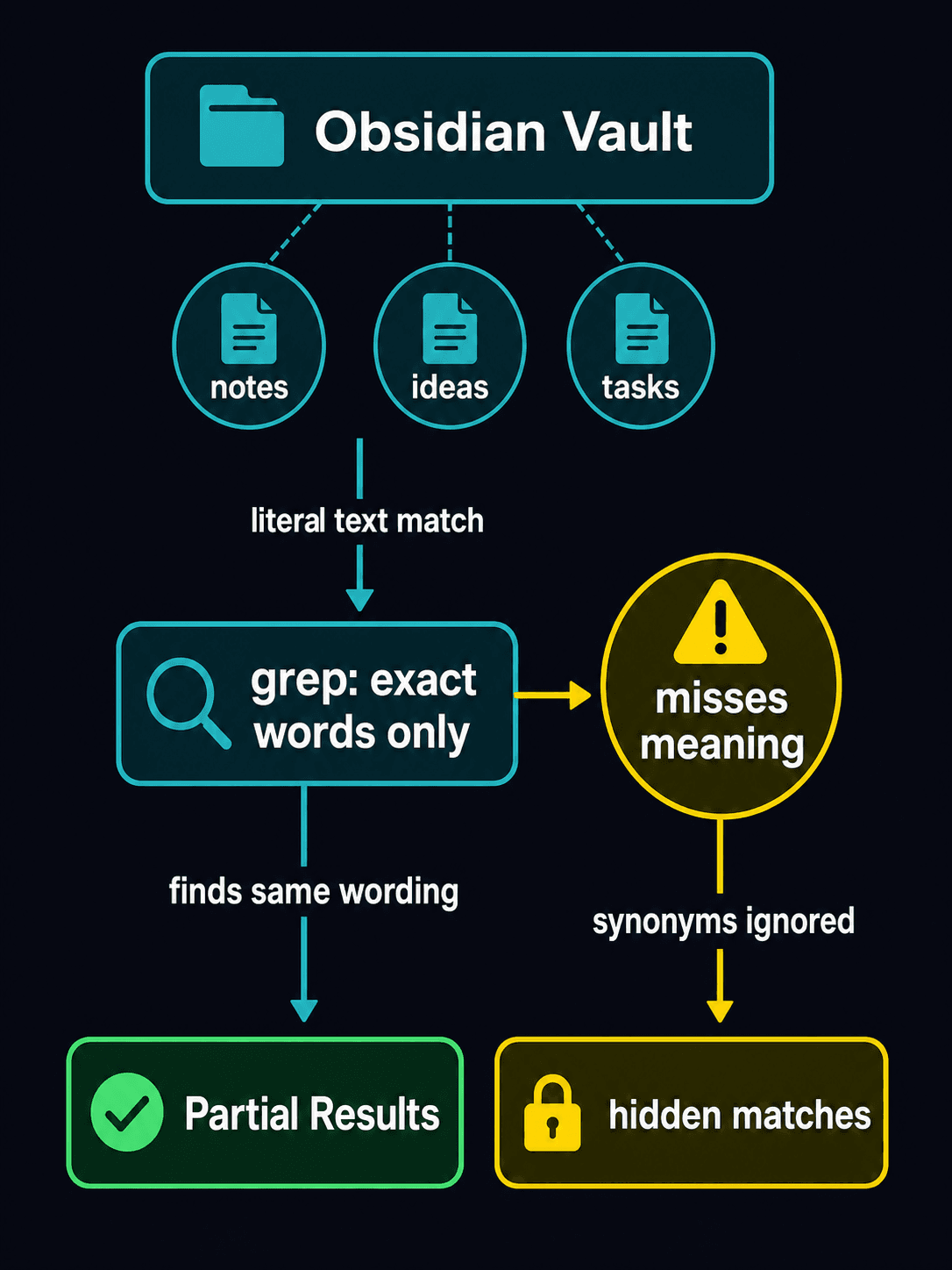
Grep is brilliant at one thing: finding an exact string of text. Fast, reliable, free. But its ceiling is painfully low. And you hit it constantly.
The problem is simple: grep doesn't understand what you mean. It just matches letters. And that breaks down in three situations that come up every single day:
- Relational queries: "what depends on what," "which note connects to which." Grep has zero clue about relationships.
- Reworded phrasing: you search for "customer acquisition" but in the note you wrote "lead generation." To grep, two different planets.
- Vague queries: you remember the idea but not the exact word. Grep needs the keyword nailed down or it just shrugs.
And this isn't armchair theory. You've got your vault built on Obsidian, which is a fantastic tool for thinking in graphs... but whose native search is still, at its core, text matching. The container is 2026; the search bar is from the '90s.
What gbrain's semantic search does that grep can't
gbrain doesn't replace grep: it keeps it in its lane and builds on top. It combines three things at once:
- Vectors (search by meaning via embeddings, not by letter)
- BM25 (classic keyword power, finely tuned, the same ranking algorithm serious search engines use)
- A knowledge graph (the relationships between your notes)
Translation: it finds what you mean, not just what you type. And when you ask about connections, it gives them to you, because it understands the graph of your knowledge instead of reading flat text.
I set up an A/B test with 31 real queries against a vault of around 230 notes. gbrain versus grep, head to head. The result leaves no room for debate:
- gbrain won on 10 queries (the relational ones, the semantic ones, and the reworded ones).
- They tied on 21.
- grep didn't win a single one.
Read that again: grep won none. In the worst case, gbrain ties. In the best, it surfaces what grep couldn't find no matter how hard you prayed. And it makes the difference exactly where it hurts most: when you remember the idea but not the word, when you're hunting for connections, when you reword things without realizing it.
The cost of semantic search in Obsidian: laughable
This is where you brace for the catch: "sure, but this costs an arm and a leg or locks me into a monthly subscription." Nope.
Indexing the entire ~230-note vault cost less than a penny. Under $0.01. No subscription, no recurring fee, none of the usual SaaS toll. You pay for indexing once and you're off.
For anyone who uses Obsidian as a genuine second brain, marketers, consultants, people who make a living keeping their knowledge organized, this is one of the rare upgrades where the cost is trivial and the payoff shows up on the very first search that used to fail.
Do you need to know how to code to use gbrain? No

The go-to excuse for avoiding this stuff is "I don't do code." Relax. gbrain installs with a prompt you paste into Claude Code or Cursor, and the assistant handles the rest: installation, configuration, and testing. Same philosophy as handing tasks off to AI when you learn to automate content with AI without reviewing every step: you give the order, the machine executes.
Here it is, ready to copy and paste:
Copy this and paste it into Claude Code, Cursor, or your favorite coding assistant:
Install gbrain from https://github.com/garrytan/gbrain and index my Obsidian vault. Follow the guide at https://github.com/Despiram/Marketing-Ultra/blob/main/prompts/gbrain-semantic-search.md. When it's done, run a test semantic search to confirm it works.
You don't need to know how to code. The assistant takes care of installation, configuration, and testing.
And if handing that much control to an agent gives you the creeps, remember these things work best with judgment: the same point we make when we explain why a self-improving system needs human sign-off before it touches anything important.
Verdict: stop searching like it's the '90s
No sugarcoating: if you use Obsidian as a second brain and you're still running on native search alone, you're driving a 2026 car with a paper map. It works... until you get lost exactly when you need it most.
gbrain isn't magic or hype. It's vectors + BM25 + graph, for less than a penny, installable with a prompt. In my test it didn't lose once. And for what it costs, not trying it is just stubborn.
Clear recommendation: install it, index your vault, and ask it the three questions grep never answered well. If it doesn't win you over, you've lost nothing. And if it does, and it will, there's no going back.
P.S.: the funniest part is that we've spent years bragging about our "second brain" while searching it with the intelligence of a Ctrl+F key. Semantic search in Obsidian is here. Anyone still riding with grep doesn't get to complain.